CodeSubmit Take-Home Assessment Guide: Repositories, Tests, and Review
Quick Overview
Prepare for a CodeSubmit take-home assessment with a candidate-focused workflow for reading repositories, running projects, controlling implementation scope, writing meaningful tests, reviewing Git diffs, and explaining trade-offs during the final review or live follow-up.
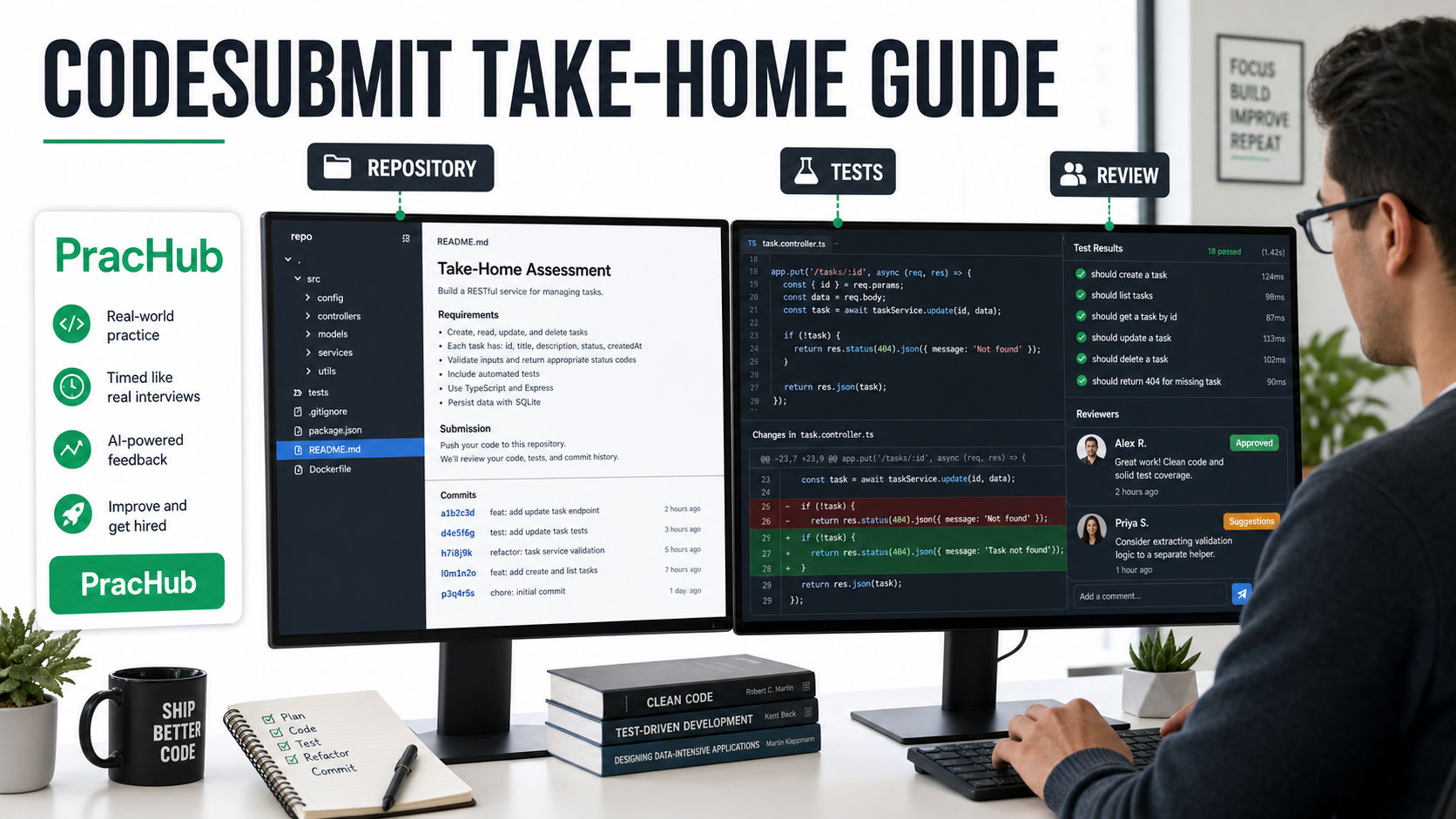
A CodeSubmit invitation can look deceptively simple: clone a repository, complete a task, and push your work. But the reviewer is rarely judging only whether the feature runs. Your repository tells a larger story about how you read unfamiliar code, control scope, test assumptions, use Git, and communicate engineering decisions.
That makes a repo-based take-home different from a timed algorithm screen. You have your own editor and tools, but you also own the workflow. A polished solution to the wrong problem is still the wrong solution.
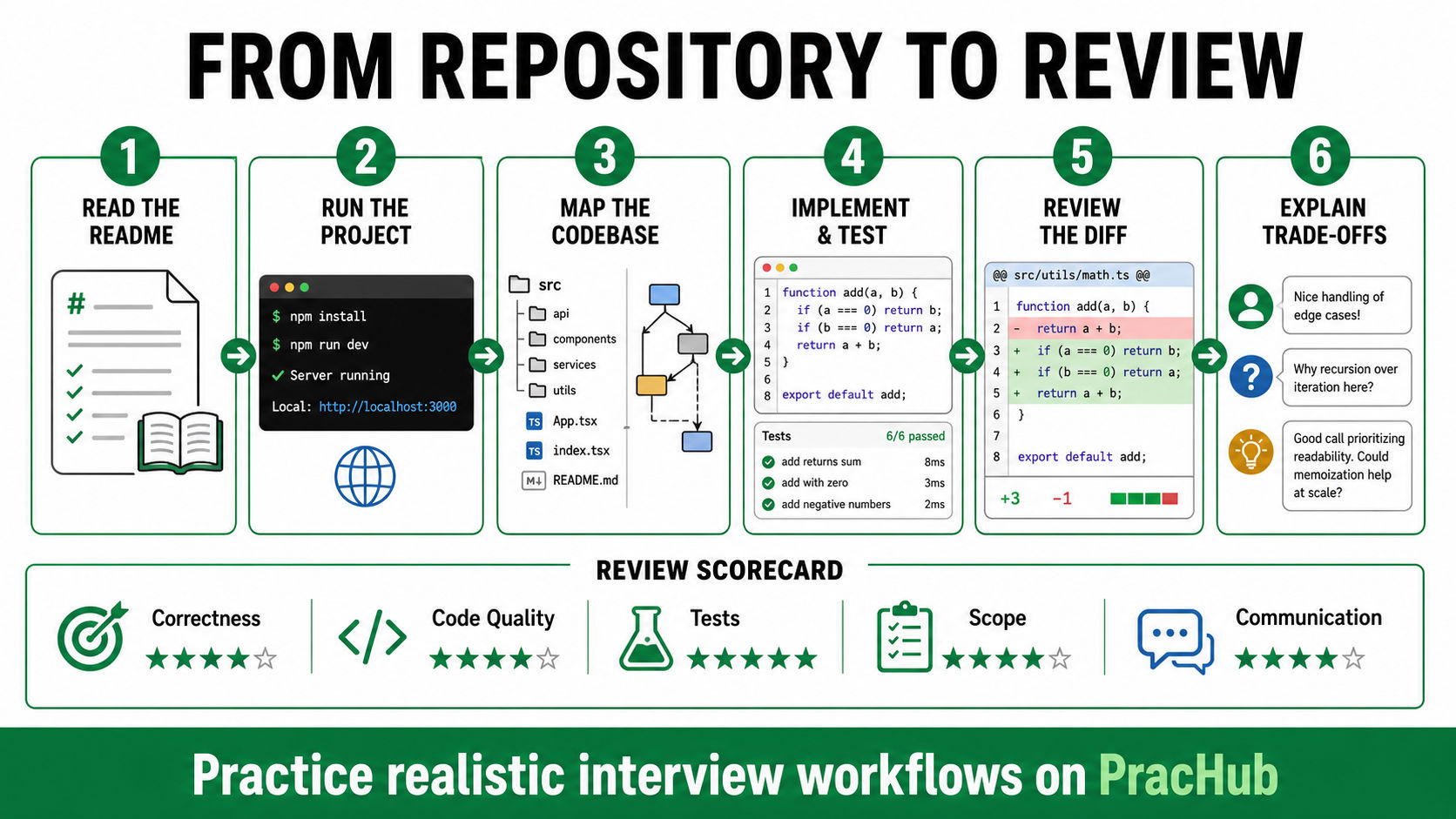
Before starting, use PracHub's real interview questions with written solutions and company-specific interview prep to understand the role's likely expectations. Then practice the take-home as a small professional delivery: clarify, run, map, implement, test, review, and explain.
Quick Verdict
The strongest CodeSubmit submission is not the largest one. It is the smallest complete change that satisfies the brief, fits the existing codebase, includes meaningful verification, and is easy to review.
CodeSubmit's current product page describes a Git-based workflow: candidates clone a real repository, work locally with their own IDE and terminal, commit, and push a reviewable diff. Employers can use library assignments or upload their own, so the exact stack, deadline, evaluation criteria, tests, and AI policy vary by company.
Your first action should therefore be administrative, not technical. Confirm the deadline, recommended time box, required deliverables, submission branch, allowed dependencies, and rules for outside resources or AI. Written company instructions outrank any general guide.
What to Expect from a CodeSubmit Take-Home
| Stage | What you receive or do | What it may reveal |
|---|---|---|
| Invitation | Requirements, deadline, repository access, and setup notes | Instruction reading and planning |
| Local setup | Clone, install dependencies, run the app and baseline tests | Tool fluency and troubleshooting |
| Implementation | Change an existing project using your own environment | Correctness, design judgment, and code quality |
| Submission | Commit and push a reviewable set of changes | Scope control, Git hygiene, and communication |
| Review | Human review and possibly a follow-up in the same project | Trade-off reasoning and ownership |
CodeSubmit also offers CodePair continuation from a take-home submission. That means a later interviewer may ask you to explain or extend the exact code you submitted. Write every line as if you will discuss it live.
Step 1: Read the Repository Before Editing
Begin with the README, task description, package or build files, environment examples, and test commands. Translate the prompt into acceptance criteria. Separate explicit requirements from optional improvements and your own assumptions.
Next, inspect the repository at high level. Find the application entry point, relevant module, neighboring implementations, data boundaries, and tests closest to the requested behavior. You do not need to understand every file. You need a reliable map of the path your change will touch.
If something essential is ambiguous, ask the recruiter or document a reasonable assumption. Silent assumptions are difficult to review; explicit assumptions show judgment.
Step 2: Establish a Clean Baseline
Run the documented install, build, lint, and test commands before changing code. Record any failure that already exists. If the application requires configuration, create only the local values you need and never commit secrets.
This baseline protects you from chasing pre-existing problems and gives you a reproducible starting point. It also reveals how the project expects code to be formatted, validated, and launched.
Step 3: Implement the Smallest Complete Solution
Follow the repository's existing patterns unless the task explicitly asks for a redesign. Reuse established validation, error handling, naming, and dependency boundaries. Introducing a new abstraction is worthwhile only when it removes real duplication or makes the requested behavior easier to reason about.
Time-box optional polish. A complete primary path plus edge-case handling is stronger than an ambitious architecture with an unfinished requirement. Leave future ideas in a short note instead of half-implementing them.
For senior roles, reviewers may care about performance, concurrency, failure recovery, security, or maintainability. State the trade-off you made and the condition that would justify a more complex design. Candidates preparing for architecture follow-ups can add system design questions to their practice plan.
Step 4: Treat Tests as Part of the Deliverable
Do not stop when the happy path works manually. Read existing tests to learn the project's conventions, then add focused coverage for your new behavior. A good test communicates the contract as clearly as the implementation.
| Test layer | Question it answers | Candidate mistake |
|---|---|---|
| Existing suite | Did the change preserve current behavior? | Running only the new test |
| Happy path | Does the requested workflow succeed? | Testing implementation details instead of outcomes |
| Boundary cases | What happens at empty, minimum, maximum, or duplicate inputs? | Assuming typical inputs are enough |
| Failure behavior | Are invalid states handled predictably? | Catching errors without asserting the contract |
Assume reviewers may run additional checks, but do not guess at mysterious hidden cases. Derive boundaries from the specification, types, existing behavior, and realistic failure modes. Run formatting, linting, type checks, and the full test suite before submission.
Step 5: Make the Git Diff Easy to Review
A reviewer should be able to open your diff and quickly understand the intended change. Remove debug output, generated files, unrelated formatting churn, abandoned code, and accidental dependency updates. Check the diff itself rather than trusting your memory.
Use a few logical commits when they clarify the progression: baseline test, implementation, and focused cleanup. Avoid dozens of noisy micro-commits, but do not squash away all evidence of a disciplined workflow unless the instructions request a single commit.
Add a concise submission note or README section covering how to run the project, what changed, assumptions, tests, trade-offs, and what you would improve with more time. This is not an essay. It is a map for the reviewer.
How Reviewers May Evaluate the Submission
CodeSubmit's materials emphasize reviewable diffs, code structure, testing gaps, likely risks, and follow-up questions. AI may help summarize a submission, but the platform states that human review remains central. Your employer's rubric may differ.
Expect attention on five dimensions: correctness, code quality, tests, scope, and communication. Reviewers may also inspect dependency choices, security, performance, accessibility, or framework fluency when those are relevant to the role.
Prepare a five-minute walkthrough: restate the requirement, show the execution path, explain one important trade-off, demonstrate tests, and name one limitation. Then practice answering “Why this design?”, “What would break at scale?”, and “What would you change with another hour?”
A 90-Minute Final Review
Use the last 90 minutes deliberately. Spend the first 30 running the full verification suite and checking failure paths. Spend the next 30 reading the diff like a stranger: remove noise, confirm names, and inspect configuration or dependency changes. Use the final 30 to update instructions, verify a clean clone can run, and prepare your walkthrough.
Do not add a new feature during this window unless it fixes a required behavior. Late expansion creates more risk than signal.
FAQ
How long should I spend on a CodeSubmit take-home?
Follow the employer's stated time box. CodeSubmit recommends concise assignments, but companies configure their own tasks. If the scope clearly exceeds the estimate, prioritize requirements and document what you omitted.
Can I use AI during the assessment?
Only if the company allows it. CodeSubmit supports modern AI-aware workflows, but platform capability is not permission. Ask before starting, disclose use when requested, and validate every generated change.
Will reviewers look at my commit history?
They can receive a Git-based, reviewable submission, so assume commits and diffs may be discussed. Keep them professional and useful rather than performative.
What if the starter project does not run?
Capture the exact command and error, check documented prerequisites, and contact the provided support or recruiter early. Do not silently rewrite the setup or spend the entire assessment debugging infrastructure.
Final Verdict
A CodeSubmit take-home rewards evidence of everyday engineering. Read before editing, preserve the project's conventions, implement a complete scoped change, write meaningful tests, and leave a diff another engineer can review efficiently.
Use PracHub to practice realistic questions and compare your approach with written solutions before the invitation arrives. Add behavioral and leadership practice so you can explain ownership, trade-offs, and collaboration during the follow-up. The code earns attention; the explanation shows whether you can own it.
Related Resources
CodeSubmit: Take-home assessments in real repositories CodeSubmit: How to design a take-home coding assignment CodeSubmit: Real-repository assessment and live follow-up
Related Articles
Software Engineer Take-Home Assignment Guide 2026: Scope, Tests, and Submission
Software engineer take-home assignment guide for 2026: control scope, choose useful tests, document trade-offs, and submit a project reviewers can run.
AlgoMap Review 2026: Free DSA Roadmap or Paid Bootcamp?
AlgoMap review 2026: compare the free 100-problem DSA roadmap with $4K-$15K paid plans, who each option fits, and a 14-day test before paying for prep.
CodeSubmit vs CoderPad Screen: Which Take-Home Format Should You Expect?
CodeSubmit vs CoderPad Screen explained for 2026: compare repo setup, browser IDEs, timing, review signals, and how to prepare for either take-home test.
Big Interview Review 2026: Is AI Video Practice Useful for Technical Candidates?
Big Interview review for technical candidates: see 2026 pricing, VideoAI limits, where it helps, and how to pair it with real technical interview practice.
Comments (0)