Glider AI Assessment Guide 2026: Coding, Proctoring, and Results
Quick Overview
Glider AI Assessment Guide 2026: Coding, Proctoring, and Results now pairs its existing format and process guidance with a clearly sourced PracHub practice set. The added section shows each question's actual company, stored round, difficulty, prompt shape, and a timed workflow without claiming guaranteed assessment reuse.
You open a hiring email and see a Glider AI assessment link, but the invitation says little about what happens after you click Start. Will you solve algorithms, repair a project, answer multiple-choice questions, record a video, or do all four under webcam and screen monitoring?
The uncertainty is real because there is no single standard Glider AI test. Employers choose the questions, time limits, navigation rules, languages, proctoring controls, and score thresholds. Two candidates using Glider can have very different experiences.
Your best preparation is therefore a combination of format readiness and realistic practice. Start with PracHub's real interview questions with written solutions, then narrow the set with company-specific interview prep and practice under the exact time and resource rules in your invitation.
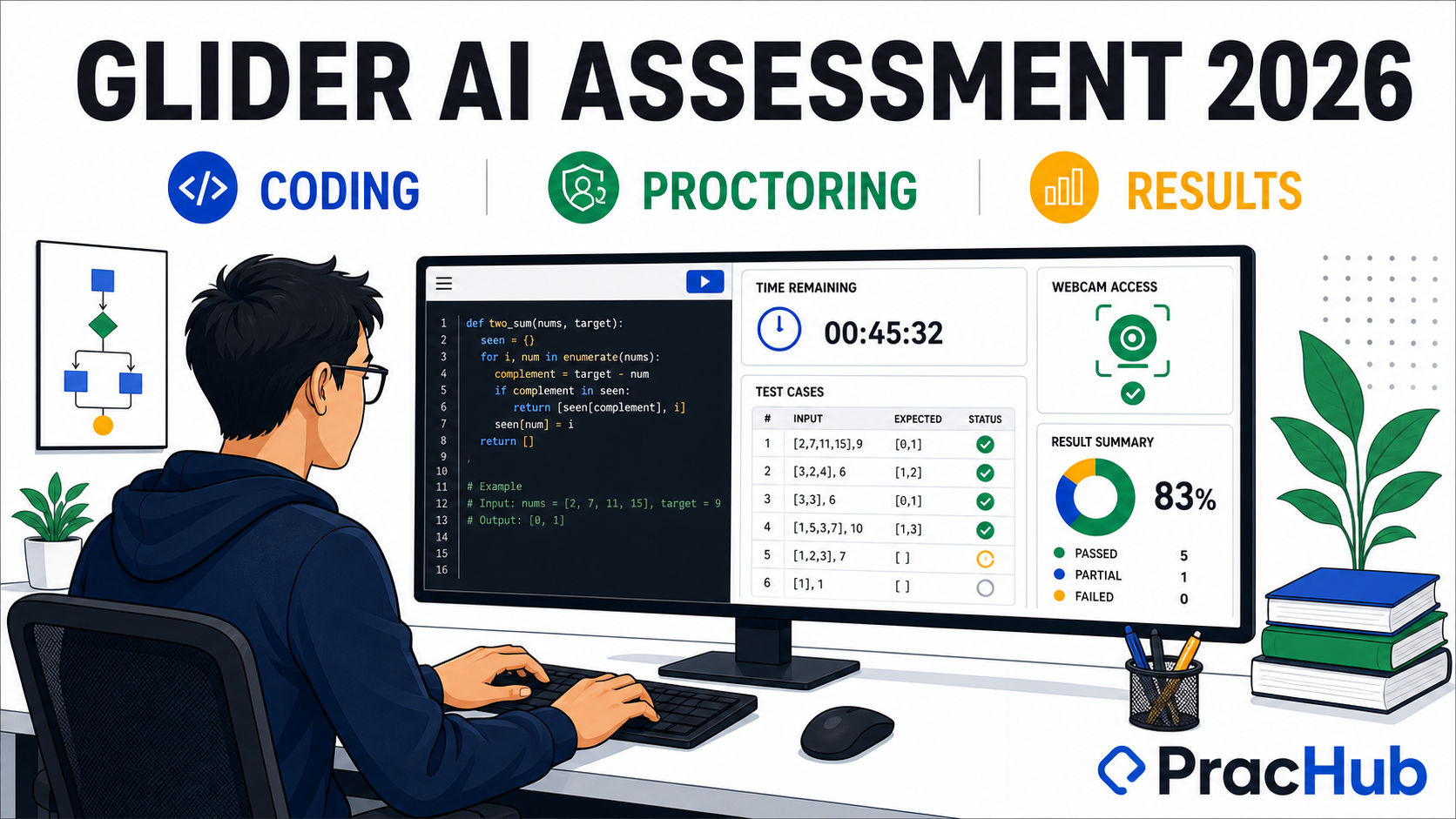
Glider assessments can combine coding, project work, knowledge questions, and employer-selected proctoring.
Quick Verdict: What Should You Expect?
A software engineering assessment on Glider may include standalone coding challenges, a multi-file WebIDE project, technical knowledge questions, video or essay responses, and diagram tasks. The coding editor can expose sample tests while keeping other test cases hidden, and the available language depends on the employer's configuration.
A proctored test may request webcam, microphone, screen-share, photo, or ID permissions. Glider can also support browser and external-app tracking, tab-switch limits, copy-paste logging, multiple-screen detection, and time-stamped monitoring reports. Support does not mean every control is active on every test; read the consent and instruction screens for your specific session.
What Is a Glider AI Assessment?
Glider AI is an employer-configurable skills assessment platform rather than a fixed exam with a universal syllabus. A hiring team can select library questions, author its own prompts, build a role-specific test, and decide whether responses are graded automatically, manually, or with a mix of both.
That flexibility matters. One company may use a short coding screen, while another may reproduce a fuller technical environment and ask you to work across an existing project. The job description, recruiter email, listed skills, duration, and pre-test instructions are better predictors than a generic list of "Glider questions" found online.
Glider AI Question Types for Engineers
| Format | What you may see | What it evaluates |
|---|---|---|
| Coding question | A problem statement, starter code, language selector, custom input, and open plus hidden test cases | Correctness, edge cases, efficiency, and sometimes code quality |
| WebIDE project | A multi-file front-end, back-end, or full-stack repository with preinstalled dependencies and a terminal | Repository navigation, debugging, implementation, and testing |
| MCQ, MSQ, or text response | Technical concepts, output prediction, short answers, or scenario questions | Role knowledge and applied reasoning |
| Video, audio, or essay | An explanation of your approach, experience, or decision | Communication and structured thinking |
| Diagram | UML, entity-relationship, flowchart, or another visual design task | System modeling and technical communication |
For coding questions, Glider's candidate help says code is auto-saved at intervals. The Run control uses open tests, while Run All may compile against all employer-added tests even though some remain hidden. Treat passing samples as a checkpoint, not proof that the solution is complete.
For WebIDE tasks, expect a file tree, editor, terminal, build controls, and an application launcher. This format rewards engineers who can read before editing, reproduce the failure, make a focused change, and run the relevant tests.
Timing, Navigation, and Language Choice
Employers can set a timer for the whole assessment or for individual questions. A question-level timer may move you forward when time expires and prevent you from returning. An assessment-level timer counts down across the entire session, and attempted responses are submitted when time runs out.
Some tests let you move freely, flag questions, and revise answers before final submission. Others disable backward navigation or close a timed section. Confirm those rules before you begin so you do not save an important review for a screen you cannot reopen.
The coding-language dropdown only shows choices the employer enabled. Use the language you can debug fastest, not the one that looks most impressive. Before test day, try Glider's official sample assessment to learn the editor without spending real assessment time.
How Glider AI Proctoring Works
Glider gives employers a menu of monitoring controls. If proctoring is enabled, the platform may require camera and screen access before allowing the test to start. The current configuration documentation also describes optional identity capture, browser tracking, audio tracking, full-screen monitoring, and limits on leaving the assessment area.
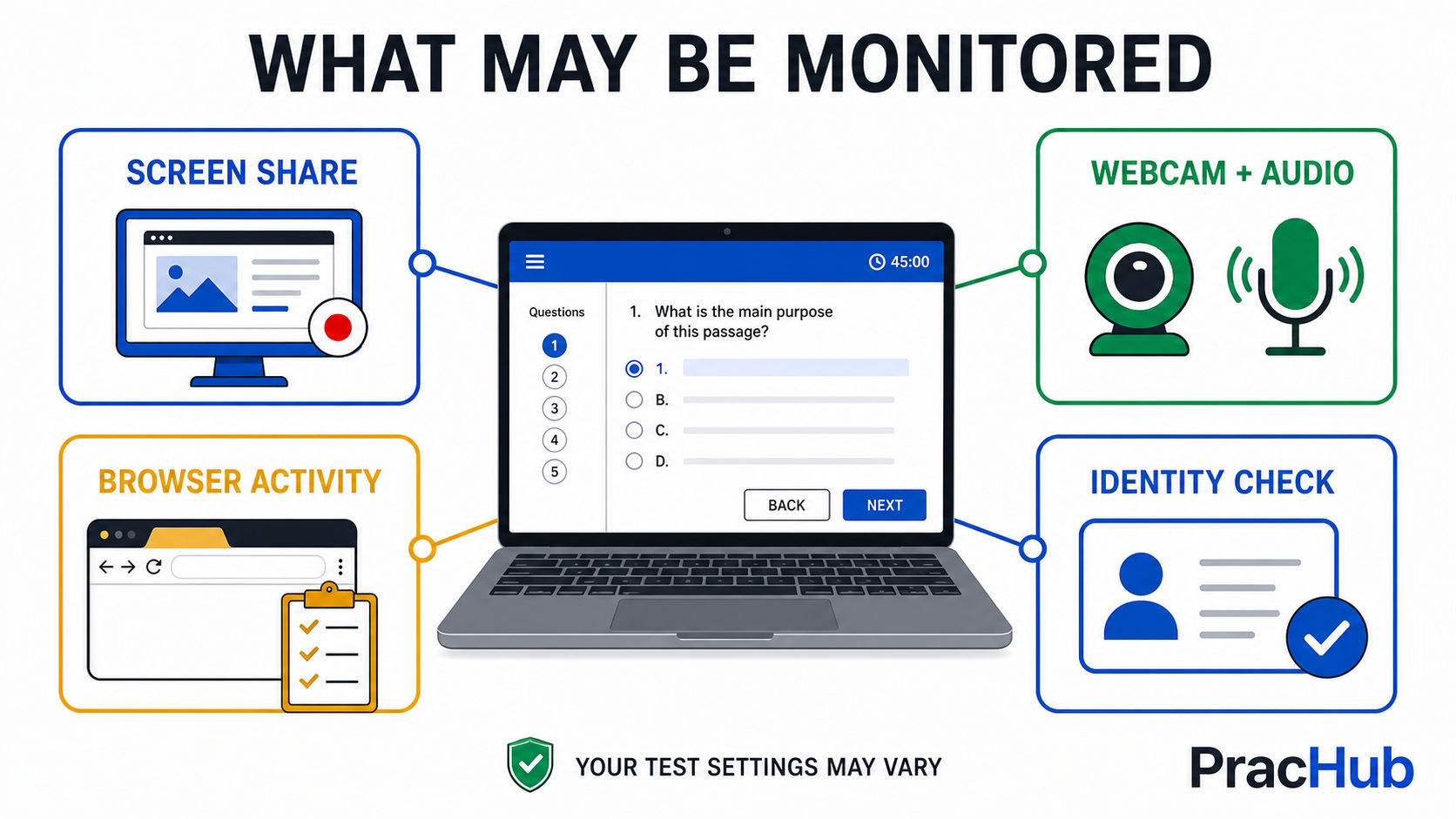
The permissions shown before your test reveal which monitoring layers apply to that session.
| Possible control | What Glider can capture or flag | Candidate-safe response |
|---|---|---|
| Screen share | A recording of the shared screen for the employer's monitoring report | Close private apps and share only as instructed |
| Webcam and audio | Candidate video, face-presence signals, multiple faces, or human voices | Use a quiet, well-lit room and remain in frame |
| Browser activity | Tab changes, opened URLs, and copied or pasted content when tracking is enabled | Use only resources explicitly permitted by the test |
| Identity checks | A profile photo, ID details or image, and optional facial comparison | Have the requested valid ID ready and check camera focus |
| Device controls | Full-screen status, a second screen, duplicate IP patterns, or multiple-device activity | Disconnect extra displays and follow the setup prompts exactly |
Do not infer permissions from the Glider brand alone. A non-proctored assessment may not use these controls, while a high-integrity screen may use several together. Your invitation, preflight check, permission requests, and employer instructions are the source of truth.
Does Glider Detect Tab Switching or Copy-Paste?
It can, when the employer enables browser activity tracking. Glider's official configuration guide says employers can record browsing history, opened URLs, and copied or pasted content, and can set a limit on leaving the assessment area. Its candidate help also warns that browser searches and suspicious tab activity may be reported during a proctored test.
This is not a reason to search for workarounds. It is a reason to clarify the rules. If documentation, a calculator, or another resource is allowed, the instructions should say so. Built-in Glider Assist may also be enabled for some companies, but that does not make outside AI tools permissible.
How Glider AI Scores and Reports Results
Glider's employer report can show a candidate score, a comparative percentile, total time, and time percentile. Coding reports may include the number of test cases passed, test-case details, and a playback of how the code changed keystroke by keystroke. Subjective questions can remain in an awaiting-grading state until a reviewer scores them.
Employers may configure a cutoff score that automatically disqualifies submissions below the threshold. That is separate from the proctoring layer, which can add time-stamped events, recordings, or risk indicators for review. A strong submission therefore needs both technically correct work and a session that follows the stated rules.
Candidates do not necessarily receive the detailed report. Glider's candidate FAQ says the platform sends a submission confirmation, but the hiring organization decides whether and when to share results. If you hear nothing, follow up with the recruiter rather than Glider for a hiring decision.
Does One Proctoring Flag Mean Automatic Failure?
Not necessarily. Glider describes suspicious behavior as something that can be flagged, time-stamped, reported, and in some cases manually verified. A brief connection issue or accidental event is not the same as a proven policy violation, although the employer controls its own review process.
If something material happens, do not conceal it or repeatedly recreate it. Return to the assessment, use platform support if needed, and send the recruiter a short factual note with the approximate time and impact. Avoid photographing or reproducing confidential test content while documenting the technical issue.
A Practical Glider AI Preparation Plan
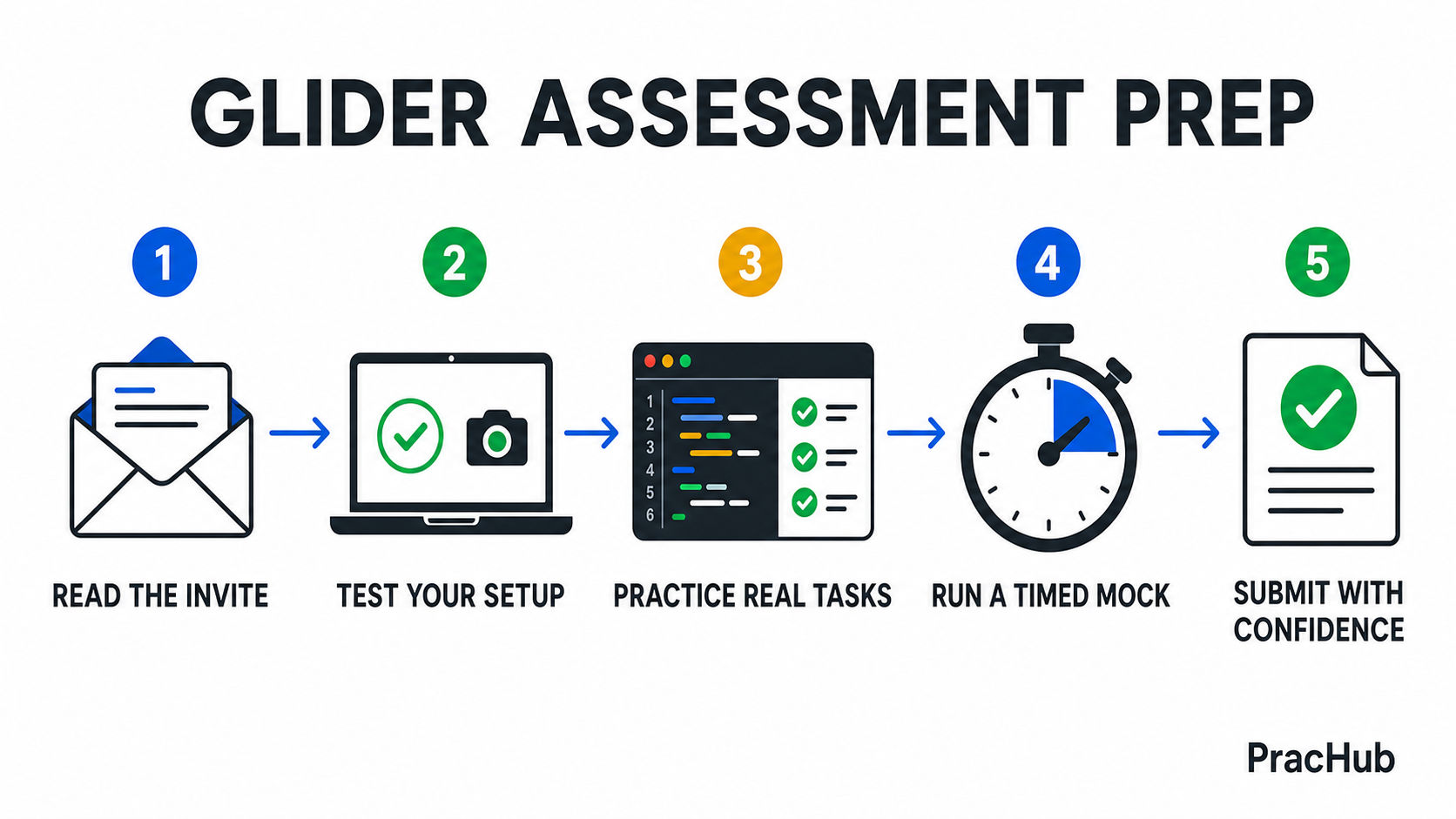
Prepare for the employer's configuration, then rehearse the likely task under matching constraints.
First, map the invitation. Write down the role, duration, listed skills, permitted resources, required browser, and requested permissions. Ask the recruiter early if an instruction is ambiguous.
Second, rehearse the interface. Run the sample assessment, confirm camera and screen-share permissions, and learn where the timer, language selector, custom input, review screen, and support chat live.
Third, practice the likely work. Use PracHub to solve several relevant questions in a plain editor. For each solution, explain the approach, test empty and extreme inputs, and estimate complexity before submitting. Our guide to coding assessment hidden test cases is useful when sample tests pass but edge cases still fail.
Fourth, simulate one full attempt. Match the real time limit and allowed resources. If the role suggests a WebIDE task, practice entering an unfamiliar repository, running tests, tracing the failing path, and making one defensible change.
Finally, prepare the room and machine. Update the browser, plug in power, use stable internet, close unrelated tabs and background sync apps, disconnect extra displays if instructed, and place the camera at eye level. Do this before the assessment clock starts.
What to Do If the Test Breaks
Glider says responses are auto-saved and a disconnected candidate can reopen the assessment link, but the timer continues while offline. Rejoin promptly, contact Glider through the in-test chat for platform issues, and tell the recruiter if the interruption affected your attempt. The recruiter can decide whether to extend the window or allow a reattempt.
Avoid refreshing during an active coding question unless support directs you to do so. Glider's help center warns that current coding changes can be lost on refresh even though previous responses remain saved.
Practice with real questions from PracHub
A platform or process article cannot honestly attribute one company's question to every employer that uses the format. This set therefore uses real cross-company PracHub questions to rehearse common OA patterns. Each row shows its actual company and stored round; none is claimed to be supplied by this platform.
| Question | Evidence | Difficulty | Main pattern |
|---|---|---|---|
| Q1: Count Special Index Pairs | Google · Technical Screen | Medium | Arrays and hashing |
| Q2: Implement nested object path lookup | Amazon · Technical Screen | Medium | Graphs |
| Q3: Implement an In-Memory Database | Two Sigma · Technical Screen | Hard | Strings |
| Q4: Solve scheduling and collision problems | J.P. Morgan · Technical Screen | Medium | Intervals |
What the prompts actually ask
Q1. Count Special Index Pairs
Bank evidence: Google, Technical Screen, Medium. Given an integer array nums of length n, count the number of index pairs (i, j) such that: - 0 <= i < j < n - nums[i] nums[j] is even - j - i is odd Return the total number of special pairs. Constraints & Assumptions - A product is even if at least one of the two numbers is even.
Q2. Implement nested object path lookup
Bank evidence: Amazon, Technical Screen, Medium. Implement a function get(obj, path) for a nested data structure composed only of maps and arrays. Path rules: - . accesses a map key - [i] accesses an array index - keys do not contain . or brackets - example path syntax: ab[1].c.d[2][13] Return the value at the given path.
Q3. Implement an In-Memory Database
Bank evidence: Two Sigma, Technical Screen, Hard. Implement a simple in-memory relational database that processes a sequence of tokenized commands. You are given commands: List[List[str]], where each command is already split into tokens. Process the commands in order and return the result of every select command. Support the following operations: 1.
Q4. Solve scheduling and collision problems
Bank evidence: J.P. Morgan, Technical Screen, Medium. The interview included multiple algorithm questions in the same category: 1. Minimum concurrent resources for intervals You are given a list of time intervals, where each interval represents a meeting or a CPU task with a start time and an end time.
Run the set like an assessment
- Read all four prompts first. Give each a difficulty estimate and choose an order before coding.
- Hide the solution. Write the invariant, complexity target, and three edge cases before opening the editor.
- Use one timer. Preserve five minutes at the end for boundary, tie, scale, and output-format tests.
- Log the failure mode. Record the broken invariant or missed edge case, not merely the question title.
Frequently Asked Questions
Does Glider AI record your screen?
It can when the employer requires screen sharing. In that configuration, the screen feed can be recorded and included in the monitoring report. The permission prompt before the test tells you whether screen sharing is required.
Does a Glider assessment use a webcam?
Only when the assessment configuration calls for it. Webcam access can support candidate video recording, face presence, identity checks, or multiple-face detection.
Can you choose your programming language?
You can choose among the languages enabled for that coding question. Do not assume every language Glider supports will appear in your test.
Are all Glider coding test cases visible?
No. Glider's candidate guide says some cases may be open while others remain hidden. Test boundaries, invalid assumptions, large inputs, and performance rather than stopping after the samples pass.
When do candidates get Glider AI assessment results?
The hiring organization controls result sharing and timing. Glider confirms submission but says it does not have the right to release an employer's assessment results directly.
Can you retake a Glider assessment?
A recruiter can allow a reattempt, but it is not guaranteed. Contact the person or company that sent the invitation and explain the reason clearly.
Final Takeaway
A Glider AI assessment is best understood as a configurable delivery platform, not a predictable universal exam. Prepare for the role, verify the exact test rules, learn the interface, and treat open test cases as only part of correctness.
PracHub can help you do the part that matters most before the monitoring begins: practice real, role-relevant interview questions, compare your reasoning with written solutions, and build a repeatable process under time pressure. Start with PracHub's interview question library and turn the Glider invitation into a focused practice plan.
Official Sources
This guide was checked against Glider AI's candidate assessment help, question-type documentation, assessment configuration guide, candidate report guide, and current proctoring overview. Product settings can change, and the employer's instructions govern your specific assessment.
Comments (0)