Online Assessment Proctoring by Company 2027: Webcam, Screen Recording, and Tab-Switching Rules
Quick Overview
An evidence-graded 2027 employer tracker for OA webcam, screen recording, tab switching, desktop-app controls, and video-answer rules.
Online assessment proctoring is not governed by one permanent rule for each company. Employers can change the platform, integrity mode, and permissions by role, country, recruiting batch, or even individual test. A company using HackerRank or CodeSignal does not prove that every candidate will be recorded.
This 2027 tracker separates current company-specific reports from the controls an assessment platform merely makes available. Before your OA, the consent screen and invitation are the source of truth. Use PracHub's interview question bank to prepare the technical side, then use this guide to prepare your device and workspace without guessing what will be monitored.
Quick Answer: What Can an Online Assessment Record?
A proctored OA may request a webcam, microphone, photo ID, full-screen mode, or entire-screen sharing. It may also log tab changes, copy and paste events, code evolution, test runs, browser focus, additional monitors, or blocked applications. These are separate controls, not synonyms.
The most important distinction is platform capability versus employer configuration. HackerRank, for example, offers basic tab and paste tracking, Secure Mode, Proctor Mode, and a stricter Desktop App Mode. CodeSignal says some assessments require camera, microphone, screen sharing, and identity verification. The employer decides which assessment and settings you receive.
How to Read This 2027 Employer Tracker
The table uses three evidence grades:
- Grade A: an official employer instruction or policy for the named program.
- Grade B: a current candidate report that matches current official platform documentation.
- Grade C: a current candidate report, an unresolved report, or a known platform with company settings still unconfirmed.
"Not confirmed" does not mean a control is absent. It means the available public evidence does not support a reliable yes or no. The tracker was checked on August 27, 2026 for the 2027 recruiting cycle.
Online Assessment Proctoring by Company: 2027 Tracker
| Company and scope | Webcam or video | Screen or desktop monitoring | Tab switching and app controls | Evidence |
|---|---|---|---|---|
| Microsoft Redmond SWE Intern 2027 | Reported camera monitoring | One current Full Stack report says the screen was watched | HackerRank browser test; AI proctor reported | Grade B |
| Optiver SWE Intern 2027 | Webcam and microphone reported | Screen sharing and process monitoring reported | HackerRank Desktop App blocks leaving the test and other apps | Grade B |
| Shopify Winter SWE Intern 2027 | Reported no camera or audio for coding | Reported no screen recording | One current candidate described no proctor for the coding portion | Grade C |
| IBM Software Developer Intern 2027 | Coding OA reported unproctored; separate competency video uses camera | No coding-screen recording confirmed | Repository task and recorded competency stage are different assessments | Grade C |
| Capital One Lead Backend SWE, Aug. 2026 | CodeSignal proctored assessment reported | Candidate reported whole-screen recording | Exact CodeSignal configuration is shown before launch | Grade B |
| TikTok Frontend Intern, Mar. 2026 | Proctored CodeSignal reported | Exact screen setting not confirmed | Company-specific tab policy not confirmed | Grade C |
| Tower Research India Graduate SWE 2027 | Front and back cameras reported | Not confirmed | Platform and tab policy not confirmed | Grade C |
| DRW Quant Internship 2027 | Phone-based filming reported for one quant assessment | Not confirmed | Do not apply this report to DRW SWE Codility tests | Grade C |
| Snowflake SWE 2027 | Chakra is a recorded AI conversation; coding settings vary | Desktop App screen sharing is possible when assigned | Full-screen and integrity signals are configuration-dependent | Grade B |
| BlackRock US Internship 2027 | HireVue video explanations reported | Coding-screen recording not confirmed | Video answers are not proof of tab tracking | Grade C |
| Figma Winter SWE 2027 | Camera question remained unanswered in current reports | CoderPad can replay code activity, not necessarily the entire desktop | Leaving the coding environment can appear in playback | Grade C |
| Goldman Sachs Core Quant Strats 2027 | Not confirmed | Not confirmed | HackerRank platform reported; employer mode unknown | Grade C |
| SIG Quant Developer 2027 | Current candidates asked whether it was proctored; no reliable answer | Not confirmed | CodeSignal platform reported; settings unknown | Grade C |
| JPMorgan 2027 Software Engineer Program | Not confirmed | Not confirmed | HackerRank can log window exits, but current company settings are unconfirmed | Grade C |
This is intentionally not a simple yes/no list. A narrow, dated report is more useful than a confident but unsupported claim that a company "always" records candidates.
What the Strongest Current Company Evidence Shows
Microsoft and Optiver currently have the most detailed reported setups
Multiple Microsoft Summer 2027 candidates reported HackerRank invitations that mentioned an AI proctor. One Redmond report identified camera monitoring; a later Full Stack candidate described webcam and screen monitoring. Because HackerRank lets employers choose integrity modes per test, that evidence supports the named Redmond intern wave, not every Microsoft role worldwide.
Optiver's current SWE Intern reports are more specific. Candidates described installing the HackerRank Desktop App, granting webcam and microphone access, sharing the screen, and allowing process monitoring. HackerRank's official documentation says Desktop App Mode can enforce full screen, block other applications, prevent multiple monitors or screen mirroring, and create a session replay.
Shopify and IBM show why stages must be separated
A current Shopify Winter 2027 candidate reported no camera, audio, or screen recording during the coding assessment. That is useful batch-level evidence, but it is not a permanent Shopify policy. A different location, role, or later test could use different controls.
IBM's current Software Developer Intern process contains two easily confused stages. Candidates described a repository-debugging coding OA as unproctored, then a separate recorded competency assessment with verbal video responses and written preference questions. A camera being required for the competency stage does not prove the repository code was screen-recorded.
Camera monitoring does not prove screen recording
Tower Research offers the clearest example. One 2027 graduate SWE report said both front and back cameras were active. The report did not identify the platform, screen-capture method, or tab-switch policy. The defensible answer is therefore "dual-camera reported; other controls unknown," not "everything is recorded."
The same boundary applies to DRW. One current quant candidate reported filming the attempt from a phone. DRW Software Developer candidates use a different coding process, commonly associated with Codility, so a quant phone setup should not be imported into a SWE guide.
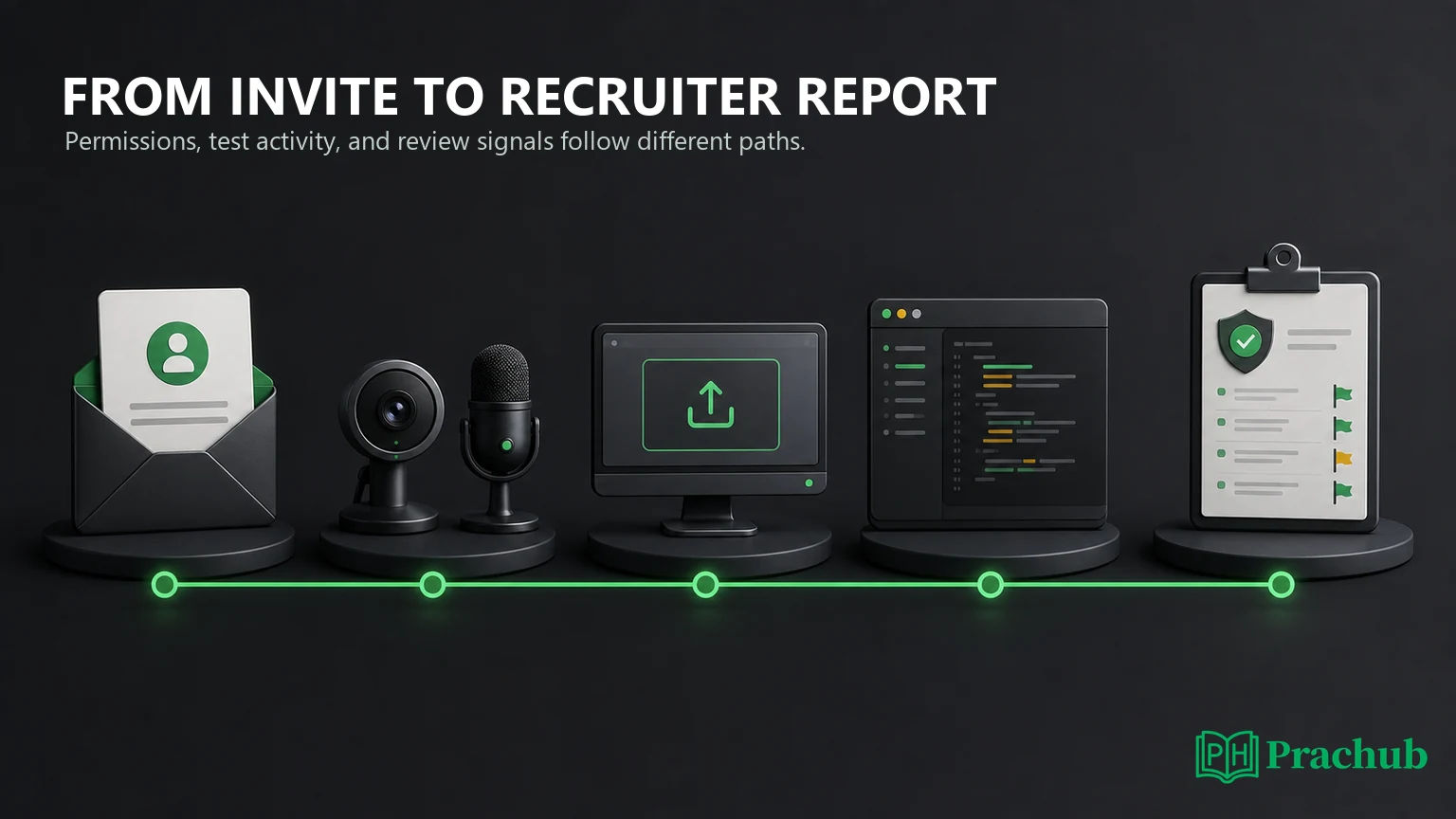
Webcam, Screen Sharing, Screen Recording, and Playback Are Different
Webcam snapshots are periodic images. TestGorilla says its assessment flow can capture webcam snapshots every 30 seconds, while HackerRank offers image proctoring that places periodic images in the candidate report.
Webcam video is a continuous recording or live feed. CodeSignal says a proctored assessment may request camera and microphone access for the session. Codility's optional Video Proctoring records audio and video when an employer enables it.
Screen sharing grants access to the displayed screen during the attempt. It does not, by itself, tell you whether the stream is stored. Read the disclosure language instead of assuming that "share" and "record" mean the same thing.
Screen recording stores a continuous or sampled view. Codility documents optional screen snapshots and full screen video. HackerRank's stricter modes can present screen activity in session replay. These features are configurable.
Code playback reconstructs activity inside the assessment editor. CoderPad Screen records code edits, runs, pastes, and time spent outside the environment. That is not the same as keylogging or recording every application on the computer.
Does Tab Switching Automatically Disqualify You?
Usually, no single event proves misconduct. HackerRank reports the number and duration of window exits. TestGorilla explicitly tells employers to interpret behavior flags in context rather than label a candidate a cheater from one signal. A notification, accessibility tool, technical issue, or permitted documentation task can create an innocent event.
The practical rule is simpler: follow the written instructions. If external documentation is allowed, use only the permitted resource and keep the path auditable. If the assessment requires full screen or a desktop app, assume leaving the test is prohibited unless the instructions say otherwise.
If something unexpected happens, document the time, screenshot the error if allowed, save the support ticket number, and contact the recruiter promptly. Do not try to hide or reproduce the event.
What Employers May See After You Submit
Depending on the platform and configuration, a recruiter may receive:
- final code, scores, test cases, runtime, and language;
- a timeline of edits, runs, submissions, and pasted text;
- tab exits, time outside the window, and full-screen exits;
- webcam images or video, screen snapshots, or session replay;
- plagiarism, identity, device, or unusual-behavior signals;
- a recorded video answer, transcript, or AI-generated evidence summary.
An integrity flag is not necessarily an automatic rejection. It is one input a hiring team can review alongside score, code quality, resume fit, and recruiting capacity. Platforms themselves often describe these signals as review aids rather than proof of intent.
Practice with OA Questions from PracHub
These PracHub question-bank records train common assessment skills. They are not predictions of your exact OA, and the proctoring rules above do not change the underlying need for correct, tested code.
| PracHub question | Practice focus | Why it helps |
|---|---|---|
| In-Memory URL Shortener: Encode and Decode | State, mappings, and API contracts | Trains clean implementation and hidden-test thinking. |
| Determine All Players with Fixed Rankings | Graph reachability and transitivity | Builds correctness reasoning under a timer. |
| Find a Local Minimum in One and Two Dimensions | Binary search and divide-and-conquer | Tests assumptions, boundaries, and follow-ups. |
| Minimize Operations to Balance Shipments | Arrays, invariants, and edge cases | Rewards precise modeling instead of trial and error. |
| Find the Most Frequently Used Meeting Room | Heaps, intervals, and tie-breaking | Trains careful event ordering and deterministic output. |
A 30-Minute Pre-Assessment Privacy and Setup Check
| Time | Check | Action |
|---|---|---|
| Minute 0-5 | Read the rules | Identify allowed resources, required permissions, and prohibited tools. |
| Minute 5-10 | Test hardware | Check camera, microphone, charger, network, and the exact browser or desktop app. |
| Minute 10-15 | Protect private information | Close messages, personal files, password managers, unrelated tabs, and notifications. |
| Minute 15-20 | Match the monitor setup | Disconnect extra displays if required and disable screen mirroring. |
| Minute 20-25 | Stabilize the workspace | Center the camera, clear the desk, place any required phone stand, and improve lighting. |
| Minute 25-30 | Preserve a support path | Save the recruiter email and platform support link outside the timed assessment. |
For disability, religious, caregiving, hardware, or privacy concerns, request an accommodation before the deadline. Do not wait until the timer starts to discover that the required setup is not workable.
Frequently Asked Questions
Can a company record my screen without a webcam?
Yes, the controls are technically separate. An assessment may request screen sharing or record activity without requiring webcam video, or it may use webcam snapshots without continuous screen recording. The pre-test permissions and disclosure should identify what your specific session requests.
Does HackerRank always record the webcam and screen?
No. HackerRank offers several integrity modes and optional features. Basic tab and paste signals, Secure Mode, Proctor Mode, image proctoring, and Desktop App Mode are different configurations. A HackerRank link alone does not prove which controls the employer enabled.
Is every CodeSignal assessment proctored?
No. CodeSignal says candidates can see whether proctoring is required before taking the assessment. When required, the flow may request camera, microphone, screen sharing, and identity verification. Check the assessment page rather than relying on another company's setup.
Can employers see exactly what I pasted?
Some platforms can. HackerRank says pasted content can appear in the candidate report, and CoderPad playback can show when and what was pasted into supported questions. Follow the allowed-resource policy and avoid copying private or unrelated material into the test environment.
Will one accidental tab switch fail my OA?
Not necessarily. Platforms can log window exits, but a signal is not the same as a final decision. Return to the assessment, avoid repeated exits, and report a genuine technical interruption. The employer decides how to interpret the event in context.
How can I know the rule before the timer starts?
Open the assessment portal early enough to read the landing page, system requirements, consent screen, and sample test without starting the timed attempt. If the rules remain ambiguous, ask the recruiter or platform support in writing and keep their response.
Final Takeaway
The best 2027 answer is not that one company always records or never records. Proctoring is configured at the assessment level. Current evidence shows strict webcam and screen controls for some Microsoft and Optiver intern tests, lighter reported setups for Shopify and IBM coding stages, and unresolved settings for several other employers.
Use the tracker to anticipate the setup, then trust the permissions presented for your assessment. Prepare your environment, follow the written rules, and practice enough technical interview questions on PracHub that monitoring logistics do not consume the attention you need for the code.
Sources and Further Reading
- CodeSignal: What is proctoring and how does it work?
- HackerRank Test Integrity
- HackerRank Desktop App Mode
- Codility Video Proctoring
- Codility Screen Proctoring
- CoderPad Screen: Code Playback
- TestGorilla: Understanding Anti-Cheating Measures
- Microsoft SWE Intern 2027 candidate discussion
- Microsoft Full Stack Intern 2027 proctoring discussion
- Optiver SWE Intern 2027 Desktop App discussion
- Shopify Winter 2027 OA discussion
- IBM Software Developer Intern 2027 OA discussion
- Capital One CodeSignal proctoring discussion
- TikTok CodeSignal proctoring discussion
- Tower Research 2027 dual-camera report
- DRW 2027 quant phone-recording report
- Snowflake Chakra AI screening discussion
- BlackRock Summer 2027 OA discussion
- Figma Winter 2027 CoderPad discussion
- Goldman Sachs Core Quantitative Strats 2027 OA discussion
- SIG Quant Developer 2027 CodeSignal discussion
- Recent JPMorgan software-engineering HackerRank discussion
Research note: Checked August 27, 2026. Employer settings can vary by role, location, and batch. The invitation, system check, consent screen, and written recruiter guidance control your assessment.
Related Articles
Software Engineer Interview Difficulty Index 2027: 50 Companies Ranked by Rounds and Time Pressure
See 50 software engineering interview processes ranked by evaluative stages, time pressure, format breadth, and extra gates in a transparent 2027 index.
AI-Assisted Coding Assessments in 2027: Companies, Platforms, Rules, and Scoring
Learn which 2027 coding assessments allow AI, how HackerRank, CoderPad, and CodeSignal differ, what employers can review, and how scoring works.
Repository-Based OAs in 2027: Companies Replacing LeetCode with Debugging Tasks
See which 2027 employers use repository-based OAs, where LeetCode remains, how Amazon and IBM formats vary, and how to prepare for both assessment styles.
Which Companies Resume-Screen Before vs After the OA? 2027 Candidate Data
See which companies review resumes before or after the OA in 2027, with employer scope, evidence grades, candidate data, and practical next steps.
Comments (0)