CodeSignal Front-End Development Assessment: Four Levels of UI and API Practice
Quick Overview
Prepare for the CodeSignal Front-End Development Assessment with a clear explanation of the official four-level framework, supported environments and evidence limits. Work through an original event-registration UI, tested selection logic, API normalization and a cumulative regression matrix that preserves earlier behavior as requirements grow.
The CodeSignal Front-End Development Assessment is best prepared for as an application that grows across successive requirements. A screen that works with static data can fail as soon as an API changes the payload or a new filter changes which records are visible. Your preparation should expose those failures before the timer starts.
Our preparation thesis: build a small interface, add one requirement at a time, and rerun the earlier acceptance checks after every change. The event-registration exercise below is original PracHub practice, not a CodeSignal question or a prediction of your employer's task.
Use PracHub's Frontend Engineer questions for targeted follow-up practice once you identify whether layout, state, or asynchronous behavior is slowing you down.
What the official four-level framework confirms
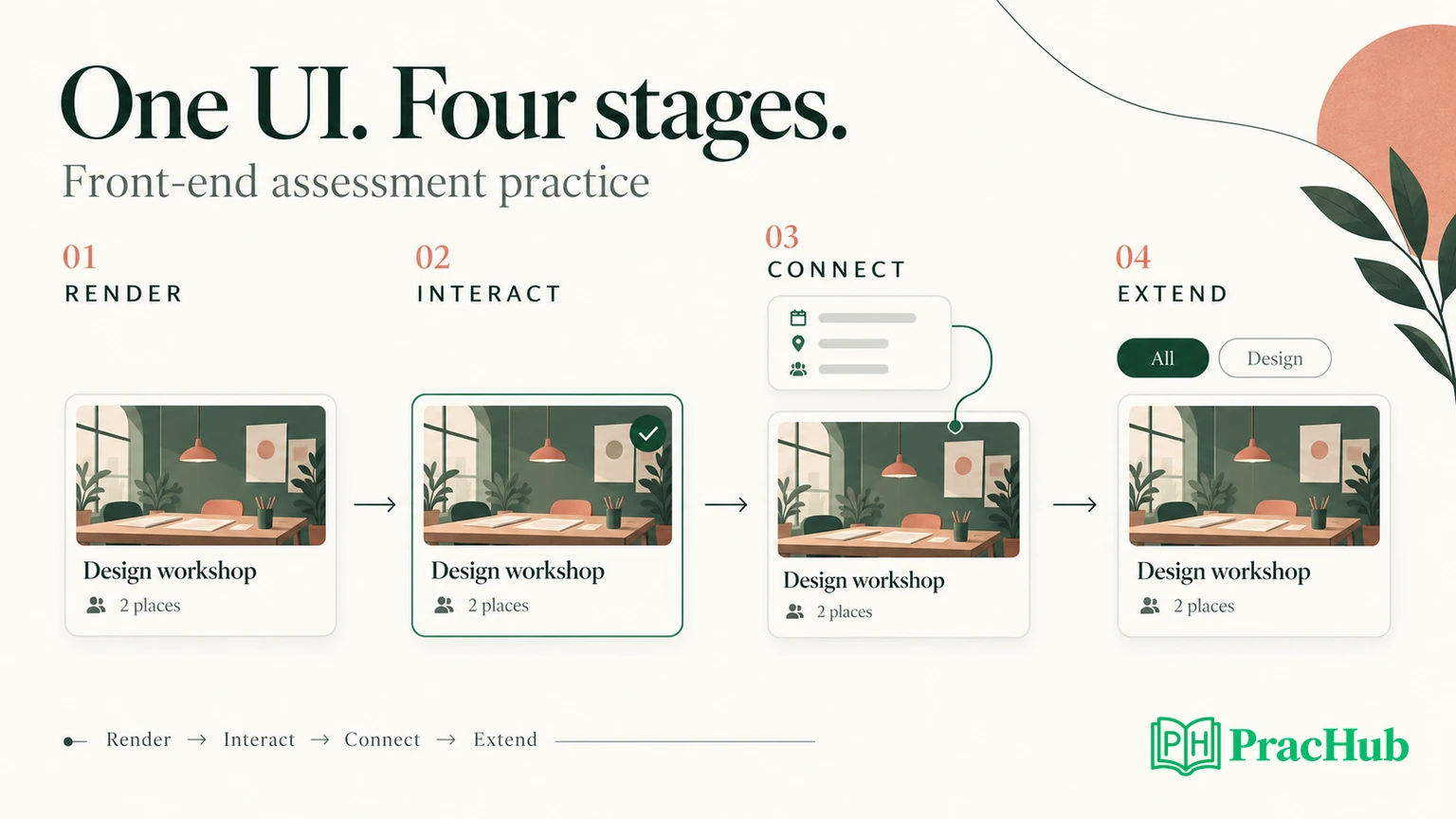
Official facts: CodeSignal's published framework describes four progressive levels with a maximum completion time of 90 minutes and scores from 200 to 600. The sequence covers basic layout and rendering, dynamic interaction, API consumption, and extending the design for related requirements. Level four tests how an existing solution accommodates change rather than introducing a separate fundamental skill category. These are specifications of that framework, not proof that every employer-created CodeSignal assessment follows it. CodeSignal's Front-End Development framework.
Official environment information: CodeSignal lists React with JavaScript or TypeScript, Vue with JavaScript or TypeScript, and Angular with TypeScript for this certified assessment. Check your invitation and available environment before choosing a practice stack; this list does not establish that every dependency you use locally will be installed. CodeSignal's supported environments.
Candidate report: one Reddit author described TypeScript diagnostics in a React starter project and said switching to JavaScript removed the issue. That is an individual account with an unverified diagnosis, not evidence that the editor is generally broken or that changing languages is always possible. We did not establish two independent same-cycle reports of a recurring task. The candidate's environment discussion.
Our inference: opening a practice environment and confirming how to run, preview, and inspect errors is useful preparation. It is not a reason to spend your assessment rewriting the starter configuration without first identifying the actual failure.
An original exercise that grows across four stages
Build a fictional community-events page. Each event has a stable string ID, title, category, and nonnegative integer number of available places. A visitor can select events for a local shortlist. Selection does not reserve a seat or send a booking request.
That last distinction matters. A local selected count is a UI exercise; real booking availability requires server-side enforcement. Keep the practice contract small enough to finish and explain.
| Practice stage | New requirement | Earlier behavior to preserve |
|---|---|---|
| Render | Show three supplied events and their availability | Accurate titles, categories, and counts |
| Interact | Select or deselect an event; block full events | Correct content and stable event identity |
| Connect | Load an API payload with different field names | Selection and availability rules |
| Extend | Filter by category and show total selected | Hidden selections remain selected |
These are our practice stages, not official prompts. Start with e1, a Design workshop with two places; e2, a Data clinic with zero places; and e3, a second Design workshop with one place. Give the two workshops the same displayed title to reveal any accidental reliance on titles as identifiers.
Write down one invariant before coding: the selected set contains valid, available event IDs, independent of the active category filter. That sentence will guide both implementation and testing.
Build the layout and interaction before adding the network
Render one card per event with a heading, category, places count, and a real button. Show “Full” for zero availability. Keep a visible text summary such as “1 selected” so the selection is understandable without relying only on color.
For this exercise, the button's label remains “Select Design workshop,” and its pressed state communicates selection. Duplicate visible titles need additional context in a real interface; include the event ID in this small demo's accessible button name so the two workshops can be distinguished during testing. A production design would usually offer a meaningful date or location instead.
Keep the event data and selected IDs separate. Do not add a second selected flag to every event and then maintain both representations. React's documentation recommends avoiding redundant and duplicated state because synchronized copies are easier to get out of agreement. React's state-structure guidance.
The following function is the framework-independent core. Its contract assumes that the event list already satisfies the exercise's ID and availability rules:
function toggleSelection(selected, events, id) {
  const event = events.find(item => item.id === id);
  if (!event || event.places === 0) return selected;
  const next = new Set(selected);
  if (next.has(id)) next.delete(id);
  else next.add(id);
  return next;
}
Returning a new set for a valid change makes state ownership visible. In React, use a functional state update when the next selection depends on the previous selection. In another framework, keep the same contract while using its supported update mechanism.
Test clicking e1 twice: the count should go from zero to one and back to zero. Clicking the full e2 should not change it. Try a missing ID directly against the function, because a disabled button alone does not prove the state operation rejects invalid input.
Avoid polishing spacing while the displayed count and button state disagree. Fixing the source of truth first makes later visual work less likely to conceal a behavioral defect.
Add an API boundary without rewriting the interface
Now replace the static source with a fictional endpoint whose JSON contains items, using event_id, name, kind, and spots_remaining. Convert that transport shape into your existing UI shape at one boundary.
function normalizeEvents(payload) {
  if (!Array.isArray(payload?.items)) {
    throw new Error("Expected an items array");
  }
  const seen = new Set();
  return payload.items.map(row => {
    if (!row || typeof row.event_id !== "string" ||
        row.event_id.length === 0 || seen.has(row.event_id) ||
        typeof row.name !== "string" ||
        typeof row.kind !== "string" ||
        !Number.isSafeInteger(row.spots_remaining) ||
        row.spots_remaining < 0) {
      throw new Error("Invalid event record");
    }
    seen.add(row.event_id);
    return {
      id: row.event_id, title: row.name,
      category: row.kind, places: row.spots_remaining
    };
  });
}
This exercise rejects a malformed batch rather than quietly dropping records. That is a deliberate practice policy, not a universal API rule. If partial results are required, define how the UI explains omitted events before changing the validator.
Keep loading, successful empty results, and failure distinct. “No events” should mean a valid empty response, not a failed request. On failure, display a retry action. Disable concurrent reloads in this version so you do not accidentally introduce an unspecified response-order policy.
Technical fact: fetch() does not reject merely because the response has an HTTP error status. Check response.ok, then parse and normalize the body inside the error-handling path. Parsing can also fail. MDN's Fetch guidance.
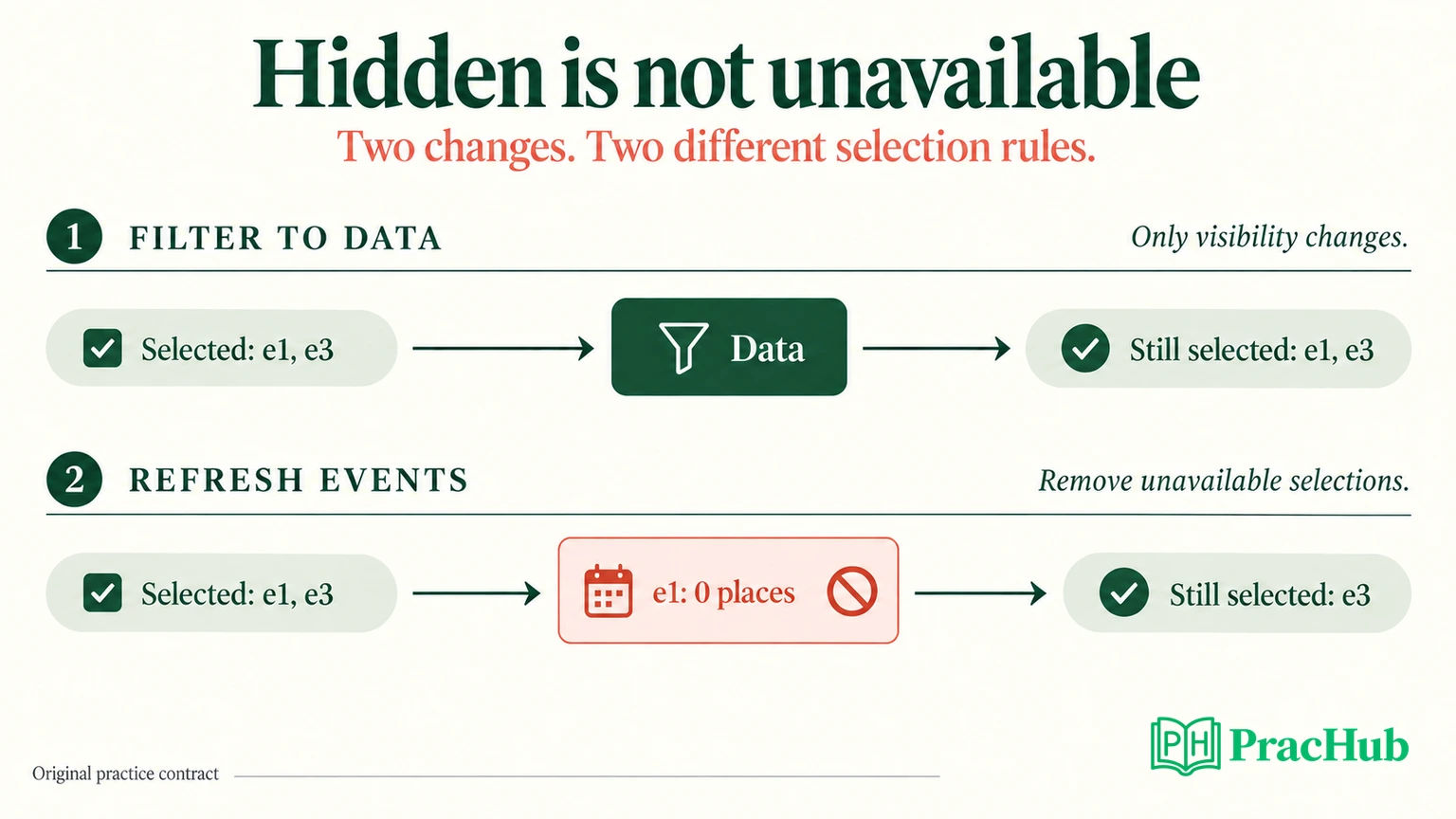
When fresh data arrives, reconcile selections against the new event list. In our contract, selections for removed or newly full events are cleared. Selections for unchanged available IDs survive. Make that policy visible in the interface; otherwise a visitor may wonder why their count decreased.
A useful counterexample is a selected e1 that returns with zero places after refresh. Preserving the selection blindly breaks the availability invariant, while clearing every selection unnecessarily discards valid choices for e3.
Extend filtering while keeping selection independent
Add an “All,” “Design,” and “Data” category filter. The visible cards are derived from the event list and the active filter. The selected count comes from the complete selected set, not just the cards currently on screen.
Suppose the visitor selects e1, switches to Data, then returns to Design. The Design selection should still be present. If the count becomes zero in the Data view, the interface is mixing “selected overall” with “selected among visible results.” Either metric could be legitimate, but the label and contract must agree.
Do not remove hidden IDs from selection when a filter changes. Visibility is not availability. Reconciliation belongs to accepting new event data, not to calculating a filtered view.
This separation also makes a later requirement easier to discuss. If the product requests “Clear visible selections,” you can remove only the visible IDs. If it requests “Clear all,” clear the complete set. One ambiguous “Clear” button should not silently choose between those operations.
Verify the cumulative contract with a regression matrix
Use a small deterministic fixture and check user-visible outcomes. Each check should expose a different failure mode.
| Action or input | Expected outcome | Defect it exposes |
|---|---|---|
| Render two events with the same title | Two distinct cards and controls | Title used as identity |
Select e1, then deselect it | Count returns to zero | Inconsistent toggle state |
Attempt to select full e2 | Count stays unchanged | Button-only validation |
Select e1, filter to Data, then back | Selection survives | Filtering deletes hidden state |
Refresh with e1 full and e3 still available | Remove only invalid selections | Blind retention or total reset |
| Return duplicate API IDs | Visible error, no partial replacement | Ambiguous record ownership |
| Return a valid empty list | Empty-result message | Empty and failed requests conflated |
| Fail the request, then retry successfully | Error clears and cards return | Recovery path never exercised |
We checked the reference implementation with pure JavaScript assertions and browser interactions. Those checks cover the stated local selection contract; they do not verify a real reservation system, all assistive technologies, or an employer's hidden tests.
During a rehearsal, make one intentional mutation: calculate the selected count from visible cards. Run the filter scenario and watch it fail. Then restore the complete-set count. A test is more convincing when you understand the specific incorrect implementation it rejects.
Rehearse in the environment you will actually use
Before the timed session, confirm the allowed language, framework, startup command, preview workflow, and how test output is displayed. Read the actual assessment rules for outside assistance and references. CodeSignal documents that candidates can revisit rules from the IDE's Rules section; do not infer permission to use an AI tool from its availability elsewhere. CodeSignal's certified-assessment rules.
For a practice run, record when each stage first works and when a later change breaks an earlier check. This produces a useful diagnosis: perhaps API normalization takes three minutes, but recovering from a state reset takes fifteen. Rehearse the expensive failure rather than automatically starting another blank project.
If the starter fails, distinguish an editor diagnostic from a compile error, a server startup failure, and a preview problem. Read the output before modifying dependencies. Capture the specific error through the permitted support route if the environment itself prevents progress.
Near the end, stop adding speculative features. Run the current build, exercise the highest-risk transition, and ensure the required behavior is saved. Our exercise includes useful extensions, but your actual written requirements should determine where you spend the remaining time.
Five questions for focused follow-up practice
These are adjacent practice questions from PracHub, not a CodeSignal question bank or a claim about repeated assessment content.
| PracHub question | Skill to rehearse |
|---|---|
| Build a React naval board | Keep cell identity and derived status consistent after repeated interaction. |
| Clarify and Implement Search Filters for a Library Table | Specify combined filtering behavior before changing state. |
| Debug an Angular UI from User Reports | Turn a visible symptom into a reproducible state or lifecycle problem. |
| Design a Debounced Product Search Box | Handle input changes and asynchronous results deliberately. |
| Debug Metrics Computed Before Filtering | Decide which population a displayed summary actually measures. |
Choose the weak point from your rehearsal and practise it in PracHub's Frontend Engineer collection. Then return to the event page and add one change while keeping every earlier acceptance check green.
Comments (0)