CodinGame Assessment Guide 2026: Coding Games, Scores, Code Playback, and Candidate Reports
Quick Overview
A current candidate guide to CodinGame, now CoderPad Screen, covering question types, coding games, scoring, Code Playback, employer reports, integrity signals, and preparation.
CodinGame Assessment is the legacy name for what is now called CoderPad Screen. In 2026, it is an employer-configured, asynchronous technical assessment that can combine programming exercises, visual coding games, multiple-choice or text questions, projects, and even recorded audio or video prompts. The exact mix, timer, allowed resources, and feedback depend on the employer's test settings.
The important distinction is that a CodinGame score is not always a simple percentage. Employers can review a raw point score, a comparative score, skill-level criteria, detailed answers, and Code Playback. Playback reconstructs activity inside the coding environment; it is not the same thing as a universal webcam or full-screen recording policy.
Before your test, use PracHub's interview question library to rehearse implementation, hidden-test thinking, and concise explanations. Treat those questions as practice material, not a prediction of the exact assessment your employer selected.
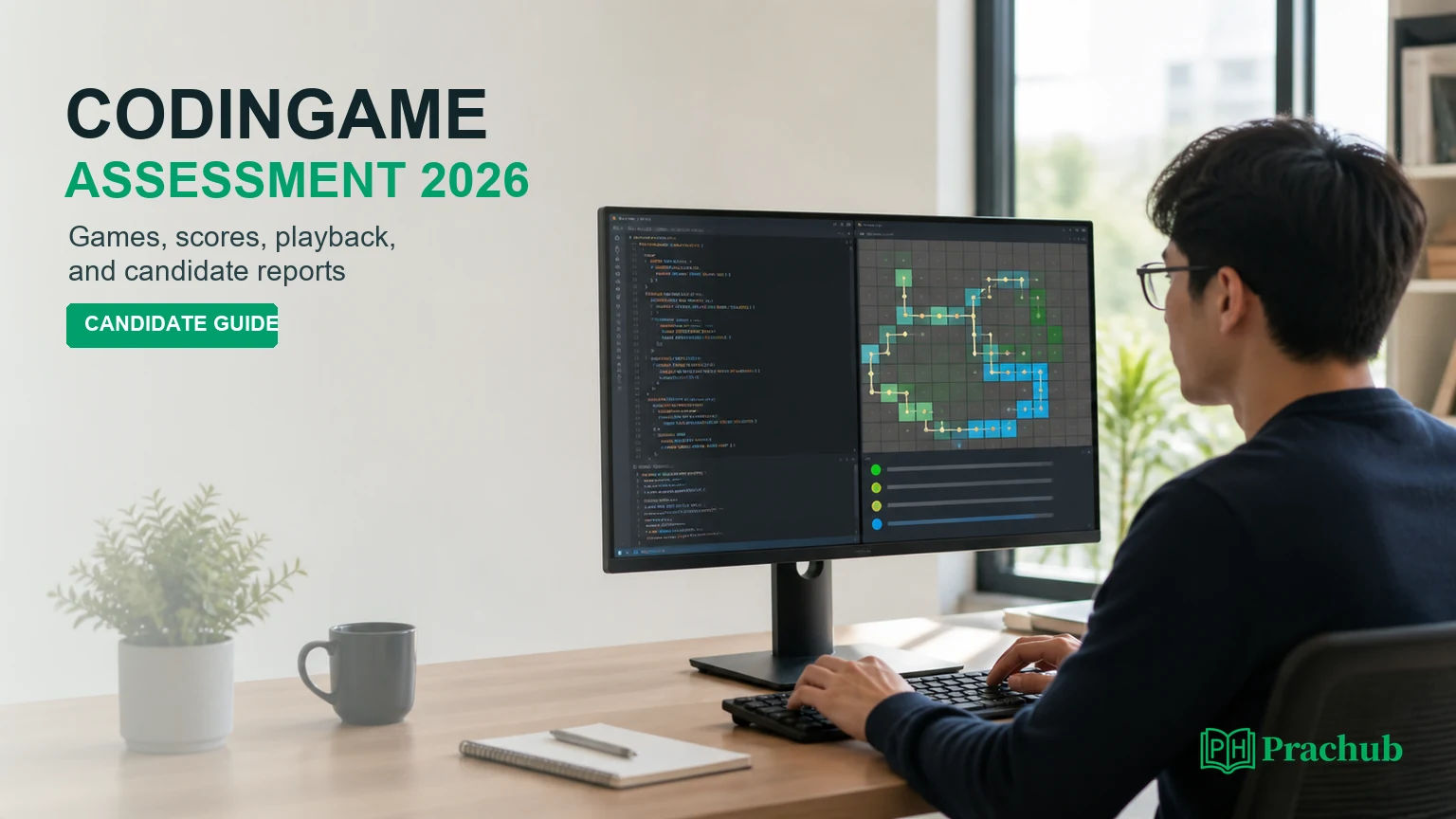
Quick answer: how CodinGame assessments work in 2026
You receive a test link, review the configured instructions and tutorial, then complete the question types chosen by the employer. Coding and gaming questions run in a browser IDE; your submitted code is checked against validators that may differ from the visible examples. Recruiters receive a report whose content can include scores, criteria, answers, timing, playback, and integrity signals.
| Part of the experience | What it can include | What varies by employer |
|---|---|---|
| Questions | Coding games, programming, MCQs, text, projects, audio/video | Mix, difficulty, language, order, and timer |
| Scoring | Point score, partial credit, comparative score, skill criteria | Weights, passing decision, and score shown to candidates |
| Review | Detailed answers, Code Playback, test runs, report exports | Who reviews it and which signals influence the decision |
| Integrity | Question randomization, paste/exit activity, plagiarism and behavior alerts | Paste rules, AI use, resources, webcam/video prompts, and retakes |
Your invitation remains the source of truth. Platform capabilities describe what an employer can configure, not what every candidate will encounter.
CodinGame for Work is now CoderPad Screen
CoderPad announced the rename in February 2023, after CodinGame and CoderPad joined forces. The original screening product became CoderPad Screen, while CoderPad Interview covers live collaborative interviews. Older invitations, recruiter language, and candidate discussions may still say CodinGame Assessment.
That naming overlap matters when troubleshooting or preparing. Current candidate documentation lives under CoderPad Screen, while several official feature pages still use the codingame.com/work domain.
What question types can appear?
The current Screen preparation guide lists multiple-choice, text, programming, gaming, project, and audio/video questions. A test does not need to use all of them.
Programming questions provide starter code and more time than rapid knowledge checks. You run examples, refine the solution, and submit before the question or test timer ends. The official guide warns that visible validators are not necessarily the final validators, so passing the examples is not proof that hidden edge cases pass.
Gaming questions are programming questions with a visual game-like output. Your code controls or optimizes a simulation, path, agent, or evolving state. Project questions can open a fuller VS Code-style environment for repository or real-world tasks. Short MCQ and text questions may instead test language or framework knowledge under tighter time limits.
Some employers can add recorded audio or video prompts. Those prompts may require webcam and microphone access, but their presence does not mean every CodinGame coding assessment records video.
How coding games differ from ordinary algorithm questions
The core skill is still problem solving. The visual layer makes state changes easier to inspect, but it can also tempt you to optimize what looks good instead of what the scoring rules measure. Read the objective, constraints, input/output contract, and point conditions before reacting to the animation.
A useful loop is: establish a correct baseline, run a small case, interpret the visual output, then improve one bottleneck at a time. Keep the model separate from rendering. If the task asks you to route units through a grid, for example, define state, legal moves, termination, and complexity just as you would for a graph problem.
Do not assume a game question rewards a single exact implementation. Some tasks award points for progressively better outcomes, which makes a simple working strategy more valuable than an unfinished optimal one.
CodinGame scores: points, partial credit, and comparative score
The current candidate-report documentation says CoderPad Screen normally displays a comparative score to employers, although an administrator can switch the report to a point score. These two numbers answer different questions.
| Score | Meaning | Important limitation |
|---|---|---|
| Point score | Points earned out of the points available in that configured test | Different tests can have different difficulty and weights |
| Partial credit | Points awarded when a solution satisfies part of the grading criteria or validators | The visible examples do not reveal every scoring condition |
| Comparative score | Performance relative to candidates who took the same or similar questions | It is a percentile-style benchmark, not a universal hiring cutoff |
| Criteria scores | Performance by dimensions such as design, problem solving, reliability, or language knowledge | Employers can customize criteria and weighting |
CodinGame's official scoring explanation describes point percentage as earned points divided by available points, and notes that partially correct answers can earn points. Comparative scoring instead benchmarks a candidate against a distribution built from the same questions or questions of similar difficulty.
There is no responsible universal answer to "What score do I need?" A recruiter can combine report data with resume screening, role fit, hiring volume, and manual review. Even a high comparative score does not guarantee an interview, while a lower raw percentage on a difficult customized test may still be competitive.
What Code Playback records
Code Playback is an event-based reconstruction of how work developed in the test environment. CoderPad's official product tour says reviewers can see how an algorithm was built, when code was run, when the candidate left the environment, and when and what was pasted from an external source.
This is more informative than a final code snapshot. A reviewer may distinguish steady iteration from one large paste, see whether tests were used methodically, and identify the point where an approach changed.
It is not accurate to describe that feature as continuous video of your entire desktop. Separate audio/video questions can record an answer, and an employer may impose additional proctoring, but those rules should be stated in the invitation or pre-test permissions. Do not infer a webcam requirement from the existence of Code Playback alone.
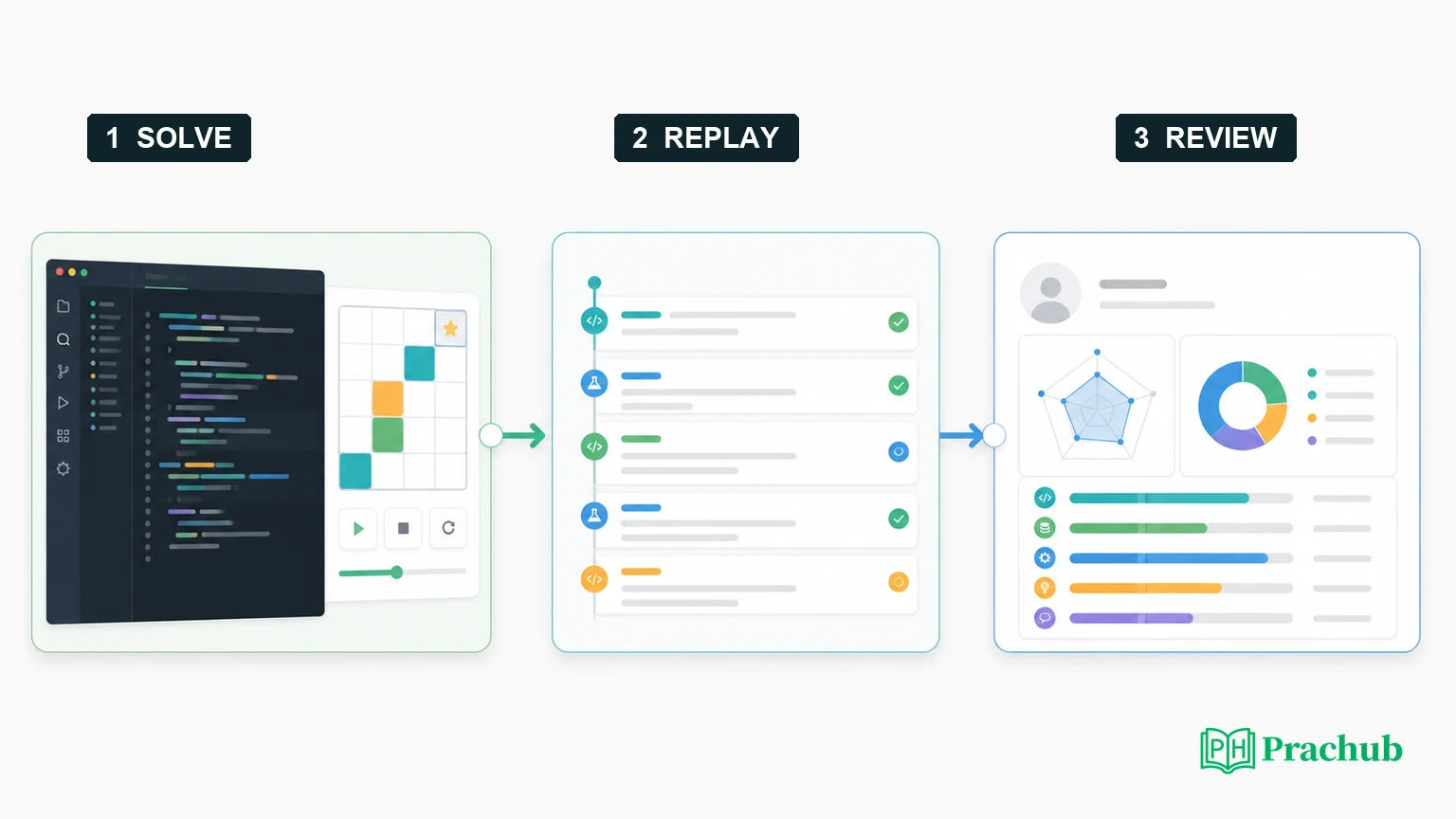
What employers see in candidate reports
The employer-facing report can show the overall score, comparative benchmark, assessment criteria, per-question details, submitted answers, and Code Playback. The platform's results-analysis page also describes score views by skill and technology. Recruiters can sort candidates, inspect strengths and weaknesses, and export or share reports with colleagues.
Integrity features can add context such as unusual behavior, suspected plagiarism, approximate geolocation, environment exits, and paste events. An alert is a review signal, not proof of misconduct. Recruiters still need to interpret it against the test instructions and the candidate's work.
The final code therefore matters, but so does the process. Use clear names, keep unnecessary rewrites under control, run targeted tests, and leave a solution another engineer can follow.
What candidates see after submission
Do not assume you will receive the same report the employer sees. CoderPad's candidate guide says the recruiter decides whether to send a score, and CoderPad cannot release it independently. Some candidates receive simplified feedback or a result email; others see only completion confirmation.
If a question times out, the platform submits the current code. A timed-out attempt is not automatically worth zero if it already satisfies point-bearing checks.
Proctoring, copy-paste, documentation, and AI use
CoderPad Screen can randomize questions, disable paste, flag leaving the environment, compare code for plagiarism, and report approximate geolocation. These are platform options. They do not establish one global policy for copy-paste, documentation, tab switching, or AI.
Current candidate documentation says external resources may be available for programming questions and that built-in AI Assist can be used when the recruiter enables it. Your employer can still provide stricter instructions. Check the invitation, the landing-page rules, and any permission prompts before starting; if they conflict with general documentation, follow the employer's test instructions or ask recruiting before the timer begins.
The safest rule is simple: use only resources and tools the assessment explicitly permits. Do not have another person solve the task, do not hide prohibited assistance, and do not test the platform's detection limits.
Assessment-day strategy
- Run the tutorial before the deadline. It reflects the technologies and question types configured for your test and lets you learn the editor without consuming the real timer.
- Read the whole test overview. Note the question count, total time, per-question timers, navigation rules, supported languages, and whether you can return to earlier work.
- Secure baseline points first. For progressive or game-based scoring, submit a correct simple approach before pursuing a sophisticated optimization.
- Test beyond the animation. Cover empty input, minimum and maximum sizes, duplicates, ties, invalid states, overflow, and complexity limits.
- Make playback tell a coherent story. Iterate in small steps, run purposeful cases, and keep the final code readable. Do not waste time performing for the replay; disciplined engineering naturally produces useful evidence.
- Document technical trouble immediately. Capture the time, question, browser, error message, and a screenshot that does not expose confidential test content, then use the designated support or recruiter channel.
Practice with PracHub questions
These PracHub question-bank records train implementation, edge-case, graph, and testing skills that can transfer to a CodinGame assessment. They are not predictions of your exact employer-configured test.
| PracHub question | Practice focus | Why it helps |
|---|---|---|
| Solve Two OA Coding Problems | Implementation and integer operations | Rehearses switching between prompts while preserving correctness. |
| Group strings that are anagrams | Hash maps and canonical keys | Builds a fast, testable solution with clear complexity. |
| Merge Overlapping Intervals | Sorting and boundary conditions | Trains careful handling of ties, adjacency, and hidden cases. |
| Find a Valid Task Execution Order with Dependencies | Graphs and topological order | Matches the state and dependency reasoning common in visual tasks. |
| Design comprehensive OA test cases | Test design and failure analysis | Turns visible examples into a broader hidden-test checklist. |
A seven-day preparation plan
| Day | Focus | What to do |
|---|---|---|
| Day 1 | Platform orientation | Run the official tutorial, check browser compatibility, and list the rules shown in your invitation. |
| Day 2 | Reliable coding | Complete two timed array or string problems and record every failed edge case. |
| Day 3 | State and graphs | Practice BFS, dependency ordering, or simulation with explicit state transitions. |
| Day 4 | Partial-credit strategy | Solve one optimization problem by submitting a baseline before improving it. |
| Day 5 | Hidden tests | Build test cases for boundaries, duplicates, ties, overflow, and time complexity. |
| Day 6 | Full simulation | Recreate the question count and duration from your invitation; use only permitted resources. |
| Day 7 | Logistics and review | Confirm deadline and time zone, close risky plugins, stabilize your connection, and avoid cramming new topics. |
Frequently asked questions
Is CodinGame the same as CoderPad Screen?
Yes for employer screening: CodinGame for Work was renamed CoderPad Screen in 2023. Candidate emails and older discussions may still use CodinGame Assessment, while current documentation and dashboards increasingly use CoderPad Screen. CoderPad Interview is the separate live-interview product.
Are CodinGame coding games just LeetCode with animation?
Not exactly. Both can test algorithms and implementation, but gaming questions use visual rendering and may score progressive outcomes or simulation behavior. The same fundamentals still apply: model the state, understand constraints, build a correct baseline, test edge cases, and then optimize.
What is a good CodinGame score?
There is no universal cutoff. Employers may review point score, comparative score, criteria, playback, resume fit, and hiring capacity. A comparative score shows performance relative to similar test takers; it does not guarantee a pass. Interpret any score only in the context of that employer's process.
Can recruiters see copy-paste and tab exits?
CoderPad says Code Playback can show when candidates left the environment, when and what they pasted, when they ran code, and how the solution evolved. Paste can also be disabled. Follow the displayed rules rather than assuming that an allowed browser action is invisible or prohibited.
Does CodinGame record your screen or webcam?
Code Playback records activity in the coding environment, not necessarily continuous video of the desktop. Webcam and microphone access may be required for configured audio/video questions or separate employer proctoring. Review the invitation and permission prompts to know what applies to your assessment.
Final takeaway
A CodinGame assessment in 2026 is best understood as a configurable CoderPad Screen test, not one fixed exam. Prepare for coding, visual feedback, hidden validators, and a detailed employer report. Focus on baseline correctness, purposeful tests, readable code, and strict compliance with the rules shown for your specific invitation.
Sources and Further Reading
- CoderPad announcement: CodinGame for Work is now CoderPad Screen
- CoderPad Screen preparation guide for candidates
- CoderPad Screen candidate reports documentation
- CoderPad Screen platform overview
- CodinGame engaging candidate experience and game-based exercises
- CodinGame insightful results analysis
- CodinGame cheating-prevention features
- CodinGame product tour and Code Playback description
- CodinGame explanation of point and comparative scores
Research note: This guide was checked on August 30, 2026. Employers can change test content, timers, allowed tools, feedback, and integrity settings; your own invitation is the source of truth.
Related Articles
How to Ask Clarifying Questions in a Coding Interview: Requirements, Edge Cases, and Examples
Learn which clarifying questions to ask before coding, how to confirm requirements and edge cases, and turn interviewer answers into assumptions and tests.
State Farm Technology Internship 2027: HireVue, Coding Assessment, and Final Interview
State Farm Technology Internship 2027 guide: HireVue, coding assessment, final interview, reported questions, timeline, and preparation.
Sprinklr Product Engineering Intern OA 2027: Technical Assessment, Coding, and Interview Process
Sprinklr Product Engineering Intern OA 2027 guide: official assessment steps, reported coding topics, interviews, timeline, and preparation.
What to Do When You Get Stuck in a Coding Interview: Hints, Recovery, and Communication
Learn what to say when you get stuck in a coding interview, how to request useful hints, recover momentum, and communicate your reasoning clearly.
Comments (0)