LandOffer Privacy Explained: Resume Data, Autofill Permissions, and Account Deletion
Quick Overview
Understand where LandOffer handles résumés and application data, what Chrome site access controls, and how the email deletion link, profile reset, and account deletion differ.
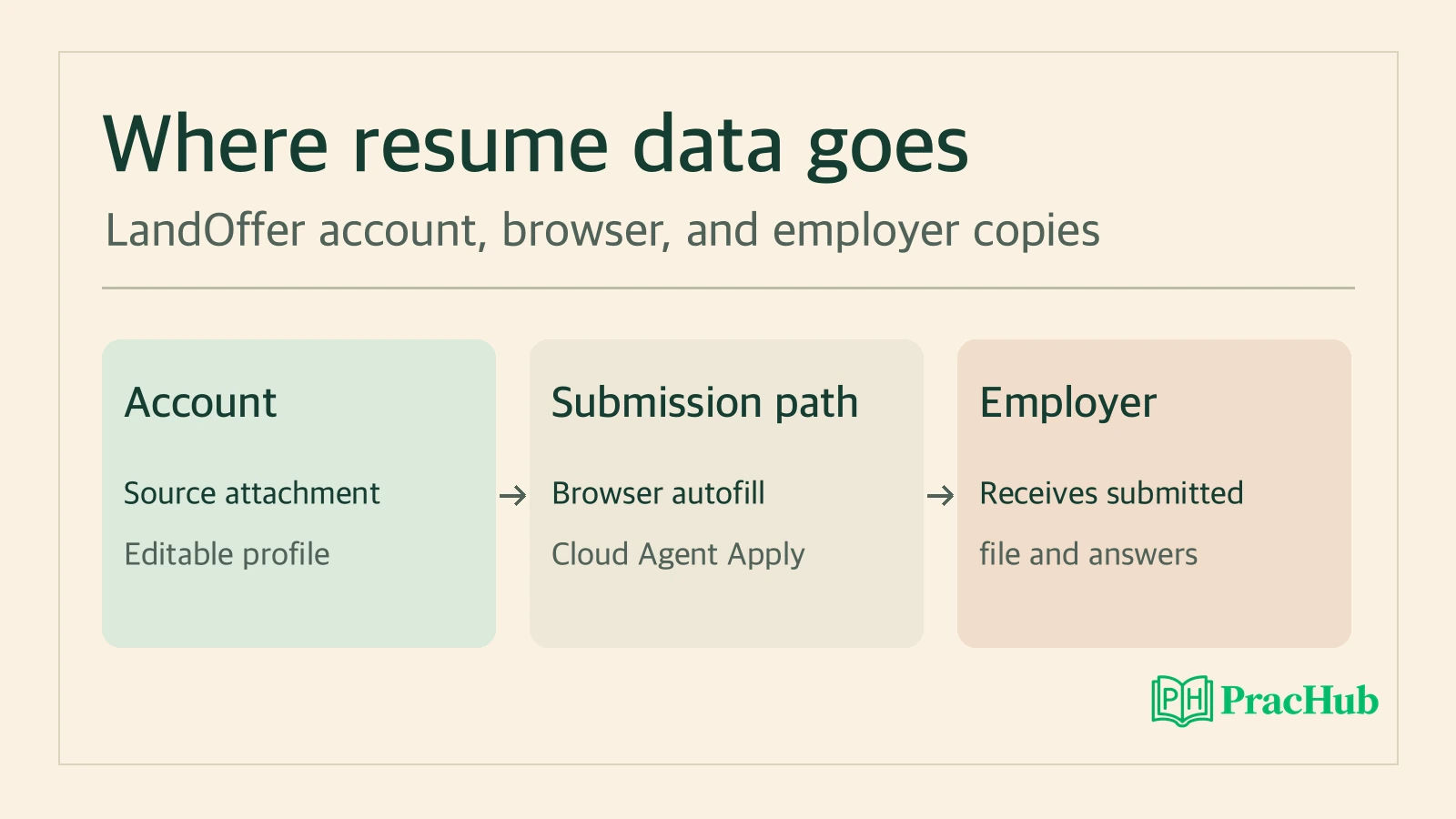
LandOffer stores an uploaded résumé file and builds an editable profile from it. Those are separate copies. If you want to keep your matches while removing the file, the deletion link in a LandOffer email has a different effect from Reset profile data or Delete account. If your concern is what the Chrome extension can do on an employer's website, change its site access in Chrome. An employer that already received an application has its own copy, regardless of the account control you choose.
This guide explains LandOffer's published disclosures and Chrome's documented controls. It was checked on November 15, 2026, against the LandOffer privacy policy dated October 10, 2026. PracHub and LandOffer share ownership. We reviewed public documentation. Account deletion, browser behavior, provider retention, and employer systems were outside that review. For a comparison of how the tools fit into a job search, see the PracHub LandOffer overview.
Where an uploaded résumé and its contents go
A résumé upload has two immediate uses, according to LandOffer. The service uses OpenAI models to read résumé text and build a profile you can edit. It also keeps the source file in private storage to make it available as an application attachment. If you change the profile's job title or remove an old role, review the source file separately. Editing a profile field cannot rewrite the PDF you originally uploaded.
Saved form answers are another set of data. The policy lists items such as contact information, links, work authorization, sponsorship, and optional self-identification details you choose to provide. It also describes storage for answers you ask LandOffer to remember and some drafts and selections used during AI assistance. A résumé with only work history can coexist with profile or form fields containing additional information. Review both before relying on a fill.
Uploads can start before sign-in. LandOffer says those uploads are also parsed, and an unclaimed uploaded file is generally deleted after about two days, with an exception tied to an unfinished sign-up that the service can still resume. The policy gives that saved sign-up a seven-day window. Completing sign-up associates the résumé with the new account, where the account's normal retention rules apply. If you only want to see public listings, opening the listing on the employer's site avoids the résumé upload step entirely.
LandOffer names multiple processing providers. Its policy describes which kinds of information OpenAI and NVIDIA may process for different features, including parsing, recommendations, and drafting. It names Cloudflare R2 as a file storage provider. A model processing text and a service storing an attachment are different activities. Check the policy for the feature you are using when provider access matters to your decision.
What Chrome access changes
Chrome lets you change when an extension can read and change supported website data. Depending on the extension and the browser controls shown, you can limit it to selected sites or to activation. Open the extension's details in Chrome and review the sites and permissions Chrome actually lists for your installed version. Use Chrome's extension management instructions if you need to find that control. LandOffer's Chrome Web Store listing describes the developer's disclosures.
According to LandOffer's policy, its extension can fill an employer form from your saved profile and attach the résumé it retrieves from LandOffer. If a fill asks its AI service for draft answers or choices, the relevant questions and account details can be processed on its servers. The policy says the extension leaves submission to you. Check the filled fields and attachment on the employer's page before you submit, especially where the form uses employer-specific wording about authorization or asks for optional information you did not intend to provide.
Chrome site access and the extension's account connection each control something different. Use Chrome site access to limit which employer pages the browser extension can interact with. If you want to disconnect that extension from your LandOffer account, the policy also identifies a separate profile control for revoking its connection. Removing the extension from this browser makes it unavailable here. You can still review the account data and check other browser connections separately.
Consider an example. Riley wants help filling one application, then wants the extension to stop interacting with the employer's site. Riley limits the extension's site access and reviews the attachment before deciding whether to submit. Afterward Riley can remove that site's permission. The résumé stored in LandOffer and any application Riley already sent follow their own retention rules. This example illustrates the published controls using a fictional candidate.
Assistant access and cloud submission
LandOffer has a separate assistant connection page for tools such as Muse, Codex, and Claude Code. Review the access shown for the client and account you actually intend to use. The PracHub LandOffer MCP guide walks through selecting the least access needed for finding roles and preparing materials. The client can have its own conversation history and data settings. If you pasted a résumé there directly, check that client's controls for that copy.
LandOffer describes cloud AI Agent Apply in a separate part of the privacy policy. When enabled with its terms accepted, LandOffer says the service can open an employer site from its own browser, use saved details and the uploaded résumé, and submit without asking again for that application. A user can also enable applying from matching roles, with controls described in the policy. Review that setting separately when your goal is to stop future submissions. Chrome extension permissions govern the extension in your browser. The Agent Apply controls govern work the service runs in LandOffer's cloud.
If you stop a queued action, check its status before interpreting a cancellation as the end of the process. A stopped unsubmitted run and an application with an employer confirmation need different follow-up. Track the job and requisition from the employer's posting so you can verify which application you are looking at. If you want to know what the employer kept or how to withdraw, use the employer's account, confirmation message, or candidate privacy contact.
Choose the account action that matches your goal
Start with the copy you want removed and the access you want to end. The table summarizes LandOffer's published scope, which can change. Open the current policy and read the confirmation wording before taking a permanent action. Save any material you still need using the access available to you. LandOffer directs requests for a data copy to the contact it lists in the policy and says there is no self-service export.
| Goal | Control to check | What to verify separately |
|---|---|---|
| Limit where the extension can act | Change site access in Chrome. | Other browser installs and the LandOffer account connection. |
| End the extension's access to the LandOffer account | Revoke the extension connection in your profile. | Whether another browser or a separate assistant connection remains active. |
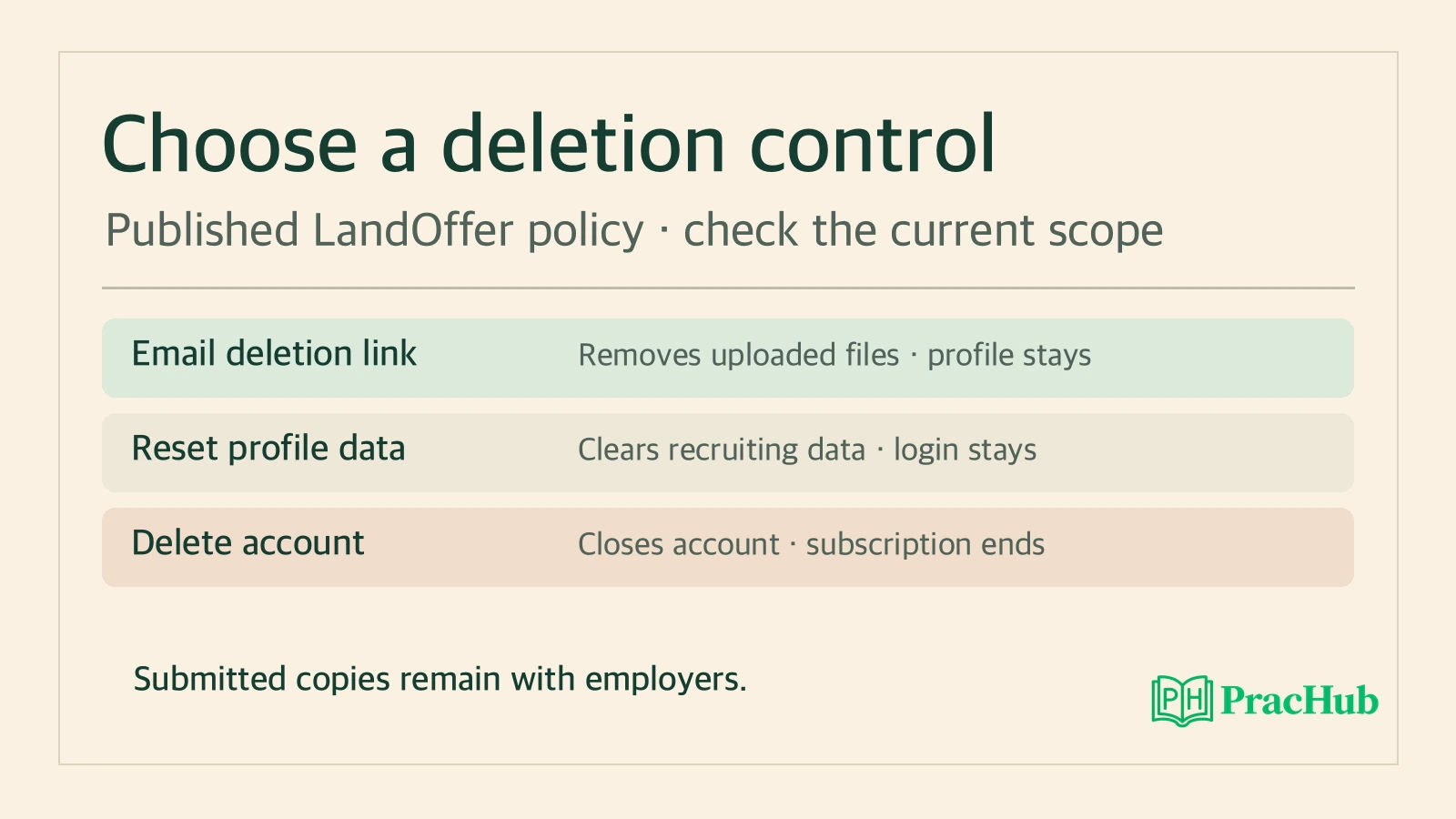
| Remove uploaded résumé files and keep the editable profile | Review Delete my data from a LandOffer email, then review the listed scope before confirming. | The parsed profile, sign-in, and account records the policy says are retained under this narrower action. |
| Clear most recruiting data and retain the account | Review Reset profile data under Account & data. | The login, subscription, specified account records, and minimal prior Agent Apply records remain. |
| Close the LandOffer account | Review Delete account under Account & data. | Employer copies, payment provider records, and policy-described retention outside the account. |
The email action covers more than the file. LandOffer says it also stops alert and digest delivery and removes certain saved answers and cloud application data. It distinguishes uploaded résumé files and their history from edited documents and cover letters that can remain. If you want to remove the profile built from the résumé, the policy directs you to the broader profile or account controls. Check the full list rather than using the email action as shorthand.
Resetting a profile keeps the sign-in and subscription. LandOffer describes broad deletion of recruiting data and disabling Agent Apply, alongside limited records needed to avoid resending earlier applications. Account deletion covers the account and sign-in records and also cancels the subscription, according to the policy. Review the applicable subscription wording if billing is the reason you are making a change. Decide whether preserving the sign-in or subscription is part of your goal before choosing reset.
What can remain after deletion
LandOffer says stored files are removed in the background with retries if storage is unavailable. The policy also describes records kept by Stripe, disabled mailbox addresses that stay reserved, and a fixed expiry schedule for pseudonymous analytics. Its stated 90-day schedule for raw analytics applies even after account deletion. The 30-day period it gives for certain cloud application files and screenshots is a different rule. Avoid using one of those durations to infer a universal deadline for every copy.
An employer's submitted copy is the most important boundary to verify in practice. Assume a fictional applicant, Sam, sent a résumé to Alder Works last Tuesday and uploaded a revision on Friday. Deleting the LandOffer account concerns the copy LandOffer has. The company may still have the Tuesday attachment and the accompanying answers. Sam can use the employer's requisition or confirmation number to ask about withdrawal and its handling of the submitted data. LandOffer's published policy specifically says applications already sent stay with employers. Check that employer’s own policy for its retention period and request process.
If the immediate problem is unwanted alert email, LandOffer's policy identifies a one-click unsubscribe that pauses that alert. That is a narrower action than the email deletion link. If you received a message routed through an application mailbox, check whether a copy was forwarded to your regular mailbox. LandOffer’s mailbox retention describes its own mailbox copy. A message in your personal inbox is managed through your own email settings. For a closure checklist, list the places you used during the search: the Chrome extension, your LandOffer account, the assistant if you connected one, and the employer pages where you submitted. Check each one only for the information you actually gave it.
Before taking an account action, write down the result you want in one sentence. “I want to keep using matches with my profile and remove uploaded attachments” points to the email data control and its additional removals. “I want to retain my login while clearing the profile” points to reset, with special attention to the subscription. “I already applied and want the employer to remove what it received” calls for an employer follow-up. Use the current LandOffer deletion disclosures and contact information to confirm which records the service controls.
Practice questions on privacy and data boundaries
These PracHub questions are for readers who want to turn an app's privacy choices into concrete technical requirements. They are independent practice prompts.
| PracHub question | Practice objective |
|---|---|
| Dependency-Safe Deletion Order | Map which copies and derived records to remove before declaring a deletion complete. |
| Design File Storage with Metadata, Access Control, and Chunked Uploads | Keep ownership of a file separate from the profile that refers to it. |
| Design a user behavior tracking system | Define the events that need retention limits and explain the difference between an account and an event record. |
| Design a temporary email service | Explain how clearing messages, disabling access, and reserving an address affect different parts of an email system. |
| Demonstrate leadership and ensure data compliance | Explain who verifies a data-handling change and how a claim is backed by evidence. |
Sources and Further Reading
- LandOffer privacy policy — First-party disclosures for résumé processing, extension behavior, service providers, retention, and data controls.
- LandOffer Autofill in the Chrome Web Store — Extension description and developer disclosures.
- Google Chrome Help: Install and manage extensions — Browser permission controls for extensions.
- LandOffer assistant connection page — Supported client entry points and account context.
Comments (0)