Linear Work Trial for Engineers: Scoping, Progress Updates, and the Final Demo
Quick Overview
Use an original permission-preview project to rehearse scope, early risk updates, evidence of working behavior, and a clear final decision record.
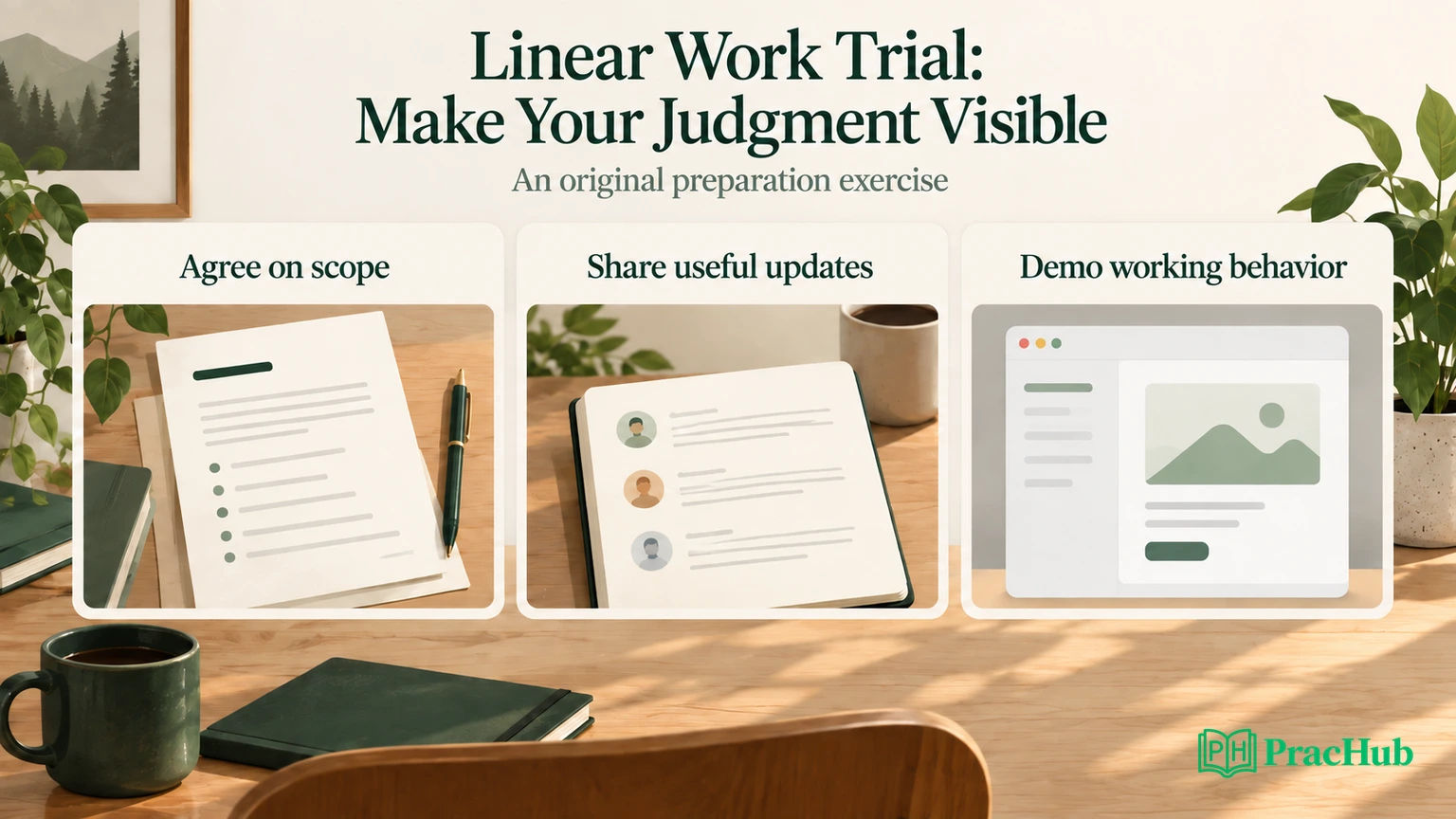
A Linear work trial asks for more than a finished feature. You need to make your understanding, decisions, collaboration, and actual progress visible while doing useful work. Preparation should therefore include writing a small scope, surfacing a risk early, and explaining a working result under questions.
Official context: Linear's April 28, 2026 hiring article describes a paid final-stage work trial: a two-to-five-day project with a small team and access to relevant internal tools. The company says it provides a detailed guide, communicates the daily rate in advance, and accommodates scheduling. Your invitation determines the actual project and arrangements. How Linear hires.
Everything below about the permission-preview project is original PracHub preparation, not a leaked assignment or a claim about Linear's product behavior. The sample updates describe a fictional rehearsal, not a candidate's reported experience. Use the practice questions later in this article to rehearse decisions, rather than trying to memorize a supposed work-trial answer.
Start with Walk through project scope, ownership, and decisions. Rehearse stating the outcome and boundary in ordinary language before discussing implementation.
Understand what the official material establishes
Linear's current hiring explanation names craft, judgment, ownership, and clarity among the attributes it looks for. It also says the precise sequence varies by role. Treat those as useful context for preparation, not a secret scoring formula or a promise that every engineer receives identical work. Official hiring explanation.
The company's December 2023 work-trial article, still linked from the current explanation, describes a kickoff, candidate-led check-ins, and a final presentation that invites discussion. It emphasizes both the team's observation of collaboration and the candidate's opportunity to assess the company. This older article explains the method; the current invitation controls your logistics. Work-trial explanation.
We do not have independent, same-cycle completed-trial reports sufficient to reconstruct a universal engineering assignment. Public preparation guides are not substitutes for that evidence. This article therefore focuses on a preparation method grounded in the verified stage and an explicitly invented task.
For the actual opening, use Linear's careers page. Avoid inferring the team's current stack, trial language, available support, or expected output from an unrelated person's application. Ask the project team for those details when they share the brief.
Begin with a scope note the team can correct
Editorial recommendation: your first useful artifact is a short description of the problem and the smallest result that would address it. It should invite correction before implementation makes the assumption expensive.
For this original rehearsal, imagine a small issue-management application. Users select several issues and want to change their status together, but some selected issues cannot be edited. The proposed feature previews which records can change before the user confirms. This is not a description of a missing or existing Linear feature.
A useful opening question for the fictional teammate is: “Should the operation update only eligible issues, or should any blocked issue prevent the entire selection from changing?” Those are different products. An elegant interface cannot repair an unspoken disagreement about that behavior.
Here is an original scope note you can adapt during practice:
Problem: Users cannot tell which selected issues are editable before requesting a bulk status change.
Proposed outcome: Show eligible and blocked counts, explain blocked reasons, and require a deliberate confirmation before any change.
Chosen policy for this rehearsal: Allow the eligible subset to change, with the exact subset shown in the preview. Recheck authorization on confirmation. If eligibility changed since preview, stop and ask for a refreshed preview.
First deliverable: One status-change path for a small selection, with loading, empty, blocked, stale-preview, and successful states.
This is enough to get a decision. It does not require a long product specification or an architecture diagram before the team has agreed on partial success.
Make acceptance criteria observable
Turn the note into behavior someone can inspect. For the original project, use three selected issues:
| Issue | Current condition | Preview result |
|---|---|---|
| P-11 | User can edit; issue is open | Eligible |
| P-12 | User lacks edit access | Blocked: permission |
| P-13 | Issue is archived | Blocked: archived |
The preview should report one eligible and two blocked issues. Confirming the unchanged preview should affect only P-11. It should not silently attempt all three and describe the partial result as complete success.
Write acceptance criteria around that fixture: no writes during preview; clear reason labels; confirmation disabled when nothing is eligible; the confirmed subset matches what was shown; stale eligibility requires a new preview. These are original product decisions, not Linear's documented requirements.
Define non-goals just as clearly. This rehearsal excludes editing permissions, unarchiving issues, changing multiple fields, background processing for huge selections, and cross-workspace actions. Those exclusions keep the central decision inspectable. They are not excuses to ignore a failure that invalidates the promised behavior.
Record a stop condition: if the service cannot recheck authorization at confirmation, do not portray the prototype as safe to ship. A UI-only preview can demonstrate interaction, but it cannot establish permission enforcement. Present the missing integration plainly and narrow the claim to what works.
Build the smallest complete path before adding polish
A sensible rehearsal order is to trace one selected issue from preview request through confirmation and response. Then introduce blocked and stale cases. This reveals whether the core contract survives realistic changes before you spend the remaining time on visual details.
Suppose P-11 loses edit permission after the preview. A weak implementation trusts the earlier result and applies the change anyway. Our chosen rehearsal policy instead rejects the stale confirmation, changes zero issues, and asks the user to review a fresh preview.
The product trade-off is explicit: an extra confirmation can frustrate users, but it avoids applying a subset different from the one they reviewed. Another team might prefer a different policy. Your job in the trial is to surface that choice and implement the agreed behavior consistently.
For larger selections, you could eventually need pagination, background jobs, or partial-failure reporting. Mention those as future design questions only when asked or when the current acceptance criteria require them. Do not turn a small preview into a new authorization platform to demonstrate ambition.
A focused technical explanation might say: “The client displays a preview result; the server remains authoritative when the user confirms. I am using a preview revision to detect changes for this exercise. The preview token is not itself a grant of permission.” That distinguishes a user-facing affordance from enforcement.
Send an update that changes what the team knows
Linear's older official work-trial explanation describes candidate-led check-ins. The following update format is editorial practice, not a required Linear template. Use it to communicate evidence, uncertainty, and a proposed next action.
Original sample update after the first working path:
The mixed-selection preview now shows one eligible and two blocked issues using the P-11/P-12/P-13 fixture. Preview performs no writes. The main open decision is whether stale eligibility should stop confirmation or apply the remaining subset. I recommend stopping and refreshing so the user approves the exact set. I can implement that path next; visual refinement can wait until this behavior is agreed.
This update lets a teammate respond to a real decision. “Making good progress on the UI” would not tell them whether the risky assumption had been resolved.
A useful update does not need to include every command you ran. Link the working branch, preview, or short reproduction when the trial's tools permit it. State what is verified and what is still simulated. If a service is mocked, say so before someone mistakes the demonstration for an integrated feature.
Original sample update after discovering a problem:
The happy path and blocked selection work in the rehearsal prototype. The stale-preview test exposed an incorrect write after P-11 lost access. I have isolated the issue to confirmation trusting the old preview. I am prioritizing the server recheck and regression test. I will leave animated transitions out of this delivery and show the failure case in the demo.
This is a course correction with a reason. It makes the unfinished polish understandable without using polish as cover for a correctness problem.
Prepare the demo around a decision and its evidence
Do not build the final presentation as a tour of every file. Begin with the user problem, show the agreed behavior, and use one failure case to demonstrate the important boundary. Let questions determine how far you go into implementation.
For the original project, a compact demo could follow this sequence:
- Select P-11, P-12, and P-13 and show the one/two eligibility split.
- Explain that preview itself changes nothing.
- Confirm an unchanged eligible selection and show the exact updated record.
- Reset the fixture, change P-11's permission after preview, and show confirmation stopping with zero writes.
- State the unimplemented large-selection path and the evidence needed before expanding scope.
These are suggested rehearsal steps, not Linear's prescribed presentation timing. Practice a short version first so the team has room to interrupt. Prepare a stable fixture and a recovery route if the preview environment fails. A screenshot can explain intended appearance, but label it as such rather than implying live behavior.
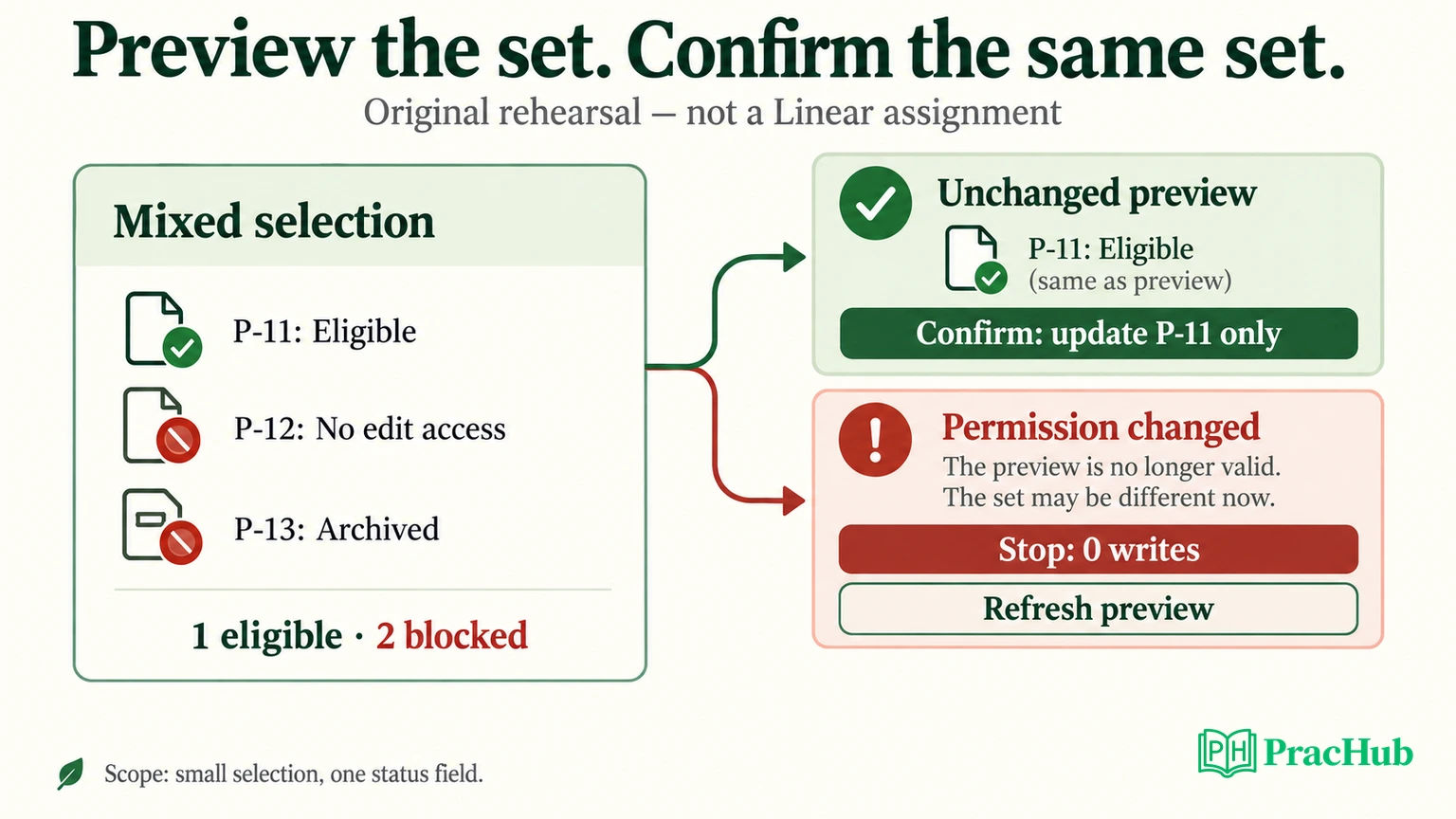
Use a decision record to anchor the discussion:
| Decision | Evidence to show | Remaining boundary |
|---|---|---|
| Preview the eligible subset | P-11 eligible; P-12/P-13 blocked | Small selections only |
| Recheck on confirmation | Permission change produces zero writes | Needs actual service integration |
| Stop on stale eligibility | Refresh request replaces silent subset changes | User-friction trade-off remains |
| Defer animation | Failure states and regression checks take priority | Visual refinement remains |
The table describes what a completed rehearsal should demonstrate. It is not a claim that a production feature was built for this article. The accompanying local policy model checks the fixture's decision rules, not a browser or deployed authorization service.
Handle follow-up questions without defending every choice
If asked, “Why not update the remaining eligible items automatically?”, return to the agreed policy: the confirmed set should match the reviewed set. Acknowledge the convenience trade-off. If the team changes the policy, explain what UI messaging and response contract would need to change.
If asked, “What would you do with another day?”, name the next risk or user limitation, not a list of fashionable technologies. For this exercise, integrating real authorization and testing concurrent changes matters before adding large-batch orchestration. Once that boundary works, larger selections may become the next useful slice.
If asked, “What did you get wrong?”, use the stale-preview bug. Describe the original assumption, the test that contradicted it, and the repair. Avoid presenting a harmless preference as your only mistake or claiming that all uncertainty was eliminated.
If a teammate challenges your implementation, distinguish requirements from preferences. “I chose this structure because it made confirmation policy testable” is a reason. “This is the best architecture” is a conclusion without evidence. Be ready to simplify when the alternative better fits the agreed scope.
Use the trial to evaluate how you would work together
The official work-trial explanation presents the exercise as a decision for both sides. In your own notes, record whether you could obtain context, get a timely answer to a blocking question, understand feedback, and see how product decisions were made. Linear's work-trial explanation.
Before the real trial starts, confirm the schedule, rate, access, communication channel, deliverable, and any rules about AI tools or outside material with the team. Do not assume permission to upload internal code or documents into another service. That is a practical logistics question, not an invitation to invent a policy from a public hiring article.
At handoff, make the work easy to resume: what works, how to reproduce it, the important tests, the open decision, and the next useful change. You are demonstrating how another engineer would inherit your work as much as how you would present it.
Practice five related PracHub questions
These are related engineering and communication exercises, not verified Linear trial prompts.
| PracHub question | Practice focus |
|---|---|
| Walk through project scope, ownership, and decisions | Make scope and ownership explicit. |
| Defend the Trade-Offs in One Project | Defend a choice with constraints. |
| Respond to Critical Feedback and Show the Change | Explain evidence of course correction. |
| Present a project deep dive | Connect behavior to implementation. |
| Identify read-only files from permission records | Reason about the permission-preview fixture. |
Start with the scope and ownership exercise and rehearse a scope note, a mid-work update, and a final explanation. The goal is to make a decision reviewable under questions, not to claim access to Linear's actual trial prompts.
Comments (0)