Notion Debugging Interview: How to Prepare for a Practical Codebase Round
Quick Overview
A focused Notion debugging preparation guide: invitation evidence, unfamiliar code navigation, an original undo-history defect, and regression testing.
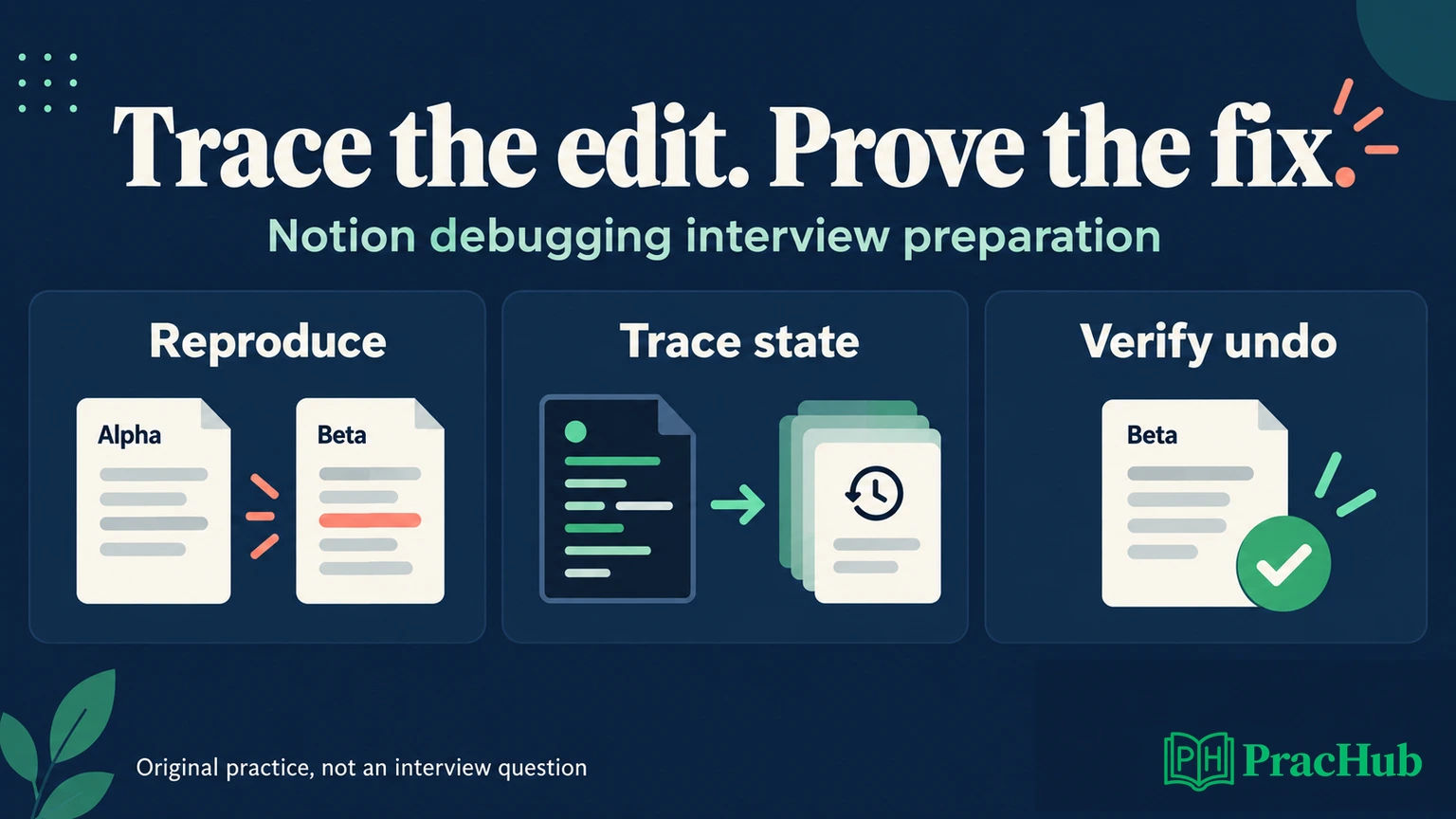
Prepare for a Notion debugging interview by practicing how to reproduce a defect, trace one behavior through unfamiliar files, explain a testable hypothesis, and verify a small repair. A working patch matters, but so does showing why the original behavior was wrong and why nearby behavior remains correct.
Public evidence supports a practical codebase round for some candidates, not a universal format. This guide separates official information from candidate-reported invitations and uses an original block-editor exercise to make the preparation concrete. It does not reproduce Notion's interview repository or predict its bugs.
Start with Notion Software Engineer questions on PracHub. If you need the broader recruiting context, see the Notion Software Engineer interview overview. Here, the focus is the debugging invitation already on your calendar.
What is verified about the Notion debugging round?
Official information: Notion's public engineering interview guide describes live coding on a real-world problem with an engineer and directs candidates to preparation information for their interview track. It does not establish a public, universal debugging specification or a fixed repository for every role. Your recruiter-provided instructions remain the operational source. Notion's engineering interview guide
Candidate-reported invitation: In May 2026, a user preparing for Notion's Software Engineer, New Grad (AI) onsite described a local React/TypeScript debugging round. They reported that investigation and collaboration mattered more than framework expertise, and described a no-AI, web-search-permitted setup. This was a pre-interview account of their expected format, not a completed-round assessment or company-wide policy. May invitation report
A different user in June 2026 also reported a Notion new-grad invitation containing a debugging interview. That independently supports the round's existence in that cohort; it does not independently verify the first report's stack, duration, or tool permissions. June invitation report
Preparation inference: Rehearse navigating a small existing application and repairing a state transition. Do not replace your invitation with an online timer, assumed React version, or another candidate's AI policy. Public reports here cannot establish a pass threshold, expected bug count, or evaluation weighting.
Set up for the actual invitation
Before the interview, confirm the language, runtime, editor expectations, repository delivery method, and permitted references. If local execution is required, know how to install the supplied dependencies and run the documented command. Use the repository's lockfile and runtime instructions rather than upgrading packages to whatever you use personally.
Practice starting a small project from a clean checkout. Distinguish an environment failure from the application defect: a missing runtime, occupied port, or unavailable fixture can prevent reproduction without being the intended bug. Report the exact error and the command that produced it instead of changing unrelated configuration repeatedly.
Tool permission is a concrete setup detail. Ask whether code completion, coding agents, external documentation, and screen sharing have separate rules. A question-bank label or another team's interview experience does not grant permission in your session. Prepare to investigate independently even when your everyday workflow includes AI assistance.
Read a behavior path instead of the whole repository
A behavior path is the chain connecting a user action to its observable result: an event handler dispatches a command, a state update changes data, and a component renders that data. Mapping this path gives each file you open a purpose. Reading every directory first rarely answers the immediate defect.
For an editor problem, find the application entry point, the smallest runnable test, the action handler, and the state owner. Search for the visible label or operation name. Then follow actual imports and calls. Keep a short map such as “rename button → rename command → document store → block renderer.”
Reproduce once before editing. Record the initial document, exact action sequence, expected state, and observed state. “Undo is broken” is too broad. “Rename block b from Beta to Gamma, then undo; b still contains Gamma in the store” separates a data defect from a display defect.
When a project already has failing tests, identify the baseline. A new regression test tied to your reproduction is more useful than a large suite with unexplained failures. Keep setup notes brief enough that you can return to the actual behavior promptly.
Original exercise: a block rename corrupts undo history
Notion's 2021 engineering article explains content using identifiable blocks and ordered child references. That is useful historical product context for this practice domain, not evidence of the current interview implementation. The simplified model below is ours. Notion's block data model
Imagine three files: store.js owns the document and history, commands.js handles rename, and BlockView.jsx displays the selected block. The document contains a root with children a and b; their text is Alpha and Beta. Each history entry is intended to preserve the document before an effective edit.
const makeDocument = () => ({
  byId: {
    root: { children: ["a", "b"] },
    a: { text: "Alpha", children: [] },
    b: { text: "Beta", children: [] },
  },
});

function renameBroken(state, id, text) {
  state.undo.push({ ...state.doc });
  state.doc.byId[id].text = text;
  state.redo = [];
}
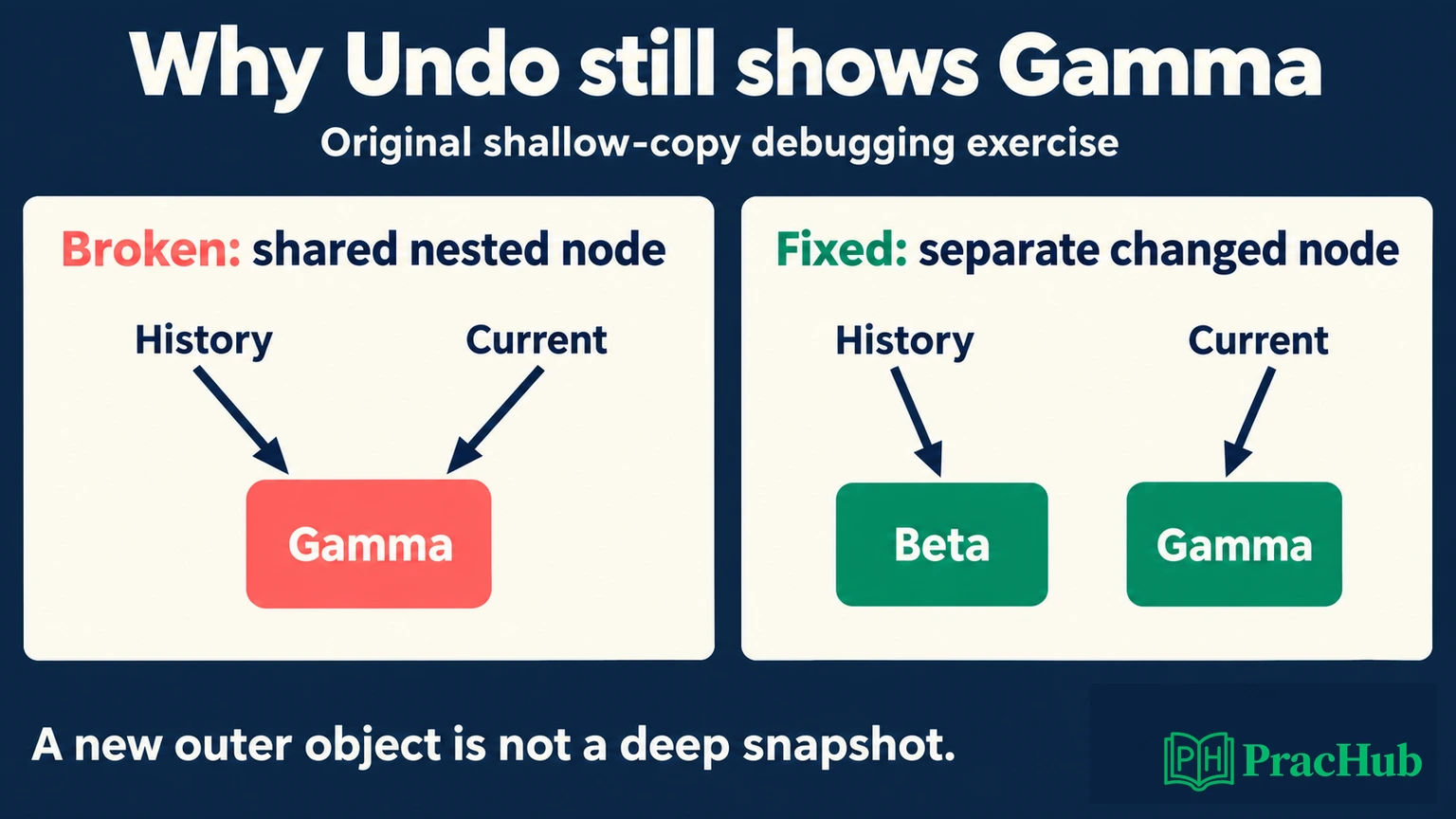
Run the smallest case: create the document, rename b to Gamma, then restore the last undo entry as the current document. Expected: b contains Beta. Actual: b still contains Gamma. The undo stack has an entry, so checking its length alone would miss the defect.
The spread expression creates a new outer object, but both documents still reference the same byId table and nested block b. Updating that block changes what the history entry sees. React's official guidance likewise explains that object spread is shallow and nested state updates require copying the relevant levels. Updating objects in React state
Test a hypothesis before changing the renderer
Write down two competing explanations: the stored document is wrong, or the stored document is correct but the UI shows stale data. Inspect b's text directly after undo. If the store already says Gamma, forcing a rerender cannot recover Beta; the original value has been lost from the snapshot.
Next compare object identity. In the broken version, the history entry's byId.b and the current document's byId.b are the same object. That observation predicts the failure before another click. A focused breakpoint or assertion is enough; dumping the whole application state after every event may make the signal harder to find.
Explain what would disprove the hypothesis: “I suspect the saved snapshot shares the edited node. If those references differ before the mutation, this explanation is wrong.” This makes your reasoning reviewable and gives the interviewer a useful place to correct an assumption.
If the stored document were correct instead, investigate component identity, props, local state, and subscriptions. React documents that state is associated with position in the render tree and that keys can affect preservation and reset. Changing keys indiscriminately may reset unrelated input state, so first explain the intended identity. Preserving and resetting state
Make the smallest repair that preserves the model
For this toy store, adopt immutable document updates: retain the previous document, then replace the edited block, its containing table, and the outer document. Reject an unknown ID; treat renaming to the existing text as a no-op that leaves history intact. These are explicit exercise rules, not reported Notion requirements.
function renameFixed(state, id, text) {
  const before = state.doc;
  const block = before.byId[id];
  if (!block) throw new Error("Unknown block");
  if (block.text === text) return;

  state.doc = {
    ...before,
    byId: {
      ...before.byId,
      [id]: { ...block, text },
    },
  };
  state.undo.push(before);
  state.redo = [];
}
The history reference is safe only if all document-editing paths respect immutability. Another command that later mutates a shared child array could still corrupt old versions. Inspect the codebase's existing state conventions before transplanting this patch. In an established application, the right repair may belong in a shared reducer or transaction helper.
Copying the byId object is linear in its number of entries; this compact exercise is not a claim of constant-time editing or a production editor architecture. A larger system might use a different storage strategy. Explain that trade-off without redesigning the application during a narrow bug fix.
Verify the transition and the history branch
A regression test should fail against the original implementation and pass against the repair. The central assertion is that renaming does not change the previous document's b text. Then test undo and redo using fresh initial state for each sequence.
| Exercise sequence | Required result | What it detects |
|---|---|---|
| Rename b to Gamma; undo | b is Beta | Corrupted previous snapshot |
| Rename b to Gamma; undo; redo | b is Gamma | Incorrect forward restoration |
| Rename b; undo; rename a to Delta | Redo is empty; b stays Beta | An obsolete future surviving a new edit |
| Rename b to its existing text | No new history entry | A no-op consuming undo history |
| Rename an unknown ID | Error; document and history unchanged | Partial mutation before validation |
Also check that a and the root child order remain unchanged. Those are neighboring behaviors within the patch's scope. A screenshot of restored text does not establish them, and a passing unit test does not prove the UI event handler calls the repaired function. Run the original visible reproduction afterward.
For an additional original exercise, move b beneath a in a simple single-parent tree. Check that b leaves the old child list, enters the new list once, and the toy model's parent reference agrees. Reject moving an ancestor beneath its descendant. These are practice invariants; do not confuse this simplified parent relationship with Notion's production permission model.
Explain progress without narrating every keystroke
Useful updates describe observations, decisions, and remaining uncertainty. “The event reaches rename once; the stored history is already wrong before rendering” is more informative than describing each search command. Pause to read when necessary, then summarize what that reading changed.
If a hypothesis fails, say what ruled it out and narrow the next experiment. Avoid treating the interviewer's suggestion as an answer to copy. Clarify its implication, test it, and connect the result to the original failure. Collaboration can be demonstrated through evidence rather than continuous talking.
When time is short, prioritize a reproducible case, a causal explanation, and a bounded repair over speculative cleanup. If verification is incomplete, state exactly what passed and what remains: perhaps the state tests pass, but the browser path still needs a check. Do not claim the whole system is fixed because one symptom disappeared.
Turn relevant questions into debugging rehearsals
Use these Notion-tagged PracHub records for practice, not as a promised debugging-round question list. Build a small implementation, introduce one intentional defect, and ask someone else to investigate it. The preparation value comes from reading, diagnosing, and testing an existing implementation.
| PracHub question | Debugging rehearsal |
|---|---|
| Design a text editor with undo/redo | Break one history transition and verify old content survives subsequent edits. |
| Implement Recursive React JSON Viewer with Collapse | Trace per-node collapse state and distinguish identity from display errors. |
| Design a Todo List Object Model | Locate the owner of a mutation and check that invalid operations are atomic. |
| Find Top Errors in Time Window | Create a boundary failure and use a tiny log fixture to isolate it. |
| Implement Table Aggregation | Detect accidental state reuse between independent calls. |
Finish each rehearsal with a short handoff: reproduction, root cause, changed behavior, tests, and remaining limitation. Then choose another Notion Software Engineer practice question and repeat with unfamiliar code. The aim is a reliable investigation you can explain, not memorized guesses about Notion's private repository.
Comments (0)