Snowflake Interview Questions for Data Engineers: Warehouses, Micro-Partitions, and Query Tuning
Quick Overview
A practical, scenario-based guide to Snowflake data engineering interviews. Learn how to answer virtual warehouse sizing, scale-up versus scale-out, micro-partition pruning, clustering, Query Profile, spill, concurrency, ingestion, SQL, data quality, and cost-performance trade-off questions with production-ready reasoning.
A Snowflake data engineering interview can turn from a simple SQL discussion into a production incident in one sentence: "This query became 10 times slower after the table grew. What would you inspect first?" A strong candidate does not immediately resize the warehouse. They separate storage, compute, SQL, concurrency, and data-layout causes, then use evidence to choose the fix.
This guide gives you that decision framework. Start with PracHub's Data Engineer interview questions for hands-on SQL and pipeline practice, and use the Snowflake Software Engineer questions when your target role is closer to Snowflake's database platform itself.
One important distinction: interviewing at Snowflake Inc. is not the same as interviewing for a data engineer job that uses Snowflake. The former can include algorithms and distributed systems. The latter usually focuses more heavily on warehouse architecture, ingestion, modeling, SQL performance, reliability, and cost. Exact rounds vary by employer and seniority.
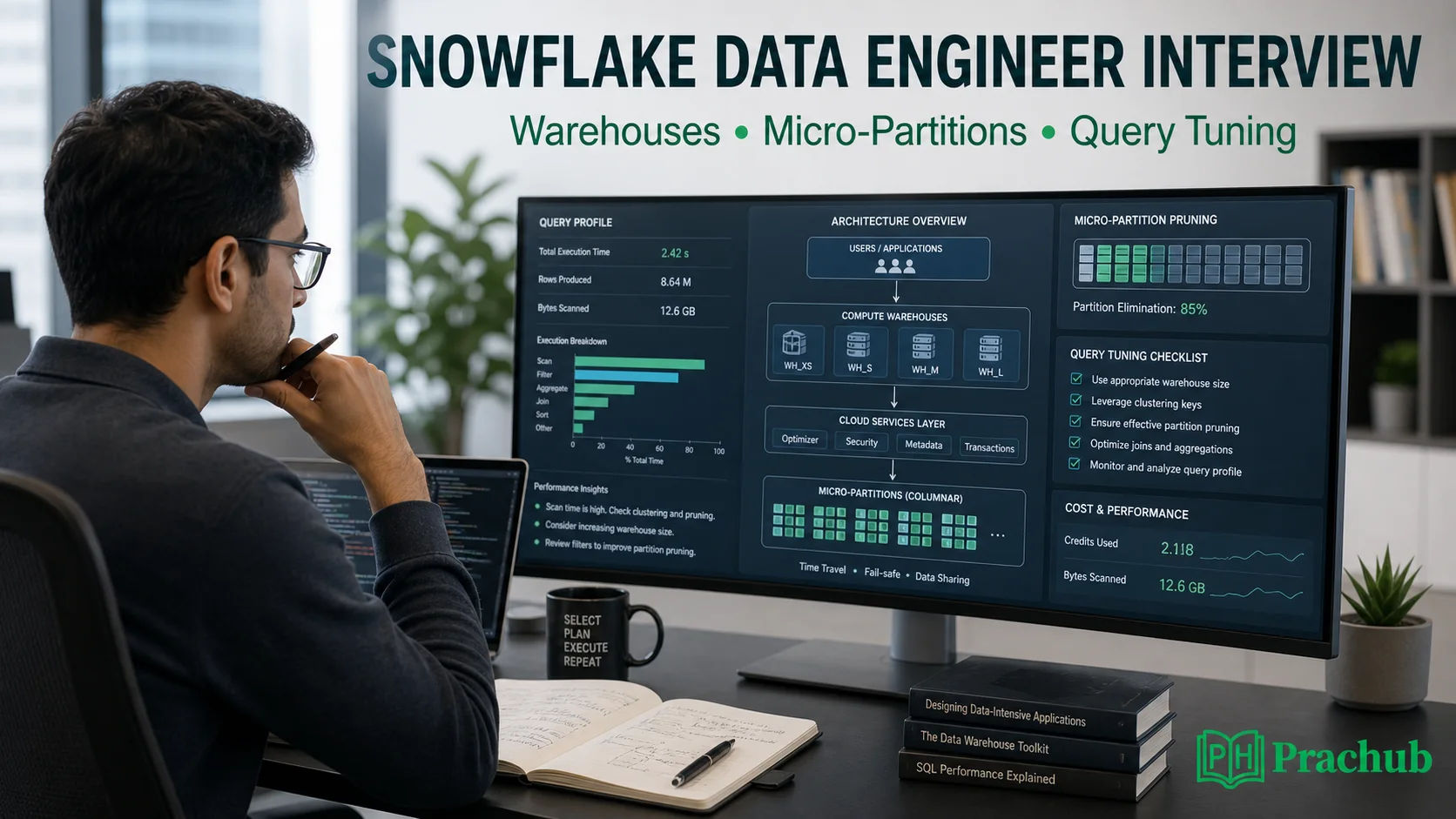
Prepare to connect Snowflake concepts to measurable production decisions.
Quick Verdict: What Snowflake Interviewers Actually Test
Recent 2026 candidate discussions for Snowflake-focused data engineering roles repeatedly mention architecture, virtual warehouses, micro-partitions, ingestion, streams and tasks, SQL, and performance troubleshooting. The pattern is more useful than any single recalled question: interviewers want to know whether you can operate a data platform, not merely define its features.
| Area | Weak answer | Strong answer |
|---|---|---|
| Warehouses | "Make it larger." | Distinguish per-query resource limits from concurrency, cache, and cost. |
| Micro-partitions | "They are Snowflake partitions." | Explain automatic storage, metadata, pruning, overlap, and clustering trade-offs. |
| Query tuning | List random optimizations. | Use Query Profile and Query Insights to identify the dominant bottleneck first. |
| Data engineering | Describe only the happy path. | Cover idempotency, late data, schema change, validation, recovery, and observability. |
Virtual Warehouse Interview Questions
1. What is a virtual warehouse, and what does it not store?
A virtual warehouse is Snowflake compute used to execute queries, DML, and data loading. The durable table data lives in Snowflake's storage layer, which is why compute can be resized or suspended independently. This separation lets teams isolate workloads, but it also creates operational choices around size, concurrency, cache, and credit consumption.
A strong answer adds that warehouse-local cache is not durable storage. Suspending a warehouse removes that cache, so extremely aggressive auto-suspend settings can reduce idle cost while causing repeated cold starts for bursty workloads.
2. When should you scale up versus scale out?
Scale up when an individual query needs more CPU, memory, or local storage. A larger warehouse can reduce spilling and accelerate heavy joins, sorts, and aggregations. However, larger is not automatically faster for small queries, so compare measured runtime and cost.
Scale out with a multi-cluster warehouse when many queries compete for the same compute and begin queueing. Extra clusters improve concurrency; they do not normally make one query execute faster. Interviewers often use this question to see whether you confuse query complexity with workload concurrency.
3. A dashboard is slow only at 9:00 a.m. What do you check?
First compare queue time with execution time in Query History. If queue time spikes while individual query profiles look normal, the problem is likely concurrency or an overlapping batch workload. Separate ETL from BI, adjust multi-cluster settings, or reschedule heavy jobs before rewriting every dashboard query.
Then inspect cache behavior and auto-suspend. If the warehouse repeatedly suspends between short bursts, the first requests may lose cache benefits. The right setting balances idle credits, startup frequency, and the latency expectations of the users.
4. How would you control Snowflake cost without damaging SLAs?
Start by assigning workloads to purpose-specific warehouses and tagging or monitoring credit consumption. Use auto-suspend and auto-resume, but tune them to the workload rather than choosing the smallest number by reflex. Add resource monitors, remove unnecessary scans, and compare cost per successful workload instead of credits alone.
For a concrete example, a warehouse that costs twice as much but finishes a batch four times faster may reduce both elapsed time and total credits. A good answer treats performance and cost as a joint optimization problem.
Micro-Partition Interview Questions
5. What are micro-partitions?
Snowflake automatically organizes table data into compressed, columnar micro-partitions. Unlike user-managed partitions in some databases, you do not create and maintain each partition manually. Snowflake records metadata such as value ranges that the optimizer can use to avoid reading irrelevant partitions.
This leads to the interview concept that matters most: partition pruning. If a query filters on a selective column and the data layout supports that filter, Snowflake can scan a small fraction of the table instead of everything.
6. How do you know whether pruning is effective?
Open Query Profile and inspect the TableScan operator. Compare partitions scanned with partitions total. A small scanned fraction indicates effective pruning; a large fraction suggests that the filter is not selective, the predicate cannot be applied efficiently, or the table's physical organization does not align with the access pattern.
Do not diagnose from runtime alone. A fast query on a small table can still have poor pruning, while a large analytical query may legitimately scan many partitions. Tie the metric to the query's intended selectivity.
7. When should you add a clustering key?
Consider clustering when a large table has stable, frequent filters, joins, or aggregations on columns whose values are poorly colocated. The expected pruning benefit must justify Automatic Clustering maintenance and storage costs. Small tables, frequently rewritten tables, or workloads with constantly changing filter dimensions may not benefit.
A senior answer mentions clustering depth or overlap as a diagnostic, not a score to minimize blindly. First identify expensive, repeated queries; then test whether a clustering key improves their scan ratio and total cost.
8. Clustering, Search Optimization, or a larger warehouse?
Choose based on the bottleneck. Clustering helps broad, recurring access patterns where data organization improves pruning. Search Optimization is better for highly selective point lookups and certain supported predicates. A larger warehouse helps when the query is compute- or memory-bound, but it does not repair a table scan caused by an unsuitable filter.
In an interview, state what evidence would change your choice: scan ratio, filter selectivity, spilling, operator time, queue time, query frequency, and the cost of maintaining the optimization.
A Query-Tuning Framework That Sounds Senior
When asked to tune a slow Snowflake query, resist the urge to produce a feature list. Use this order so the interviewer can follow your reasoning.
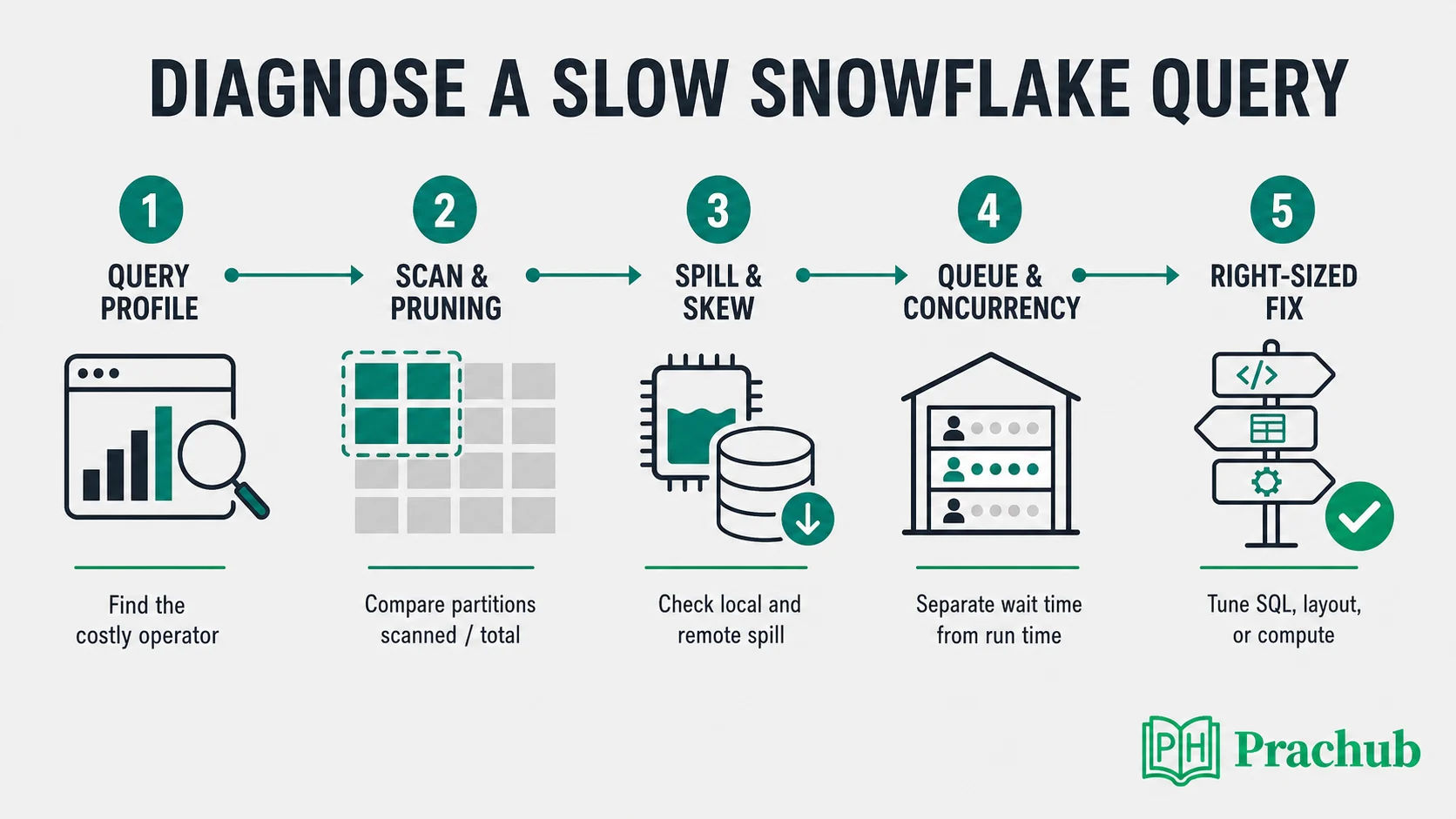
Diagnose the dominant bottleneck before choosing an optimization.
Step 1: Establish a fair baseline
Confirm that you are comparing the same query, parameters, data volume, warehouse size, and cache conditions. Separate compilation, queue, and execution time. Ask whether the regression began after data growth, a SQL change, a warehouse change, or an increase in concurrent users.
Step 2: Read the Query Profile
Find the operators consuming most of the duration. Check bytes scanned, rows produced, partitions scanned versus total, network transfer, and local or remote spilling. Snowflake Query Insights can also flag problems such as full scans, ineffective filters, exploding joins, unnecessary aggregation, remote spilling, and queued overload.
Step 3: Reduce unnecessary work
Project only needed columns, filter early, and verify join cardinality. Watch for accidental many-to-many joins, functions that prevent useful pruning, repeated subqueries, unnecessary DISTINCT operations, and transformations that expand rows before aggregation. Explain semantic correctness before performance.
Step 4: Fix data layout only when evidence supports it
If a selective filter still scans most partitions, evaluate clustering or a different modeling strategy. For point-lookups, evaluate Search Optimization. Materialized views or precomputed tables can help repeated expensive transformations, but introduce freshness, storage, and maintenance trade-offs.
Step 5: Adjust compute and concurrency last
Scale up when the profile shows memory pressure, spilling, or CPU-heavy work. Scale out when queries wait because of concurrent demand. Query Acceleration Service may help eligible scan-heavy queries, but it should be tested against a comparable baseline rather than treated as a universal switch.
Data Engineering Questions Around Snowflake
9. How would you make a Snowpipe or COPY INTO pipeline idempotent?
Use stable file identities, auditable load metadata, and a clear replay policy. Separate raw ingestion from transformations, quarantine malformed records, and make downstream merges deterministic. Explain how you would detect missing, duplicated, late, and partially processed data.
10. Streams, tasks, or an external orchestrator?
Streams and tasks work well for Snowflake-native incremental workflows with straightforward dependencies. An external orchestrator is useful when the workflow spans multiple systems, needs complex backfills, or requires richer dependency management and observability. The strongest answer defines ownership, retries, alerting, and recovery before naming a tool.
11. How do you handle a large historical backfill?
Isolate the backfill from production workloads, process bounded ranges, and publish atomically. Validate row counts, uniqueness, business invariants, and reconciliation totals before switching consumers. Plan for restartability and avoid letting a one-time workload evict useful cache or starve interactive users.
12. What makes a Snowflake answer production-ready?
Include monitoring, data-quality checks, security, cost, and failure recovery. Mention role-based access, masking or governance where relevant, and define the freshness and correctness SLA. A design is incomplete if it works only when every file arrives once, every schema stays fixed, and every query runs alone.
Practice Data Engineering Questions on PracHub
Use these exercises to rehearse the SQL, warehouse, reliability, and incremental-processing reasoning behind Snowflake interviews. They are practice records, not predictions of an exact employer's interview.
| PracHub question | Practice focus | Why it helps |
|---|---|---|
| Answer SQL And Data Warehouse Fundamentals For A Data Engineering Interview | SQL, star schemas, SCDs | Tests the warehouse foundations behind Snowflake modeling decisions. |
| Design Data Quality and Observability Pipeline | Validation, alerts, recovery | Builds production judgment beyond a successful SQL statement. |
| Design an Incremental Rolling-Metrics Data Pipeline | Incremental loads, layout, backfills | Connects partitioning and recomputation to concrete access patterns. |
| Solve SQL and Python Coding Tasks | Joins, aggregation, Python | Strengthens the timed coding layer of a data engineering loop. |
A Seven-Day Snowflake Interview Plan
| Day | Focus | Deliverable |
|---|---|---|
| Day 1 | Architecture | Explain storage, cloud services, and compute without notes. |
| Day 2 | Warehouses | Answer scale-up, scale-out, cache, queueing, and cost scenarios. |
| Day 3 | Micro-partitions | Practice pruning, clustering, and selective lookup trade-offs. |
| Day 4 | Query tuning | Walk through two slow-query diagnoses from evidence to fix. |
| Day 5 | SQL and modeling | Complete timed joins, windows, SCD, and fact-table exercises. |
| Day 6 | Pipelines | Design ingestion, replay, validation, backfill, and monitoring. |
| Day 7 | Mock interview | Run a 45-minute scenario round and tighten weak explanations. |
Frequently Asked Questions
Are Snowflake data engineer interviews mostly SQL?
SQL is common, but production roles usually go further. Expect data modeling, ingestion, warehouse sizing, performance diagnosis, pipeline reliability, and project deep dives. Senior roles place more weight on trade-offs and operating experience.
Should I memorize the size of a micro-partition?
Know the approximate concept if your interviewer expects product detail, but prioritize behavior: automatic columnar organization, metadata, pruning, overlap, and clustering. A memorized number is less valuable than explaining why partitions scanned versus total matters.
Does resizing a warehouse always improve performance?
No. It can help CPU-, memory-, or spill-bound queries. It may do little for an unselective scan, incorrect join, or concurrency problem, and multi-cluster scaling is primarily about concurrency rather than speeding up one query.
What is the best way to answer an unfamiliar Snowflake scenario?
Clarify the workload and SLA, identify the metric you would inspect, state two plausible causes, and explain how evidence would choose between them. Interviewers often reward disciplined diagnosis more than instant product trivia.
Final Takeaway
The best Snowflake data engineering answers follow a repeatable pattern: measure, isolate the bottleneck, choose the smallest effective fix, and explain the cost and reliability trade-off. Master warehouses, micro-partition pruning, and Query Profile, then connect them to idempotent pipelines and readable SQL.
PracHub helps you turn those concepts into interview behavior. Work through the linked questions, write your answer before opening the solution, and practice defending every optimization with evidence.
Sources and Further Reading
- Snowflake Documentation: Virtual Warehouses Overview
- Snowflake Documentation: Warehouse Considerations
- Snowflake Documentation: Multi-Cluster Warehouses
- Snowflake Documentation: Micro-Partitions and Data Clustering
- Snowflake Documentation: Query History and Query Profile
- Snowflake Documentation: Query Insights
- Snowflake Documentation: Storage Strategies for Query Performance
- Candidate Discussion: IBM Snowflake Platform Engineering Interview, March 2026
- Candidate Discussion: EY Snowflake and dbt Interview, April 2026
- Candidate Discussion: Accenture Data Engineer Interview, August 2026
Research note: This guide was reviewed in August 2026. Product capabilities and interview formats can change, so confirm role-specific expectations with your recruiter and current Snowflake documentation.
Related Articles
Airflow Interview Questions for Data Engineers: DAGs, Scheduling, Backfills, and Failures
Prepare for Airflow interviews with practical questions on DAGs, scheduling, catchup, backfills, retries, pools, sensors, and pipeline failures.
Jane Street Data Engineering Internship 2027: Interview Process, SQL, and Systems Questions
Prepare for Jane Street's 2027 Data Engineering Internship with verified process details, SQL and Pandas practice, systems topics, and a 7-day plan.
Databricks Interview Questions for Data Engineers: Spark, Delta Lake, and Lakehouse Design
Prepare for Databricks data engineer interviews with Spark tuning, Delta Lake reliability, lakehouse design, debugging frameworks, and practice questions.
IBM Data Engineer Intern OA 2027: Coding, SQL, and the Recorded Competency Assessment
Prepare for the IBM Data Engineer Intern OA 2027: coding, SQL, recorded video questions, work preferences, timelines, and a 7-day plan.
Comments (0)