Snowflake Streams and Tasks Interview Questions: Offsets, MERGE, and Recovery
Quick Overview
Trace a standard stream through updates, rollback, commit, and a failed child task. Practice recovery reasoning with clearly labeled expected results.
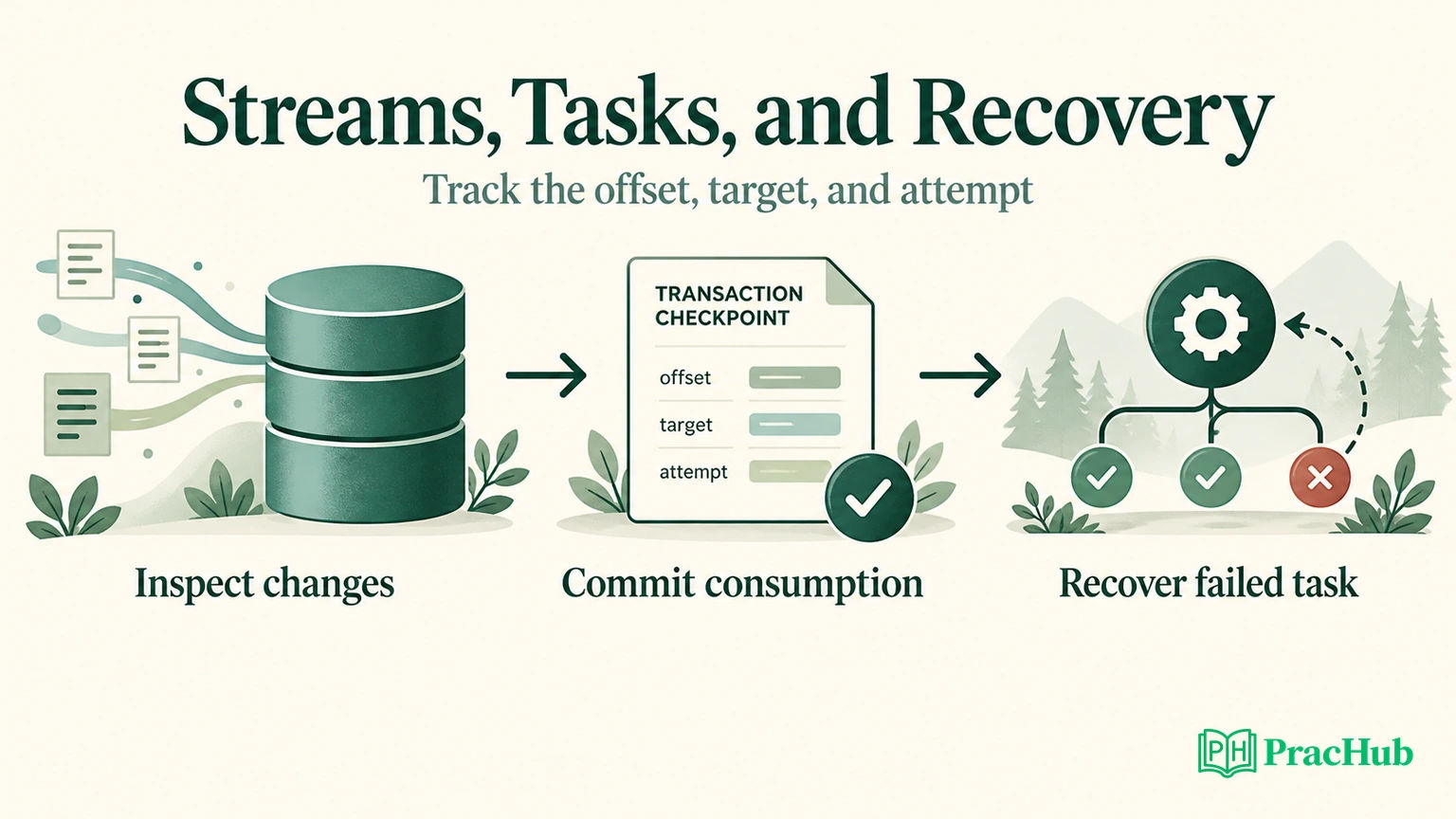
Snowflake streams and tasks interview questions become easier when you track three things separately: the stream offset, committed target rows, and the task attempt. A successful parent task can consume a stream even when its child later fails. Your recovery answer must explain what remains available and what must be replayed.
This guide covers the Snowflake data platform, not a hiring loop at Snowflake Inc. Official facts are linked to Snowflake documentation. A candidate's Cognizant account mentions streams, tasks, and dependencies; that is one person's report, not a universal question list. The examples below are original practice with documentation-derived expected results, not a transcript or a cloud execution report.
Start with Design an Incremental Rolling-Metrics Data Pipeline, then return here to defend the precise consumption and recovery boundaries.
When does a stream offset advance?
Official fact: a stream records an offset into source history. Reading it with SELECT does not consume it. A consuming DML transaction advances the offset only when it commits; rollback preserves the previous offset. Within an explicit transaction, the change interval ends at the transaction's start. Snowflake stream introduction.
Use this original prediction table before writing SQL. Assume changes exist before the transaction begins and no other consumer runs.
| Operation | Target effect | Offset after completion |
|---|---|---|
| SELECT from the stream twice | None | Unchanged |
| INSERT from stream, then ROLLBACK | No committed insert | Unchanged |
| INSERT from stream, then COMMIT | Insert committed | Advances |
| Consuming INSERT with a filter matching no rows, then COMMIT | Zero inserted rows | Advances |
The filtered-consumption behavior is documented in stream management guidance. The last row is the trap. A filter is not a reservation for a later consumer. If separate jobs need independent progress, give them separate streams. Do not assume a second task can retrieve rows that a first consuming transaction has already acknowledged.
A useful spoken answer is: “I will distinguish observing changes from committing their consumption. Before retrying, I need to know whether the previous transaction committed.” That question matters more than whether the orchestration screen displays a red box.
Predict a standard stream's net changes
Official fact: standard streams represent the difference between transactional points. An update can appear as an old DELETE and a new INSERT, with update metadata; an inserted-then-deleted row can disappear from the net delta. Append-only streams have different behavior. Snowflake stream examples.
Here is an original inventory fixture. Use a disposable schema, an active warehouse, and a role with the necessary object privileges. Run setup once; recreating objects changes the experiment. These snippets have been reviewed against the documentation but were not executed in a Snowflake account.
CREATE TABLE interview_stock (sku INT, qty INT);
INSERT INTO interview_stock VALUES (10, 4), (20, 8);
CREATE STREAM interview_changes ON TABLE interview_stock;
CREATE TABLE interview_target AS SELECT * FROM interview_stock;

UPDATE interview_stock SET qty = 5 WHERE sku = 10;
UPDATE interview_stock SET qty = 7 WHERE sku = 10;
INSERT INTO interview_stock VALUES (30, 2);
INSERT INTO interview_stock VALUES (40, 9);
DELETE FROM interview_stock WHERE sku = 40;
DELETE FROM interview_stock WHERE sku = 20;

SELECT sku, qty, METADATA$ACTION, METADATA$ISUPDATE
FROM interview_changes
ORDER BY sku, METADATA$ACTION;
Assumptions are deliberate: each SKU identifies one physical row; SKU never changes; there are no concurrent writers, duplicate keys, or delete-and-reinsert operations on the same key. The target starts from the same baseline as the stream. Without that baseline, an incremental consumer cannot magically recover unchanged rows.
| SKU | Quantity | Action | Is update |
|---|---|---|---|
| 10 | 4 | DELETE | TRUE |
| 10 | 7 | INSERT | TRUE |
| 20 | 8 | DELETE | FALSE |
| 30 | 2 | INSERT | FALSE |
These are expected rows, not captured query output. Quantity 5 is an intermediate value, not a required final delta row. SKU 40 contributes no surviving net change. Reading this result twice should not consume it.
Ask yourself what changes if the business needs every intermediate inventory adjustment. A net change feed is insufficient evidence for that audit requirement. You would need an event history designed to preserve those adjustments, rather than reconstructing them from the final quantity.
Make the MERGE input unambiguous
A common broken solution merges both sides of an update directly against one target SKU. It asks the database to treat the same target as both an old deletion and a new update.
Official fact: conflicting source matches can make MERGE nondeterministic. Snowflake's default error setting rejects nondeterministic merges; duplicate unmatched source rows can also produce duplicate inserts. An arbitrary aggregate is not a business rule. MERGE reference.
For this restricted fixture, ignore update preimages and retain genuine deletes. That leaves one actionable record per SKU:
SELECT sku, COUNT(*) AS action_count
FROM interview_changes
WHERE METADATA$ACTION = 'INSERT'
   OR NOT METADATA$ISUPDATE
GROUP BY sku
HAVING COUNT(*) > 1;
The expected result is empty. Treat a nonempty result as a failed precondition, not an invitation to hide the conflict with MAX(qty). In production, enforce the chosen uniqueness and ordering contract in the consuming workflow; a separate diagnostic query can race with new writes.
The following consumption statement applies the contract:
BEGIN;
MERGE INTO interview_target t
USING (
  SELECT sku, qty, METADATA$ACTION AS action
  FROM interview_changes
  WHERE METADATA$ACTION = 'INSERT'
     OR NOT METADATA$ISUPDATE
) s ON t.sku = s.sku
WHEN MATCHED AND s.action = 'DELETE' THEN DELETE
WHEN MATCHED AND s.action = 'INSERT'
  THEN UPDATE SET qty = s.qty
WHEN NOT MATCHED AND s.action = 'INSERT'
  THEN INSERT (sku, qty) VALUES (s.sku, s.qty);
ROLLBACK;
After rollback, the expected target is still (10,4), (20,8), and the four change rows remain available. Repeat the block, changing only its final statement to COMMIT. Now expect (10,7), (30,2) and an empty stream, provided no new changes arrived.
A third consuming run with no new source changes should leave the target unchanged. This is a useful replay check for the example, not proof that every external side effect is exactly once.
Official transaction detail: DDL can commit an active transaction implicitly. Keep table creation outside this rollback experiment. If a DML statement fails inside a larger transaction, explicitly decide whether to roll back the transaction rather than assuming every preceding statement was undone. Transaction reference.
Recover after the parent committed and the child failed
Now extend the original example into two tasks. LOAD_STOCK commits the MERGE. Its child, BUILD_SUMMARY, writes a reporting table but fails because the task owner lacks access to that table. For this exercise, assume the child performed no earlier committed writes.
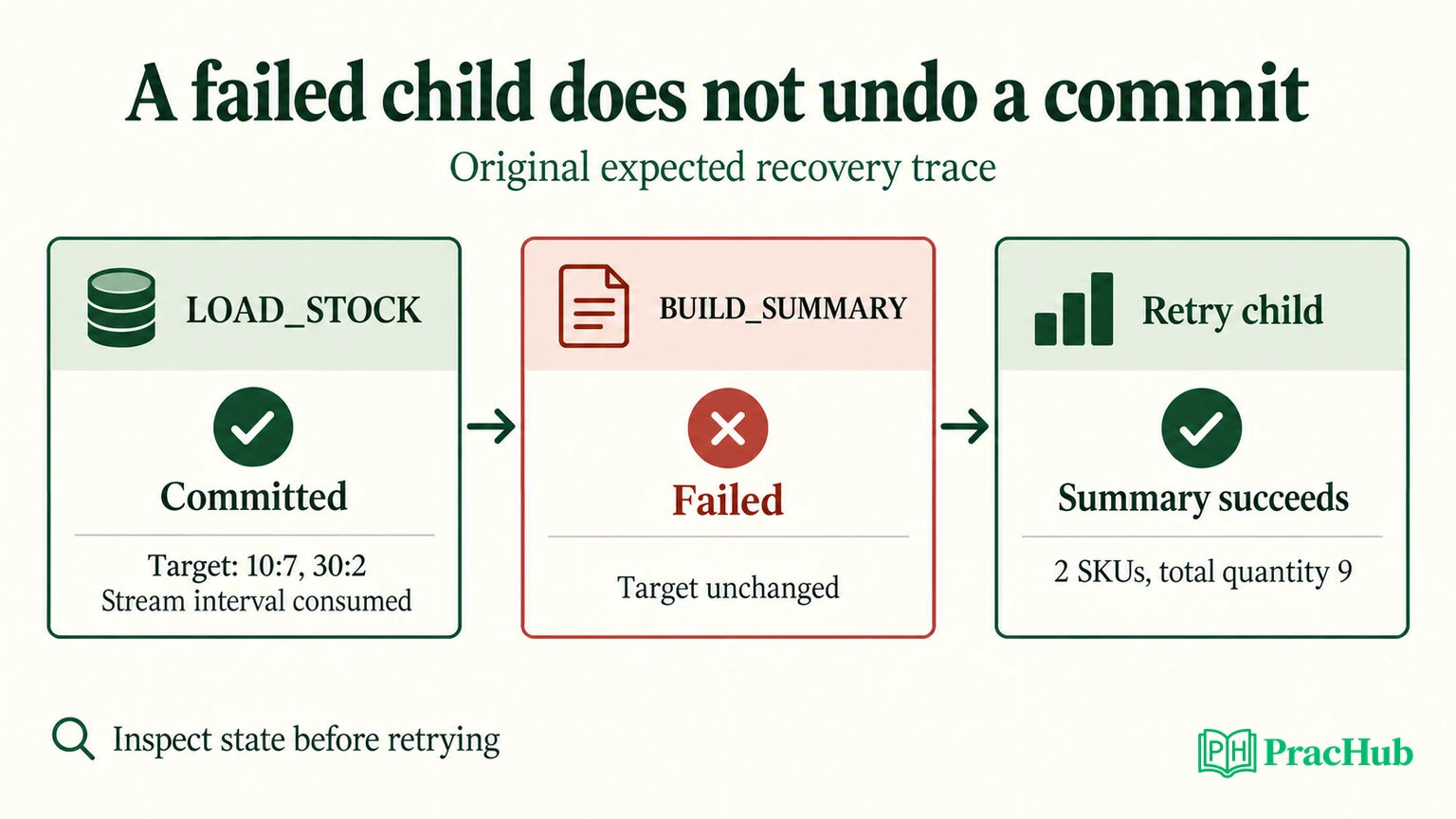
| Checkpoint | Target | Stream | Summary |
|---|---|---|---|
| Before LOAD_STOCK | 10:4, 20:8 | Four change rows | Previous result |
| Parent commits | 10:7, 30:2 | Consumed interval acknowledged | Previous result |
| Child fails | 10:7, 30:2 | Still acknowledged | Previous result |
| Child succeeds on retry | 10:7, 30:2 | No replay required by child | Two SKUs, total quantity 9 |
This is an expected execution trace. A task dependency establishes ordering; it does not make these two separately committed transactions one atomic unit. The child should read durable target or batch data, not depend on rereading the parent's consumed stream.
For a simple current-state summary, recomputing from the target can be sufficient. For a historical batch report, save the batch identity and its durable input. Otherwise a delayed retry might summarize newer target rows and silently change the meaning of the original run.
Official fact: EXECUTE TASK LOAD_STOCK RETRY LAST restarts failed or canceled tasks in the latest eligible graph run. The run must be failed or canceled, the graph unchanged, and its first attempt within the documented fourteen-day window. The retry shares the graph run group and increments the attempt number. EXECUTE TASK.
Repairing the missing object privilege is different from rewriting the task graph. Inspect retry eligibility after any configuration repair. A fresh root execution is a new processing decision; it may encounter new source changes and should not be casually described as replaying the failed batch.
Inspect history before pressing retry
Use the actual error and query identity to test your explanation. Official reference: task history exposes state, error details, query ID, graph run group, and attempt number. Its table function has a bounded history window and result limit. TASK_HISTORY.
SELECT name, state, query_id, error_code, error_message,
       graph_run_group_id, attempt_number
FROM TABLE(INFORMATION_SCHEMA.TASK_HISTORY(
  SCHEDULED_TIME_RANGE_START => DATEADD('hour', -2, CURRENT_TIMESTAMP()),
  RESULT_LIMIT => 1000
))
WHERE name IN ('LOAD_STOCK', 'BUILD_SUMMARY')
ORDER BY scheduled_time;
In a real schema, also identify the correct database and graph so similarly named tasks do not confuse the investigation. Compare the parent query's committed effect with target controls. Capture the child's error before changing privileges or retry settings. After recovery, check both task history and the summary's two rows and total quantity nine.
The sample produces a diagnostic query, not fabricated history rows. For an interview demonstration, explain what evidence would contradict your hypothesis: if the parent transaction rolled back, the stream should still expose the interval; if the child partially committed separate statements, its retry requires additional reconciliation.
Official configuration: automatic graph retries are disabled by default. TASK_AUTO_RETRY_ATTEMPTS is configured on the root; it supports retrying from the failed task. Task SQL should be validated before scheduling it. CREATE TASK. More attempts cannot repair a deterministic permission error.
Answer the follow-ups without overpromising
“The trigger says data exists, but the query is empty. Is that corruption?” Not necessarily. SYSTEM$STREAM_HAS_DATA can return false positives. Design the consuming statement to tolerate no actionable rows rather than treating the trigger as an exact count. Function reference.
“Can a child receive information from its parent?” Yes. Snowflake documents task return values through SYSTEM$SET_RETURN_VALUE and SYSTEM$GET_PREDECESSOR_RETURN_VALUE. Use a small batch identifier where appropriate; store substantial replayable data durably. A return value does not replace transactional storage. Task graph documentation.
“Can I fix a stale stream by increasing retries?” First inspect its retention boundary and available source history. A stale stream can lose access to unconsumed changes. Recreating it begins a new tracking point; it does not establish that the missing interval reached the target. Plan reconciliation or a controlled baseline rebuild before resuming incrementals. Stream retention guidance.
“What would you test next?” Introduce a duplicate SKU, change a key, add a genuine delete, and retry after a partial downstream write. State which cases violate this fixture's contract and which your production design must support. Explaining that boundary is stronger than calling a small MERGE universally safe.
Practice five related PracHub questions
These exercises develop adjacent pipeline and database reasoning. They are not five verified Snowflake interview questions or a hosted Snowflake task runner.
| PracHub question | Practice focus |
|---|---|
| Design an Incremental Rolling-Metrics Data Pipeline | Preserve incremental boundaries and replay meaning. |
| Design Incremental Load Process for Large Relational Table | Explain a reliable progress marker. |
| Implement an Idempotent Versioned Database Update | Reject stale or duplicate updates deliberately. |
| Explain ETL schema changes and ensure integrity | Separate validation from successful execution. |
| Design a job scheduler with SLA and logs | Make failures and attempts observable. |
Finish by solving the incremental pipeline exercise aloud. At each failure point, name the last committed state, the remaining input, and the smallest justified recovery action.
Sources and Further Reading
- Snowflake: Introduction to streams
- Snowflake: Manage streams
- Snowflake: Stream examples
- Snowflake: MERGE
- Snowflake: Transactions
- Snowflake: EXECUTE TASK
- Snowflake: TASK_HISTORY
- Snowflake: CREATE TASK
- Snowflake: SYSTEM$STREAM_HAS_DATA
- Snowflake: Task graphs
- Candidate report: Cognizant Snowflake developer interview
Comments (0)