TestDome Programming Test Guide: Question Types, Scores, and Practice
Quick Overview
Learn how TestDome programming tests work, how questions are scored, what proctoring may record, and how to practice effectively.
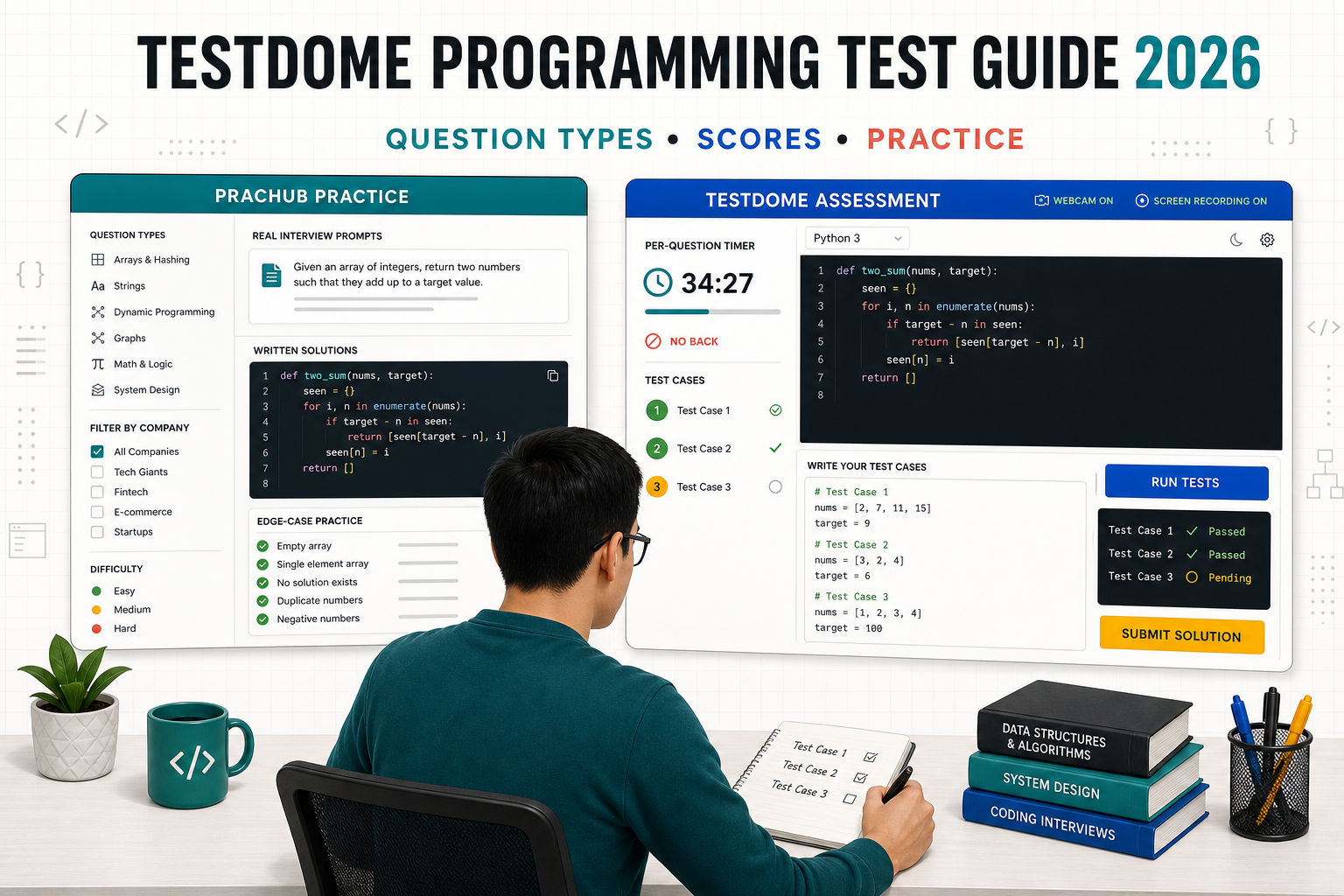
The most important TestDome rule appears simple until the clock is running: each question has its own timer, and you cannot return after submitting it or letting time expire. That changes how you should read, code, test, and recover from a partial solution.
This guide explains the current format, question types, partial credit, proctoring, and a practical preparation plan.
Start by attempting a few real interview questions with written solutions on PracHub. Practice reading constraints, coding a complete solution, and testing edge cases before opening the explanation. Then check your target company's interview questions, because passing a screening assessment is only one stage of the hiring loop.
Research note: TestDome's documentation was checked on August 5, 2026. Employers can customize timing, points, passing scores, score visibility, and integrity settings, so your invitation takes priority.
Quick Answer: What Should Candidates Expect?
A TestDome programming test is usually an asynchronous screening assessment built from work-sample questions. It may combine live coding with multiple choice, fill-in-the-blank, file, quality-assurance, or written questions.
Expect per-question time limits, no backtracking, and automated scoring for many question types. Coding questions award credit according to passed test cases. Some questions support partial credit, while others are all or nothing. An employer can give different questions different point values and set its own passing score.
Free public tests teach the interface and pacing, but an employer may use custom questions or a different skill mix.
How a TestDome Programming Test Works
The employer sends a test link with instructions and any required proctoring permissions. Questions then appear in a fixed order with individual time limits.
When you submit a question, you move forward and cannot return. If time expires, TestDome submits your last selected answer. For a coding question, the platform says you can run the solution repeatedly, and the highest-scoring version is submitted automatically when the question timer ends.
TestDome says candidates may use their preferred IDE and paste code into the editor. Online resources are generally allowed, but its published policy excludes AI tools, and employers may enable screen and webcam proctoring. Ask the recruiter before starting if a rule is unclear.
TestDome Question Types You May See
TestDome advertises 12 question types across 30 languages and frameworks, although one assessment will use only a subset.
| Question type | How it works | What to practice |
|---|---|---|
| Live coding | Write and run code against test cases | Correctness, edge cases, complexity, and recovery from partial passes |
| MCQ | Select one answer | Code tracing, language behavior, and precise reading |
| Multiple correct / multiple MCQ | Select several answers or complete grouped sub-questions | Evaluate every option; avoid guessing every box |
| Fill in the blanks / number | Complete code, text, or a numeric answer | Syntax accuracy and small calculations under time pressure |
| File upload with validator | Modify or create a file checked by automated tests | Read templates carefully and validate the final artifact |
| Quality assurance | Create tests that reveal bugs | Boundary analysis, minimal test cases, and false-positive control |
| Text, file, or recording | Submit an open response for manual or AI-assisted review | Clear reasoning, trade-offs, and concise communication |
Live coding is more than passing the sample
Official scoring is based on the proportion of test cases passed. Test empty input, one element, duplicates, negative values, boundaries, and large input where relevant. A stable partial score can be better than an unfinished last-minute rewrite.
Multiple-correct questions punish careless over-selection
TestDome gives credit for correct selections and deducts for wrong ones, with the question score floored at zero. Evaluate each statement independently rather than selecting every plausible option.
How TestDome Scores Programming Tests
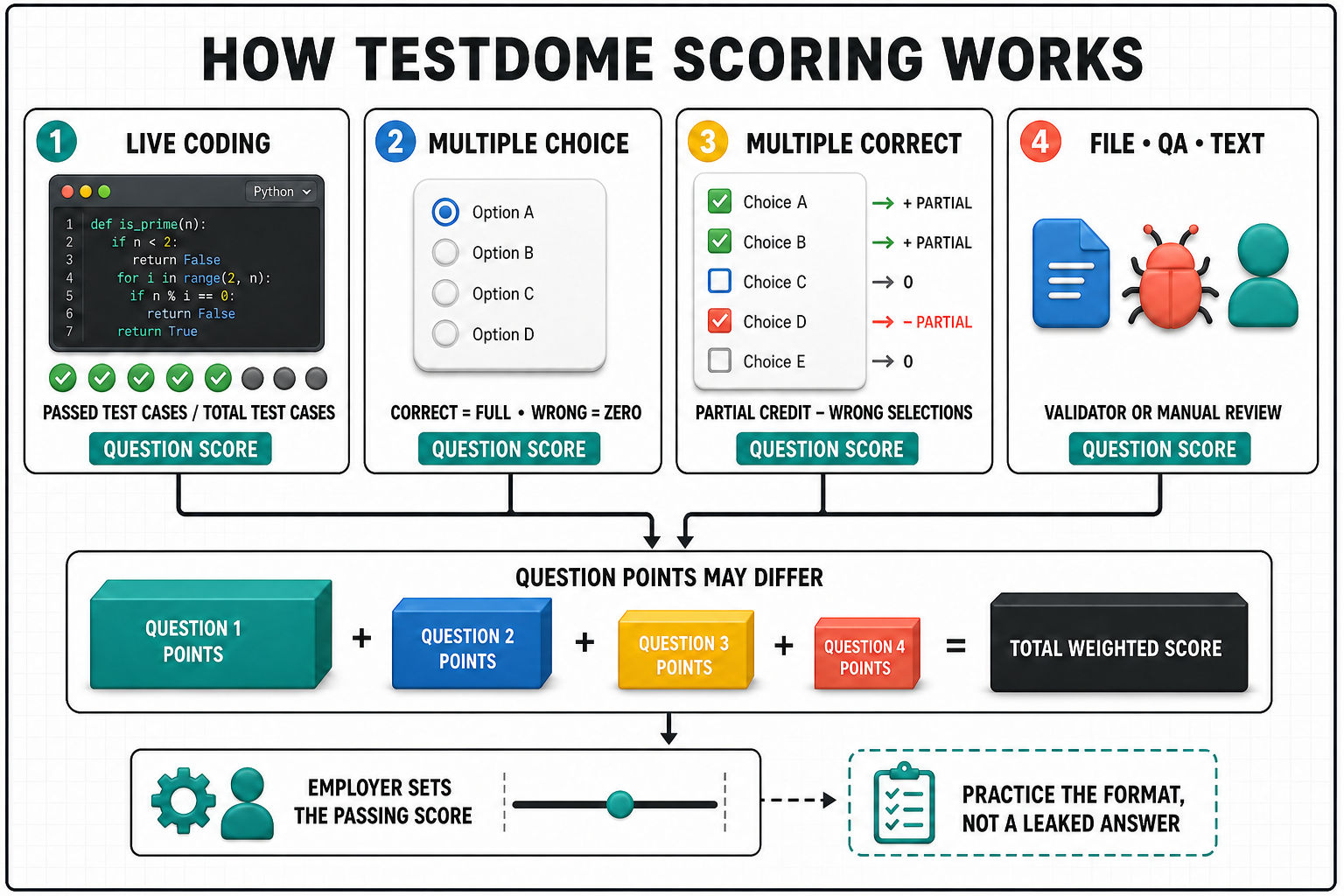
TestDome adds weighted question scores to produce the total. Library questions typically carry three to ten points, but employers can override the value, so one coding task may matter more than a short knowledge question.
Live coding and validated files
Live-coding and validated-file scores reflect passed test cases divided by total test cases, so passing some cases can earn partial credit.
Multiple choice and fill-in questions
A single-answer MCQ is binary. Multiple-correct questions can award partial credit but deduct for wrong choices. Fill-in questions divide credit across blanks and may penalize wrong dropdown selections.
Manual and AI-assisted review
File uploads, recordings, and traditional text answers may require manual scoring. TestDome also supports AI-validated text, so not every result is calculated the same way.
What Is a Good TestDome Score?
There is no universal TestDome passing score for candidates. Employers can set a threshold, adjust question weights, mix easy and hard questions, and decide whether candidates see their scores. A 70% result on one assessment may represent a very different performance from 70% on another.
Public practice tests offer a certificate for scoring in the top 25%. That percentile is not an employer cutoff. If your score is shown, inspect whether one high-value unfinished problem or repeated errors drove the result. Employers also decide whether candidates see score feedback.
Timing Strategy for the No-Back Format
Use the first minute to protect the next twenty
Read the prompt, examples, signature, and constraints before coding. Confirm the expected input and output because you cannot revisit the question.
Build a minimum working answer first
Get a simple version running before optimizing, then add boundary cases and improve complexity when constraints require it. For knowledge questions, reread qualifiers such as "always," "only," and "best."
Reserve the final minutes for evidence
Use the final minutes to check boundaries, mutation, overflow, null handling, duplicates, and complexity. One more passing edge case is usually worth more than cosmetic refactoring.
Proctoring, Tab Switching, and AI Tools
Proctoring is configurable. When enabled, TestDome can record the webcam and screen, and its AI analysis may flag unusual tools or activity. Reports can show warnings for disabling proctoring or attempting to open browser developer tools.
TestDome notes that automated flags can have innocent explanations and are not proof by themselves. Still, close private notifications, use a stable connection, and keep permitted resources visible.
Screen recording is not a blanket rule against every tab switch; the employer policy controls. Safe Exam Browser can prevent switching applications. Ask in advance if you need an IDE, documentation, or accessibility software.
A Five-Day TestDome Practice Plan
Day 1: Learn the mechanics
Take one free public test and focus on the timer, editor, run button, and no-return flow. Record where you lost time.
Days 2-3: Repair measured gaps
Complete timed PracHub questions in your interview language. Label each failure as interpretation, algorithm choice, implementation, or testing. Include SQL interview practice when the role requires it.
Day 4: Simulate no backtracking
Complete four mixed questions in a fixed order with separate timers and no reopening. Practice preserving a solid partial solution when rewriting is too risky.
Day 5: Rehearse the full setup
Use your test-day computer, browser, IDE, and network. Check camera and screen permissions if proctoring is mentioned, then stop early enough to arrive rested.
Prepare for What Comes After the Score
TestDome Screening filters candidates before deeper interviews. A later round may ask why your solution works or how it changes under a new constraint. Continue company-specific practice; senior engineers should cover system design questions, and every candidate should prepare for behavioral and leadership interviews.
Frequently Asked Questions
Can you go back to a previous TestDome question?
No. TestDome's candidate documentation says you cannot return after submitting a question or after its timer expires. Your last selected answer is submitted when time runs out.
Can you run code more than once?
Yes. TestDome says coding solutions can be run repeatedly. If the timer expires, the highest-scoring coding answer is submitted automatically.
Does TestDome show hidden test cases?
Prepare for unshown edge cases by testing from the constraints, not only from the examples.
Can TestDome record your screen and webcam?
Yes, when the employer enables proctoring. The platform can record both and use AI to highlight activity for human review. Read the pre-test permissions to know what applies to your assessment.
How long is a TestDome programming test?
Length varies by employer. TestDome allows up to 40 questions or four hours, whichever comes first, while recommending tests under two hours.
Can candidates see their TestDome score?
The employer decides whether candidates receive score feedback. Even when a score is visible, candidates do not receive the answers after the test.
Final Takeaway
A strong TestDome strategy is not to memorize a question list. It is to read precisely, produce a working answer early, preserve partial credit, and test the edge cases before the per-question timer ends.
Learn the official interface with a free public practice test. Then use PracHub's real interview questions and written solutions to build the coding, testing, company, system design, and communication skills that still matter after the screening score arrives.
Sources
Related Articles
Amazon Bar Raiser Interview Guide 2026: Leadership Principles, Signals, and Questions
Prepare for the Amazon Bar Raiser interview in 2026: Leadership Principles, evaluation signals, STAR stories, follow-ups, myths, and practice questions.
Palantir Learning Interview Guide: What to Expect and How to Prepare
Prepare for the Palantir Learning Interview: format, evaluation signals, re-engineering tasks, common mistakes, and a practical 2026 study plan.
Glider AI Assessment Guide 2026: Coding, Proctoring, and Results
Learn what to expect in a Glider AI assessment: coding formats, proctoring, screen and webcam rules, scoring, results, and a 2026 prep plan.
Does HackerRank Record Your Screen? Proctoring, Tab Switching, Webcam, and Copy-Paste Rules
Learn whether HackerRank records your screen, detects tab switching, uses a webcam, or tracks copy-paste, plus what recruiters can review in 2026.
Comments (0)