10 System Design Templates and Diagram Tools for Interview Prep
Quick Overview
Compare ten system design template tools, use a reusable interview outline, and practice request flows, failure cases, and trade-offs with PracHub questions.
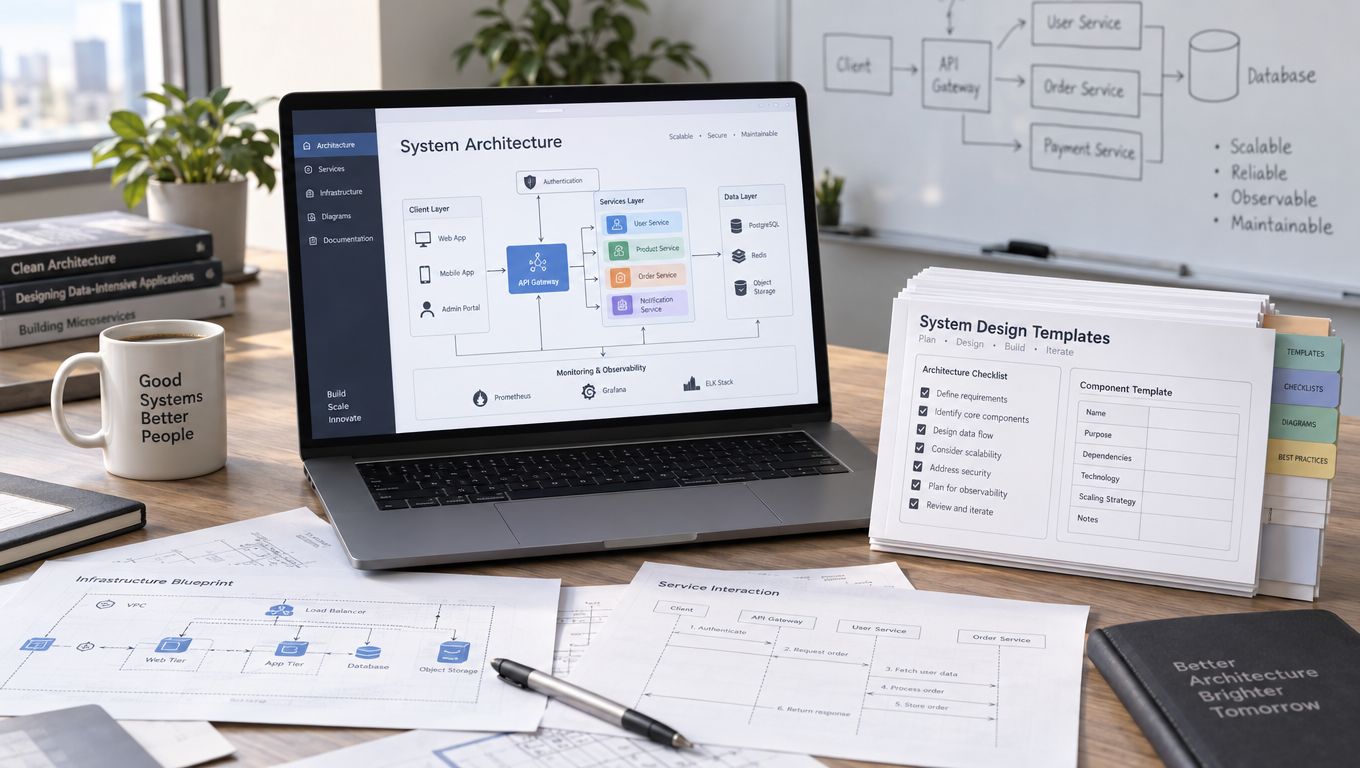
System design templates help you organize an answer, but they cannot choose the architecture for you. A useful template leaves room for requirements, a clear request flow, data ownership, and the failure that matters most. A diagram full of service icons can still leave all four unexplained.
This guide compares ten diagramming tools and template sources, then shows how to use one reusable interview outline. The tool suggestions are practical choices for different workflows, not a scored ranking. Check the interviewer's permitted whiteboard before preparing a board in another product.
Start with an interview outline, not a finished architecture
Prepare an empty canvas with five areas: requirements, interfaces and data, the main flow, failures, and trade-offs. Fill those areas as the interviewer clarifies the problem. Avoid a starter diagram that already assumes microservices, a cache, a queue, and several regions.
For a URL shortener, the first useful distinction is between creating a link and resolving a short code. Draw those paths separately. Ask about expiration, custom aliases, redirect behavior, and traffic before choosing the storage or caching arrangement. Practice with the scalable URL shortener question, using its public prompt to set the scope.
Copy this outline into a board or your practice notes:
Problem and primary user journey:
Required behavior and explicit non-goals:
Latency, durability, consistency, and scale assumptions:

Write API / command:
Read API / query:
Core entities, keys, and ownership:

Successful request flow:
Most important failure flow:
Timeout, retry, and duplicate-handling decisions:

First bottleneck and evidence that would reveal it:
Alternative considered and trade-off accepted:
Use PracHub's system design requirements checklist when you need a fuller preparation worksheet. During a timed round, keep only the questions that change the design.
Compare the ten template options
Choose a tool by the work you need to do. These categories describe suggested uses; they are not claims that a tool is limited to one diagram type.
| Tool or template source | Useful practice workflow | What to check before the interview |
|---|---|---|
| Excalidraw libraries | Sketching and revising a small architecture | Can you draw and label a flow without searching the library? |
| Miro templates | Mock sessions with a shared board | Can your partner open and edit the intended board? |
| FigJam templates | Requirements and architecture discussion on one canvas | Does the selected template leave enough space for technical detail? |
| Whimsical templates | A compact flow with readable branches | Can you represent timeouts and alternate outcomes clearly? |
| diagrams.net templates | Reusable editable diagrams | Can you reopen the saved file and export a readable version? |
| Lucid sequence templates | Reviewing message order and interactions | Have you included the failure path as well as the happy path? |
| Structurizr | Consistent architecture views from a model | Can you explain the model without navigating the tool? |
| C4-PlantUML | Text-based diagrams kept with practice notes | Can you render the diagram reliably in your chosen environment? |
| AWS architecture icons | Mapping a justified AWS design to named services | Are the icons current, and are the relationships labeled? |
| Figma's Google Cloud library | Annotating a Google Cloud service diagram | Can you explain each service's responsibility without its icon? |
1. Excalidraw libraries: keep the first sketch small
The Excalidraw library directory provides public collections you can add to the editor. A small collection of clients, services, databases, and queues can save drawing time. Loading every available cloud symbol can have the opposite effect.
Rehearse one diagram using ordinary boxes first. For a URL shortener, label the redirect request, lookup, and response. Add a cache only after explaining which lookup is expensive and what happens on a miss. The exercise succeeds when you can revise a requirement while continuing your explanation, without spending the round searching for a symbol.
2. Miro templates: give a mock interviewer room to challenge you
Miro's template gallery includes diagramming and mapping boards. Use a template as a shared practice space: reserve an area for requirements, a central architecture, and a separate area for unresolved decisions.
Ask a partner to change one constraint after you draw the first flow. For example, introduce a large burst of notification events or a temporarily unavailable delivery provider. Mark which part of the design changes and which assumptions remain valid. A successful mock produces a decision you can explain, not just a completed board. Check sharing and editing access before starting the timer.
3. FigJam templates: connect requirements to the diagram
Figma's template collection includes FigJam boards for planning, brainstorming, and diagramming. This is a useful starting point when your practice session includes discussion notes alongside the architecture.
Write each important requirement near the component or flow it affects. A durability requirement belongs beside the write path; a latency target belongs beside the operation being measured. Keep non-goals visible so a notification-service exercise does not expand into a full social platform. Simplify a decorative template if it makes interfaces, data ownership, or failure branches hard to read.
4. Whimsical templates: make alternate outcomes explicit
Whimsical's templates provide starting points for diagrams and other visual planning work. Use a compact flow to explain a request that can succeed, fail, or remain unresolved.
In a payment example, a provider timeout should lead to an explicit pending or reconciliation path, not an automatic “failed” box. A timeout does not establish whether an external effect occurred. Put the retry decision and duplicate-handling boundary on the diagram. Then ask whether the same caller can safely repeat the request. This practice exposes missing states that a simple sequence of success arrows hides.
5. diagrams.net templates: maintain an editable practice file
The draw.io template instructions explain how to insert a template into an existing diagram and edit its shapes, connectors, and labels. diagrams.net is useful when you want to retain a diagram and revise it after feedback.
Save one base outline and create a separate copy for each prompt. Keep the original requirements with that copy so you do not accidentally reuse decisions from a different workload. After a mock, annotate the first bottleneck and one failure case you missed. Reopen the file before the next session; an exported image alone is less convenient for revising the architecture.
6. Lucid sequence templates: check the order of effects
Lucid's sequence diagram template is designed to represent interactions between participants over time. It is useful for reviewing the exact order of a database write, a queue publication, an acknowledgment, and a downstream action.
Draw a notification producer, durable ingestion, a worker, and a delivery provider. Then add a worker crash immediately after the provider accepts a request. Identify what the worker knows after restart and whether repeating the call could duplicate delivery. Use the notification-system practice question to rehearse preferences, delivery channels, and provider failures rather than assuming that a queue resolves them all.
7. Structurizr: keep multiple views consistent
Structurizr uses a text-based model to generate multiple software architecture diagrams. The C4 model distinguishes system context, containers, components, and code, with additional supporting views. You do not need all those views for every interview.
Start with the people and external systems, then expand the application and its data stores only where the prompt needs detail. In C4 terminology, a container is an application or data store; it does not necessarily mean a Docker container. Use this approach for review when inconsistent names or boundaries make several diagrams difficult to compare. Keep the live explanation focused on the level being discussed.
8. C4-PlantUML: version the reasoning alongside the diagram
The C4-PlantUML repository provides includes and macros for describing C4 diagrams in PlantUML. This fits a practice workflow where diagrams and decision notes live in a text repository.
Keep a small example that you have already rendered successfully. Change one requirement, revise the diagram, and record why a boundary or relationship changed. The text diff can make those revisions easier to inspect. Do not introduce unfamiliar diagram syntax during a timed round. If the interviewer supplies a different whiteboard, carry over the reasoning and labels rather than trying to reproduce your rendering setup.
9. AWS architecture icons: name services after choosing responsibilities
The AWS architecture icon page publishes AWS service assets for architecture diagrams and advises checking that third-party libraries use current icons. The icons describe services; they do not provide an interview-answer framework.
First draw a generic responsibility such as durable event ingestion or object storage. Map it to an AWS service when the prompt calls for an AWS implementation, and explain why that service fits. Label permissions, retries, and data movement. Replacing a “queue” box with a service icon does not settle message ordering, duplicate processing, or the behavior users see during an outage.
10. Figma's Google Cloud library: annotate the cloud-specific decisions
Figma's Google Cloud diagram library provides a starting point for diagrams using Google Cloud service symbols. Use it when practicing a cloud-specific design or discussing a deployment with collaborators already using Figma.
Add a sentence beside each important service stating what it owns and what it does not guarantee. Separate the application flow from the deployment layout if the combined view becomes crowded. Afterward, redraw the core flow with generic boxes. If the answer becomes impossible to explain without product names, revisit the responsibilities before adding more infrastructure.
Test a template with one complete failure story
A template is useful only if it helps you explain behavior. For a notification exercise, follow one event from a producer to the user's device, then introduce a delivery timeout or worker crash. Explain which state is durable, what can be repeated, and how the system recovers without silently treating uncertainty as success.
For a URL shortener, follow one creation request and one redirect. State where uniqueness is enforced, which fields may be cached, and what happens when analytics is unavailable. These are practice questions to resolve, not features to add automatically to every architecture.
Read System Architecture Design: Core Principles for a worked discussion of boundaries, durable writes, retries, and recovery. Then try a fresh question from the System Design question bank using the same outline.
A 45-minute rehearsal you can repeat
Use this allocation as a practice exercise, adjusting it to the interview's actual format:
- Spend five minutes clarifying the user journey, non-goals, and important targets.
- Spend ten minutes defining interfaces, entities, and the smallest credible architecture.
- Spend fifteen minutes tracing the main path and one important failure.
- Spend ten minutes discussing the first bottleneck, recovery, and a meaningful alternative.
- Spend five minutes checking that every major box and arrow has an explained purpose.
After the session, write down one assumption you failed to clarify and one design decision you would change. Repeat the prompt once before collecting another template. For a longer preparation sequence, use PracHub's system design interview guide.
The goal is a diagram you can defend and revise. Choose a familiar tool, keep the outline lightweight, and make the requirements and consequences visible.
Comments (0)