AI-Assisted Coding Interviews: How to Prepare Without Letting AI Take Over
Quick Overview
This resource explains how AI-assisted coding interviews work and how software engineering candidates can prepare for them. It covers what interviewers evaluate when candidates use tools like ChatGPT, Claude, GitHub Copilot, or AI-enabled IDEs, including problem decomposition, control over AI output, debugging, verification, communication, code quality, and engineering judgment. The guide is valuable for candidates preparing for modern technical interviews that involve unfamiliar codebases, bug fixes, feature implementation, tests, and system improvements. It helps readers learn how to use AI as a productive assistant without losing ownership of the solution.
AI is no longer just changing how software engineers work. It is beginning to change how companies interview them.
Instead of asking candidates to solve one isolated algorithm problem in a blank editor, some companies are experimenting with interviews where candidates can use tools such as ChatGPT, Claude, GitHub Copilot, or an AI-enabled IDE. These interviews may involve exploring an unfamiliar codebase, fixing bugs, implementing features, writing tests, and improving an existing system.
At first glance, this might sound easier. After all, the AI can generate code for you.
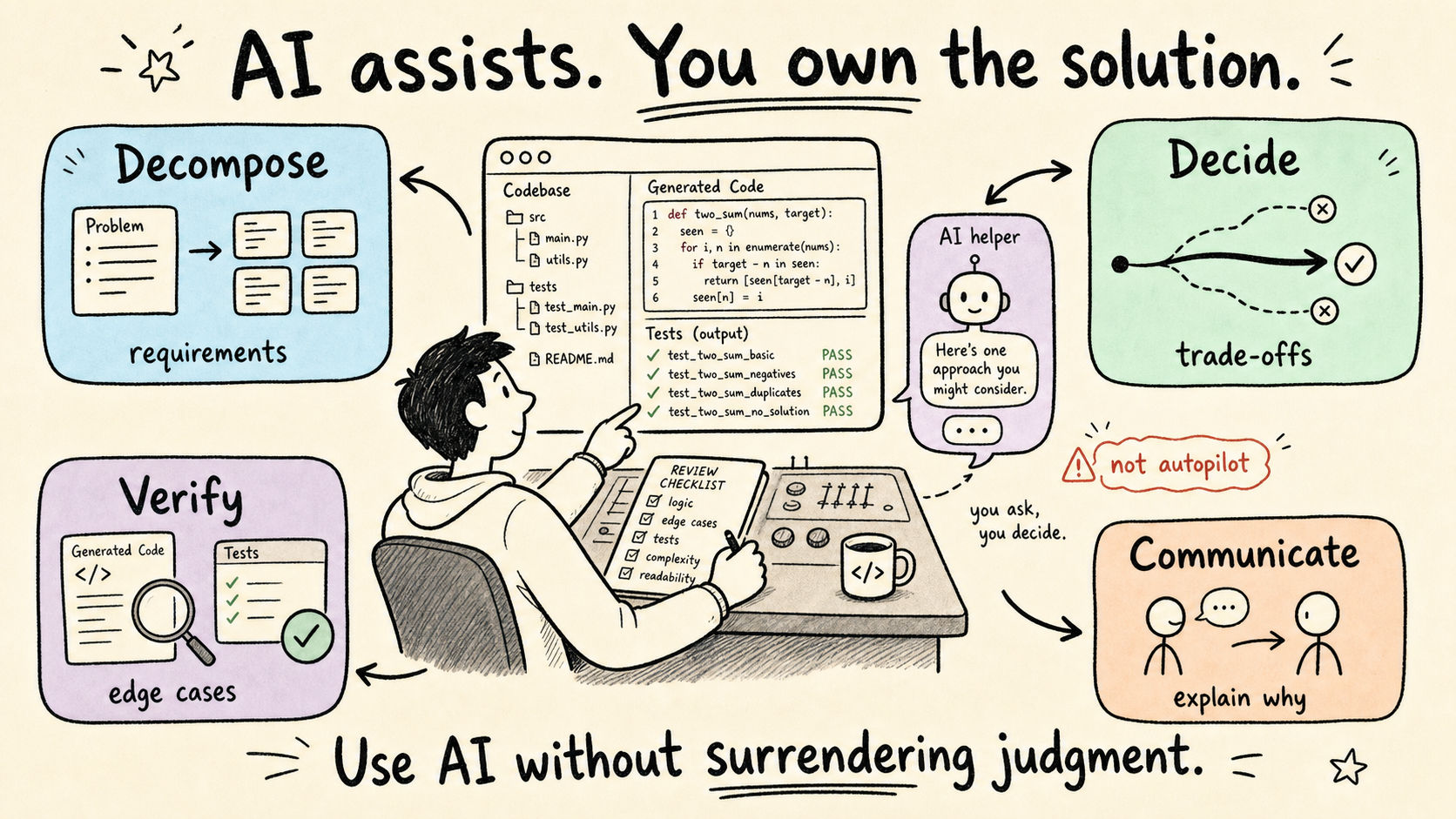
In reality, AI-assisted interviews introduce a different challenge: you must demonstrate that you can use AI productively without surrendering your engineering judgment.
The interviewer is not simply evaluating whether the final code works. They are evaluating whether you remain in control of the solution.
What Is an AI-Assisted Coding Interview?
An AI-assisted coding interview is generally a coding round in which candidates are permitted to use an approved AI tool while completing one or more engineering tasks.
The exact format is still evolving. In some interviews, the company provides a browser-based environment, a predefined AI model, starter code, and tests. In others, candidates may work in their own editor, share their screen, and use their preferred tools. AI use may be encouraged, optional, or limited depending on the company and team.
A typical session may ask you to:
- Read and understand several existing files
- Diagnose a bug or failing test
- Add a new feature
- Modify an interface or data model
- Handle edge cases
- Improve performance or maintainability
- Explain how your changes fit into the broader system
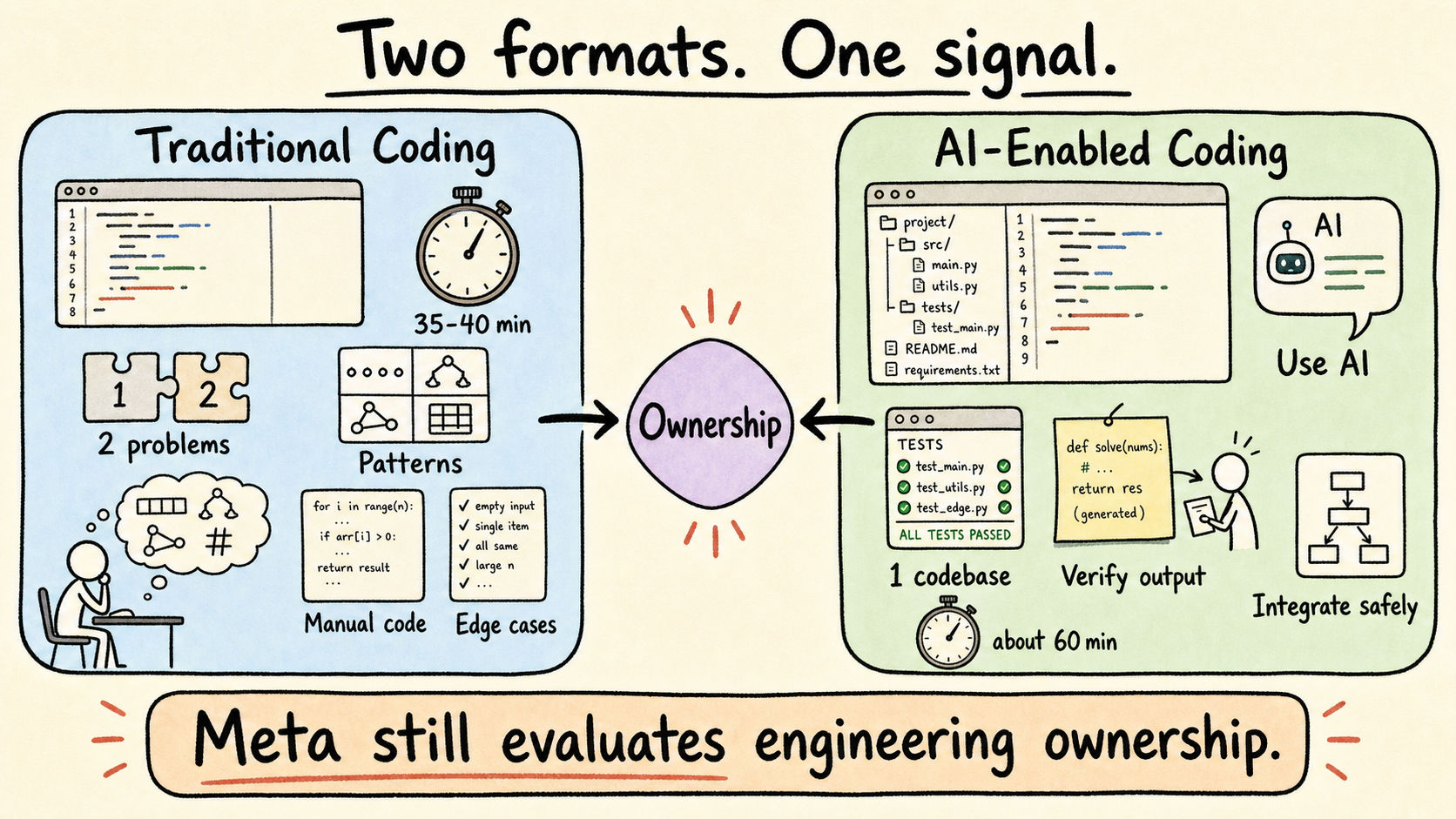
These tasks are usually larger and more realistic than traditional interview questions. Rather than writing 30 lines of code from scratch, you may need to understand and modify hundreds of lines across multiple files.
What Interviewers Are Really Evaluating
The introduction of AI does not eliminate the need for strong engineering fundamentals. It makes those fundamentals easier to observe.
Most AI-assisted interviews evaluate four broad areas.
1. Problem Decomposition
Before you open the AI chat, can you understand the requirements, identify the constraints, and divide the task into manageable steps?
A weak candidate immediately pastes the entire prompt into an AI tool and follows whatever solution appears.
A strong candidate first develops a mental model:
- What is the system currently doing?
- What behavior needs to change?
- Which files or components are relevant?
- What assumptions need clarification?
- What should be implemented first?
- How will the solution be verified?
AI can accelerate implementation, but it cannot replace the candidate’s responsibility for setting the direction.
2. Control Over the AI
Interviewers want to see that you are directing the AI—not waiting for the AI to direct you.
This means you should make the important engineering decisions yourself, including:
- Architecture
- Data structures
- Interfaces
- Trade-offs
- Error-handling strategy
- Testing approach
- Performance priorities
The AI can help execute smaller tasks within that plan. For example, it can generate a test skeleton, summarize a function, suggest possible edge cases, or produce boilerplate.
Think of the AI as a fast pair programmer whose work still requires supervision. You remain responsible for deciding what should be built and whether the generated implementation is acceptable.
3. Verification and Debugging
AI-generated code often looks convincing even when it contains incorrect assumptions, subtle bugs, missing edge cases, or unnecessary complexity.
Because of this, verification is one of the most important parts of the interview.
After every meaningful change:
- Read the generated code.
- Confirm that it matches your requested approach.
- Run the relevant tests.
- Check boundary conditions.
- Examine how the change interacts with the rest of the system.
- Fix or reject anything that does not make sense.
Treat AI output as a proposed implementation, not a final answer.
A useful debugging loop is:
Reproduce → Isolate → Hypothesize → Fix → Verify
This is much stronger than repeatedly asking the AI to rewrite the code until the tests happen to pass.
4. Communication
In a traditional coding interview, candidates already need to explain their thinking. AI-assisted interviews make communication even more important because you are effectively managing two conversations: one with the interviewer and one with the AI.
Avoid silently prompting for several minutes while the interviewer watches your screen.
Instead, narrate your intentions before you use the tool:
I understand the overall flow now. I’m going to ask the AI to summarize how these two classes interact, and then I’ll verify that summary against the implementation.
After receiving a response, explain how you are evaluating it:
The suggested approach is reasonable, but it changes the existing interface. I’d prefer to preserve the current contract and make the smaller change inside this service.
This demonstrates that the AI is assisting your reasoning rather than replacing it.
The Best Ways to Use AI During the Interview
AI is most useful for focused, well-defined tasks. Broad prompts such as “solve this entire problem” often produce large answers that are difficult to review and may push the solution in the wrong direction.
Use narrower requests that support a plan you already understand.
Understand Unfamiliar Code
AI can help you quickly build an initial map of a codebase.
Example:
Summarize the responsibility of each class and explain how data moves between them. Identify any assumptions I should verify.
Do not stop at the summary. Check the actual code and explain your understanding to the interviewer.
Generate Boilerplate
AI can save time on repetitive structures such as:
- Class skeletons
- Interfaces
- Method signatures
- Test setup
- Data models
- Basic input validation
This allows you to spend more interview time discussing logic, correctness, and trade-offs.
Compare Possible Approaches
When several solutions appear reasonable, AI can help enumerate alternatives.
Example:
List three possible ways to implement this cache invalidation behavior. Compare their complexity, consistency guarantees, and integration impact.
You must still select and defend the final approach.
Generate Edge Cases
AI can help identify cases you may have overlooked, including:
- Empty inputs
- Null values
- Duplicate records
- Boundary values
- Invalid state transitions
- Concurrency problems
- Partial failures
- Unexpected dependency behavior
Review the suggestions and choose the tests that are actually relevant to the system.
Assist With Debugging
AI can generate possible explanations for a failing test, but you should provide specific evidence.
A useful prompt includes:
- The expected result
- The actual result
- The relevant implementation
- The failing test
- What you have already ruled out
Then validate each hypothesis rather than accepting the first explanation.
Improve Readability
Once the solution is correct, AI can suggest improvements to naming, duplication, modularity, and structure.
However, do not perform a large refactor simply because the AI suggests one. Interview solutions should optimize for clarity and correctness before unnecessary abstraction.
A Strong Interview Workflow
A reliable AI-assisted interview can be divided into six stages.
Step 1: Orient Yourself
Read the requirements, file structure, tests, and important implementation details.
Identify:
- Inputs and outputs
- Core components
- Existing behavior
- Failing behavior
- Dependencies
- Constraints
Do this before generating code.
Step 2: Form Your Own Plan
Explain the proposed solution to the interviewer.
Describe:
- Which components you will modify
- Why those components are responsible
- The order of implementation
- Potential risks
- How you will test the change
Step 3: Delegate Small Tasks
Use AI for bounded tasks within your plan.
Good examples include:
- Summarizing one function
- Creating a method skeleton
- Listing test cases
- Generating a small helper
- Comparing two approaches
- Investigating a specific failure
Avoid delegating ownership of the full problem.
Step 4: Review Every Output
Read the generated code carefully.
Check for:
- Incorrect assumptions
- Unnecessary abstractions
- Broken interfaces
- Missing validations
- Style inconsistencies
- Performance problems
- Unhandled edge cases
Be prepared to reject or modify the AI’s suggestion.
Step 5: Test Incrementally
Run tests after each meaningful change rather than waiting until the end.
Start with the simplest expected behavior, then add:
- Boundary cases
- Invalid cases
- Integration cases
- Performance-related cases where relevant
Incremental testing prevents one incorrect generation from creating several layers of additional errors.
Step 6: Explain the Final Result
Before finishing, summarize:
- What you changed
- Why you chose the approach
- Which alternatives you considered
- How you verified correctness
- What you would improve with more time
The final explanation helps the interviewer distinguish your reasoning from the AI-generated implementation.
Common Mistakes to Avoid
Prompting Before Understanding
Starting with AI may create the appearance of speed, but it often commits you to an approach before you understand the problem.
Asking AI to Solve Everything
Large prompts produce large outputs. Large outputs are harder to verify, explain, and integrate.
Trusting Passing Tests Too Quickly
Passing the provided tests does not prove that the solution handles hidden cases or fits the system correctly.
Allowing AI to Change the Architecture
AI may introduce new classes, abstractions, dependencies, or patterns that the task does not require. Every architectural change should have a clear justification.
Staying Silent
The interviewer cannot evaluate reasoning that you never communicate.
Optimizing Too Early
Start with a correct, understandable solution. Improve performance only after the basic behavior is verified.
Ignoring the Existing System
A locally correct function can still be a poor solution if it breaks an API contract, duplicates existing behavior, or conflicts with surrounding components.
How to Prepare Before Your Interview
Traditional algorithm practice still matters, but AI-assisted interviews require additional preparation.
Practice Reading and Modifying Existing Code
Do not only solve problems from a blank editor.
Practice tasks such as:
- Adding a feature to an existing project
- Fixing a bug
- Repairing a failing test
- Refactoring a poorly structured method
- Extending an existing API
- Improving a prototype for production-like requirements
Small open-source projects, personal projects, and realistic multi-file exercises can be especially useful.
Practice Debugging-First Problems
Take a familiar implementation—such as binary search, an LRU cache, a rate limiter, or a REST endpoint—and intentionally introduce a bug.
Then practice:
- Reproducing the failure
- Narrowing down the cause
- Forming a hypothesis
- Applying a targeted fix
- Verifying that the fix does not create regressions
Practice With the Tools You Will Use
Do not let the interview be your first experience using an AI coding assistant.
Develop a repeatable workflow for:
- Giving context
- Writing specific prompts
- Reviewing suggestions
- Rejecting incorrect output
- Editing generated code
- Testing changes
- Explaining decisions aloud
Continue Strengthening Your Fundamentals
AI can generate syntax, but it cannot compensate for weak understanding.
You still need to recognize:
- Time and space complexity
- Appropriate data structures
- Common algorithmic patterns
- Object-oriented design principles
- Testing strategies
- API and system boundaries
- Maintainability trade-offs
Without these fundamentals, it is difficult to evaluate whether the AI’s answer is correct.
Simulate the Full Interview
A realistic practice session should include:
- An unfamiliar codebase
- A multi-part requirement
- AI access
- A time limit
- Continuous verbal explanation
- Incremental testing
- Follow-up requirements
The goal is not simply to finish the task. The goal is to make prompting, reviewing, coding, testing, and communicating feel like one controlled workflow.
How PracHub Can Support Your Preparation
The best preparation for an AI-assisted interview is still strong technical judgment.
PracHub helps candidates strengthen the underlying skills that remain essential regardless of which AI tool is available: understanding interview patterns, breaking down technical problems, reasoning through edge cases, explaining trade-offs, and practicing questions relevant to specific companies and roles.
PracHub also includes AI-assisted interview question banks with recently asked questions, helping candidates practice the newer formats companies are adopting: codebase exploration, debugging, feature implementation, AI-guided iteration, testing, and explaining engineering decisions under realistic interview conditions.
As you practice, try changing the workflow:
- Solve the problem independently first.
- Use AI to propose an alternative.
- Compare the two approaches.
- Identify mistakes or unnecessary complexity in the AI response.
- Explain which solution you would choose and why.
- Add tests that could expose weaknesses in either implementation.
This turns AI from a shortcut into a training partner.
Interview formats are changing quickly and may differ across companies, teams, and hiring cycles. Confirm the current format, permitted tools, and expectations with your recruiter before the interview.
Comments (0)