Criteria Cognify Assessment: Identify Your Version and Practice the Core Skills
Quick Overview
Distinguish Cognify versions using current provider information and your invitation, then practice core skills with original examples and clear scoring limits.
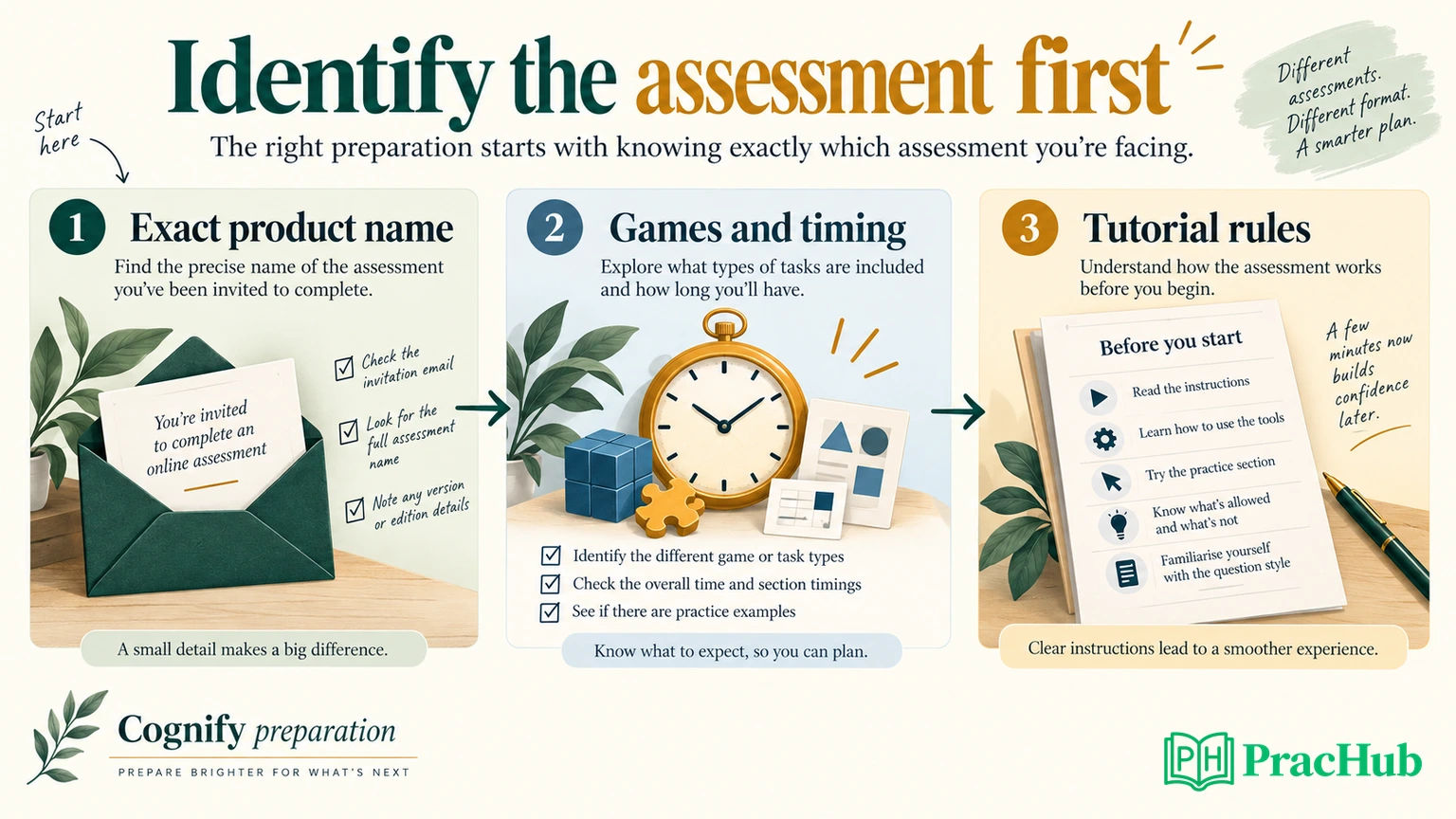
Before practicing for a Criteria Cognify assessment, confirm the exact product in your invitation. Criteria currently describes a three-game Cognify version and also offers a six-game version. UCognify is a related product with a different skill scope. A game count copied from another applicant's experience may therefore send your preparation in the wrong direction.
Start with the invitation, the assessment instructions, and the current provider page. Then practice the underlying skills. For numerical warm-ups, PracHub's quantitative word and algebra problems offer useful exercises, although they are not Cognify simulations or predictions of your assessment.
This guide distinguishes official product information from our original practice recommendations. We did not take a live employer assessment, and we do not have enough same-cycle candidate evidence to claim one employer's current configuration or cutoff.
Identify your Cognify version before choosing practice
Official facts, checked September 8, 2026: the current Cognify product page describes three interactive games, taking 10 minutes plus tutorials. It also says a six-game version is available on request. The assessed areas include problem solving, numerical reasoning, and verbal knowledge.
The current UCognify page describes two games, approximately seven minutes plus tutorials, with a five-game version available on request. UCognify does not assess verbal knowledge. Its language-independent design should not be interpreted as permission to ignore the instructions.
These are provider descriptions, not confirmation of what your employer assigned. Use this comparison to decide which detail you still need to verify.
| What you can identify | What to do next |
|---|---|
| Invitation explicitly says Cognify | Check the stated games, estimated duration, and tutorials; do not assume everyone receives the shorter version |
| Invitation explicitly says UCognify | Prioritize problem solving and numerical reasoning; verify the assigned version |
| Invitation only says Criteria assessment | Identify the module name before treating Cognify practice as relevant |
| A guide lists six games but your instructions differ | Follow the assigned instructions and check the guide's date and source |
| The event includes several assessments | Separate each module's rules from the deadline for the whole event |
If the invitation is unclear, a concise message to recruiting is enough: “Could you confirm the assessment names, expected total time including tutorials, and supported device for my event?” You need logistical clarification, not access to protected questions.
Why three-game and six-game descriptions both exist
Dated official information: Criteria's 2023 APAC game-based assessment brochure describes a six-game Cognify set and estimates 20 minutes plus tutorials. It names Short Cuts, Grid Lock, Resemble, Tally Up, Numbubbles, and Proof It.
The same brochure connects those activities to route efficiency, fitting pieces, mental rotation, comparing numerical values, matching expressions to a target, and finding writing errors. That helps explain the skill coverage of the longer set. It does not establish the lineup for every current applicant in Australia or elsewhere.
Even official timing language needs context. A 2023 Cognify overview describes three games, lists 10 minutes plus tutorials in its summary, and mentions 15 minutes in the prose. Do not turn that document into a universal 15-minute countdown or infer that tutorials always last five minutes.
Our practical interpretation is to distinguish three clocks: the estimated assessment time, any timer inside a game, and the employer's completion deadline. They answer different questions. An invitation deadline tells you when to submit; it does not tell you how long each activity runs.
Likewise, do not build a version rule from geography alone. The current product pages explicitly support alternate game counts. Your assigned event is stronger evidence than a regional label on a preparation package.
Keep Cognify separate from other Criteria products
Criteria is the provider, not the name of a single assessment. Its game-based catalog lists Cognify, UCognify, GAME, and Emotify separately. Emotify concerns emotional intelligence; a separate emotions activity is not evidence that Cognify has gained another verbal game.
If your invitation says CCAT, use CCAT-specific instructions. A strategy designed around a conventional question list should not be transferred automatically to a game with different controls, progression, or feedback. For employer-specific context, PracHub's Millennium Criteria assessment article explains why a Criteria invitation alone does not establish a fixed test sequence.
Prepare from the product name first, then the demonstrated task. If the name remains unknown, general arithmetic and careful instruction reading are reasonable warm-ups, but buying a detailed game package would be premature.
Practice spatial reasoning by checking transformations
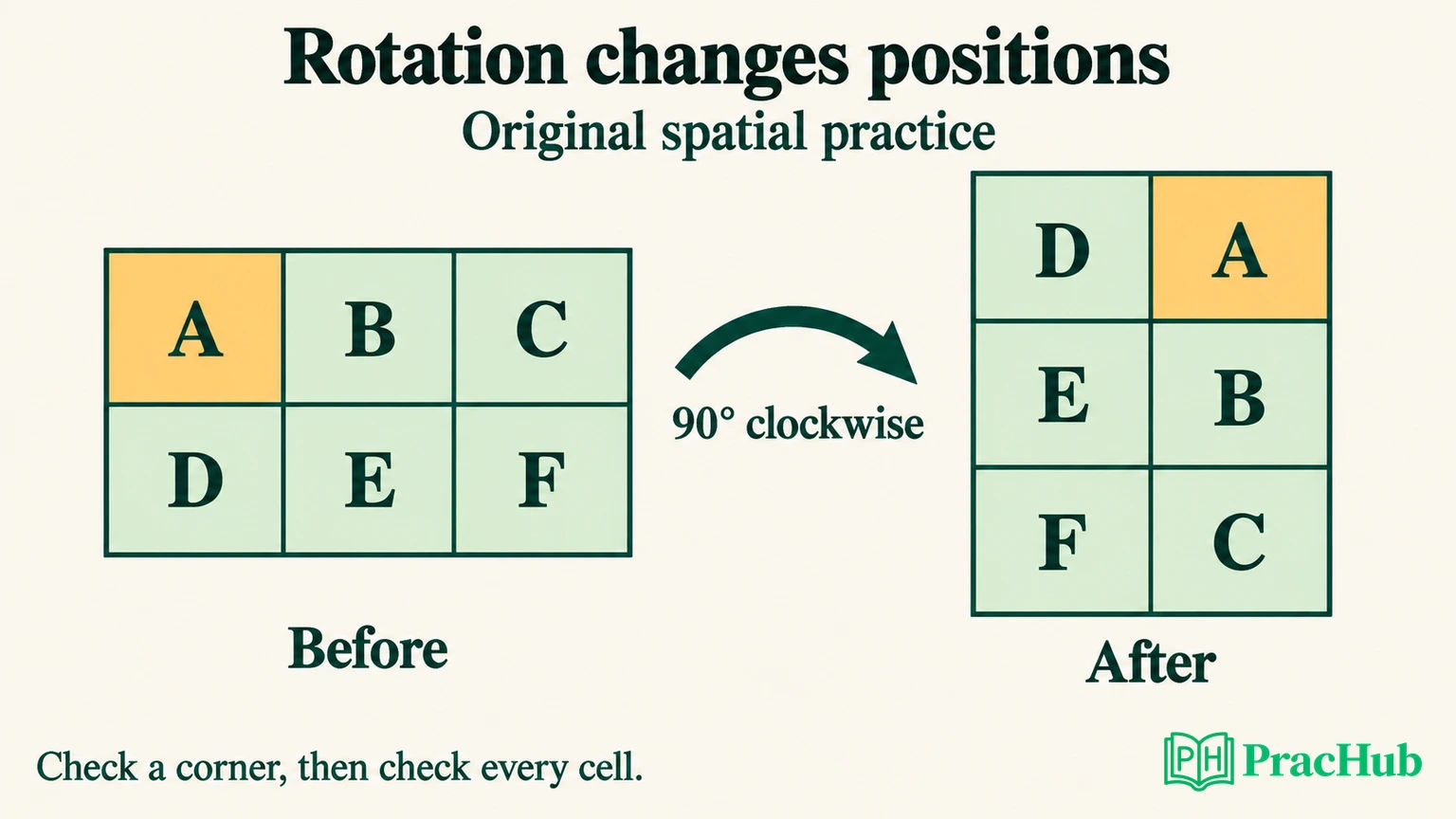
Original practice exercise, not a Cognify item: imagine a rectangular card with two rows. The top row contains A, B, C; the bottom row contains D, E, F. Rotate the entire card 90 degrees clockwise. What are the new rows?
The result has three rows and two columns: D, A on the first row; E, B on the second; F, C on the third. Track A first: the original upper-left corner becomes the upper-right corner. Then check another point, such as F, before accepting the whole arrangement.
A common mistake is to reverse each row and call that a rotation. That produces C, B, A above F, E, D, which is a horizontal reflection. The rectangle still has two rows, so the shape itself gives you a quick reason to reject that answer.
For practice, draw another asymmetric arrangement and state the transformation before moving any marks. Check whether a rotation, reflection, or translation is allowed. Keep the rule fixed while you solve it; changing the rule to make the pieces fit defeats the exercise.
For a fitting task, count occupied cells and inspect awkward gaps before repeatedly moving pieces. Matching the total area is necessary for an exact cover, but it is not sufficient: the remaining gap might have a shape none of the pieces can fill. Look for a placement that leaves a usable remainder.
These habits exercise tracking and constraint checking. They do not imply that a particular puzzle, control scheme, or rotation rule will appear in your version. Use its tutorial to establish those details.
Practice numerical accuracy before adding speed
Original target-value exercise: the target is 18. Decide which expressions match it: 6 × 3, 24 − 6, 36 ÷ 2, 3 + 5 × 3, and (3 + 5) × 3.
The first four equal 18. The last equals 24. The useful distinction is the placement of parentheses: multiplication happens before addition in the fourth expression, while the addition is grouped first in the fifth.
Try a deliberate scan: identify the operator, check grouping, compute, then compare with the target. If you missed the fourth expression, your next practice task is operator precedence. If you calculated correctly but selected the wrong line, the issue is selection accuracy. Those errors need different fixes.
Now compare two token groups. Group A has five tokens worth seven each and four tokens worth three each. Group B has six tokens worth six each and two tokens worth five each. Group A totals 47; Group B totals 46. Group A wins by one, even though visual size or token count might initially draw your attention elsewhere.
The reusable skill is translating the displayed rule into a value. Check whether tokens share a value, whether a symbol changes that value, and whether the task asks for the highest total or an exact match. Do not let a familiar-looking screen make you answer a different question.
Begin untimed. Once your method is reliable, use a short practice interval and record correct decisions alongside mistakes. Avoid treating that interval as an official Cognify limit. Our exercises do not reproduce its scoring or establish a target speed.
Practice proofreading without rewriting the sentence
Original proofreading exercise: “Its important to recieve approval, before you submit.” Find the mechanical errors while preserving the intended meaning.
A corrected version is: “It's important to receive approval before you submit.” Change Its to It's, correct recieve to receive, and remove the unnecessary comma before the dependent clause. Replacing the sentence with a more elegant phrase is outside this exercise.
Work in two passes during practice. First look for spelling and word-form errors. Then inspect punctuation and sentence boundaries. The goal is to notice the intended error category rather than editing every stylistic choice you dislike.
Record what you missed. A spelling miss suggests a different practice need from an apostrophe error or a tendency to insert commas wherever you would pause aloud. Revisit a small set of recurring errors instead of rereading the same corrected sentence until it feels familiar.
This exercise is relevant to verbal accuracy preparation. If your invitation identifies UCognify, the provider's description excludes verbal knowledge; do not make proofreading the center of that preparation.
Use tutorials to learn the controls and the rules
Criteria's candidate preparation guidance emphasizes reading instructions and using a comfortable device with distractions reduced. Treat the tutorial as a chance to establish what counts as a valid action.
Before the scored portion, identify the objective, permitted actions, confirmation behavior, and any explanation of mistakes or progression. Is a piece dragged or selected? Does an action submit immediately? Can it be revised? Use what the tutorial actually demonstrates rather than importing an answer from another game.
Do not assume that a general preparation tip about guessing applies to every game. A rule about penalties, skipping, or revisiting needs support in the assigned instructions. Clicking rapidly without understanding the task can create a control problem that looks like a reasoning problem.
The official practice-test page offers shortened simulations and warns that they do not reproduce the exact experience or full difficulty. Its aptitude example is labeled similar to CCAT, UCAT, and CBST. It should not be described as an official Cognify game replica.
Use a practice source for the function it can support: familiarization, arithmetic, spatial tracking, or proofreading. A simulator's resemblance to an interface does not establish that its score predicts an employer outcome.
Choose focused PracHub skill extensions
The following records are cross-company practice, not Criteria questions. For coding-oriented prompts, work through a small example manually before considering implementation. Coding is an optional extension here, not a Cognify requirement.
| PracHub question | Focus for this preparation |
|---|---|
| Solve quantitative word and algebra problems | Translate quantities and units before calculating |
| Apply commands to transform a matrix | Track positions as the transformation rule changes |
| Solve grid shortest path with BFS | Trace a valid route around obstacles; implementation is optional |
| Solve Timed Logical and Quantitative Reasoning Cases | Separate the stated premises from assumptions |
| Solve estimation and probability brainteasers | Use the estimation and unit-handling portions as extensions |
Pick the record matching an error you actually made. After reviewing it, change one input and solve again. A correct explanation on a new example is more informative for your practice than recognizing an answer you just read.
Finish with the right checks and expectations
Official guidance: Criteria's candidate FAQs recommend a stable connection and a suitable browser with cookies and JavaScript enabled. Record your Event ID for support. Technical problems go to Criteria support; deadline extensions and candidacy updates go to the employer. Results are sent to the hiring company.
If a submission error occurs, follow the support instructions for your event and describe what happened. Do not assume refreshing grants a new timed attempt. If you need an adjustment or clarification, raise it before starting rather than relying on a promised reset from an unrelated forum post.
Cognify's official score description uses percentiles overall and by skill area. A percentile compares performance with a reference group; it is not the percentage of game items answered correctly. Visible progress or your feeling after a difficult activity does not reveal the employer's decision threshold.
Finish preparation by verifying the assigned name and rules, then addressing one observed weakness. Open the quantitative practice set if arithmetic is that weakness; use the original rotation or proofreading exercise above if those better match your needs.
Sources and Further Reading
- Criteria: Cognify product and available versions
- Criteria: UCognify product and available versions
- Criteria: 2023 APAC game-based assessment brochure
- Criteria: 2023 Cognify overview
- Criteria: game-based product catalog
- Criteria: candidate preparation guidance
- Criteria: practice-test scope and limitations
- Criteria: candidate FAQs and support
Comments (0)