Repository-Based Online Assessment Guide 2027: Read the Codebase, Fix Bugs, and Pass Hidden Tests
Quick Overview
Prepare for repository-based coding assessments with a practical workflow for mapping unfamiliar code, reproducing bugs, making focused patches, testing regressions, and handling hidden tests.
Updated August 20, 2026.
A repository-based online assessment can feel unfair for the first ten minutes. Instead of a blank editor and one algorithm prompt, you inherit dozens of files, unfamiliar naming, framework conventions, existing tests, and a bug report that may point to the symptom rather than the cause.
The winning strategy is not to understand the entire codebase. It is to build the smallest accurate model needed to change one behavior without breaking the rest of the system. That requires a different skill set from a traditional coding test: repository navigation, test interpretation, debugging, change control, and disciplined verification.
Use this guide to prepare for repository-based OAs in 2027. Start with PracHub interview questions with written solutions to strengthen the underlying coding patterns, then rehearse those patterns inside an unfamiliar project. For a deeper code-navigation workflow outside a timed assessment, see our Existing Codebase Interview Guide.
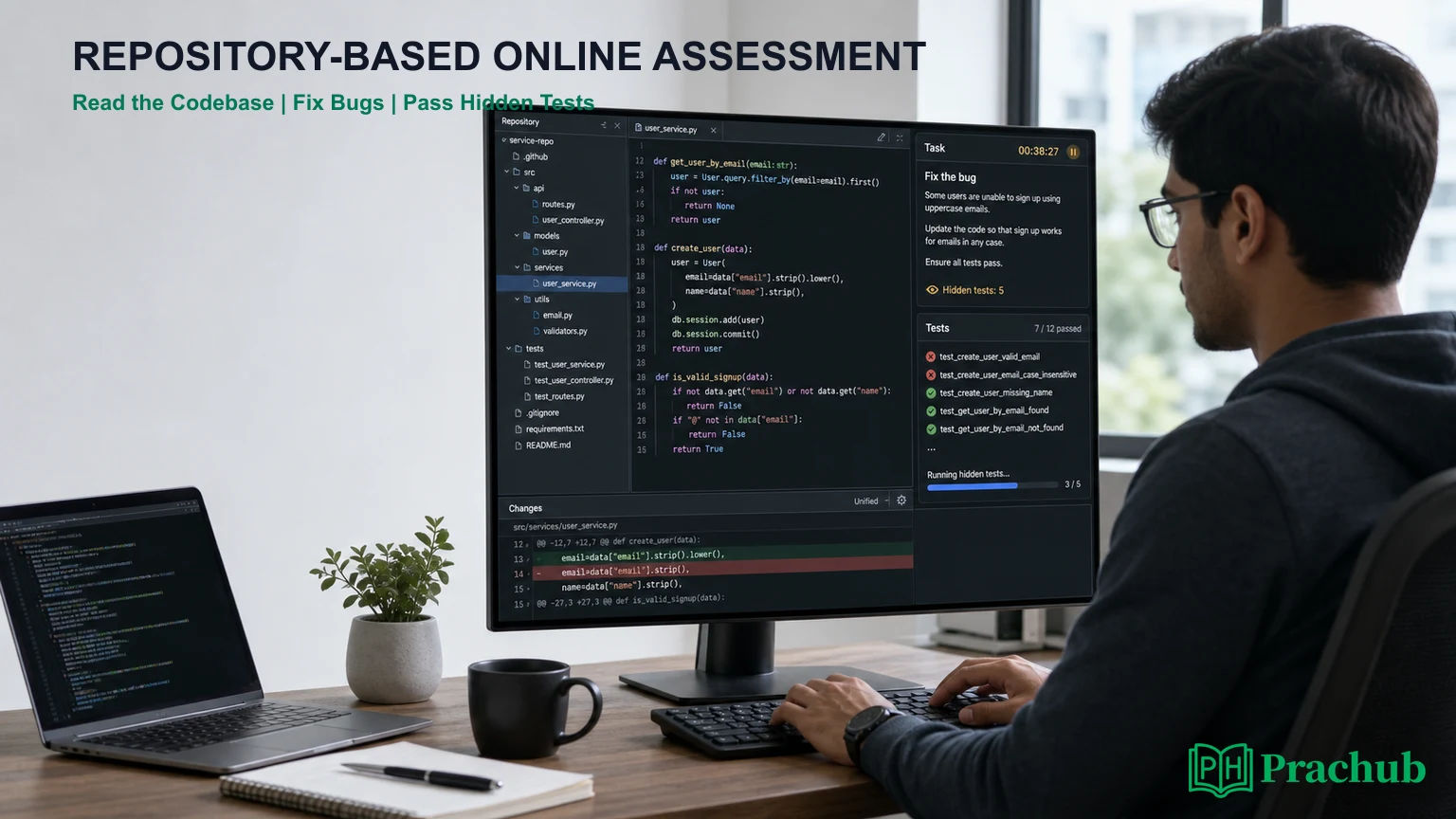
Quick answer: What is a repository-based online assessment?
A repository-based OA gives you an existing multi-file project and asks you to make a practical change. You may need to fix a bug, complete missing logic, add an endpoint, extend a component, repair tests, or implement a feature while preserving the current behavior.
Platforms use different names for this format. HackerRank documents Code Repository and project questions for front-end, back-end, full-stack, mobile, and QA roles. Coderbyte offers project work in a Native IDE or VS Code environment. Employers can also create their own repository assessment with a downloadable project or hosted workspace.
| Format | Traditional coding OA | Repository-based OA |
|---|---|---|
| Starting point | Function stub or empty editor | Existing application, tests, configuration, and dependencies |
| Main task | Solve a self-contained problem | Change behavior inside an unfamiliar system |
| Core evidence | Correct output and complexity | Correctness, navigation, debugging, scope control, tests, and code quality |
| Common failure | Wrong algorithm or missed edge case | Changing the wrong layer, breaking contracts, or causing regressions |
| Best preparation | Timed problem sets | Timed bug fixes and small features in existing repositories |
What employers are trying to measure
Repository tasks move closer to day-to-day engineering than isolated algorithm questions. HackerRank says its Code Repository questions can assess objectives such as fixing a bug, building a feature, or working in a specific part of an application. Its project environments can use automated tests, custom scoring, or manual review.
A strong submission therefore answers several questions at once. Did you identify the relevant path? Did you preserve existing interfaces? Did the patch solve the requested behavior? Did you test realistic boundaries? Is the diff small enough for another engineer to review?
| Signal | What strong work shows | What weak work often shows |
|---|---|---|
| Repository reading | Finds entry points, tests, contracts, and conventions quickly | Opens files randomly or reads every directory |
| Problem isolation | Reproduces the failure and traces one relevant path | Edits before confirming the symptom |
| Implementation | Uses a focused patch that matches local patterns | Introduces a broad rewrite or unnecessary abstraction |
| Verification | Runs targeted tests, then the broader suite | Trusts one happy-path manual check |
| Judgment | Protects compatibility and explains remaining risk | Optimizes style while leaving core behavior incomplete |
Before the timer starts: inspect the assessment rules
Use every untimed instruction or sample-project minute available. Confirm the environment, supported language or framework, test commands, submission mechanism, internet policy, AI-tool policy, and whether the workspace persists between sections.
HackerRank's 2026 release notes say tests containing Code Repository questions now include a paired framework-specific sample project. If your assessment provides a sample, use it to learn where the terminal, task description, file tree, run command, test output, and submit controls are located. Do not spend live assessment time discovering basic UI behavior.
If external tools are restricted, follow the restriction. If AI assistance is built into the assessment, use only the permitted interface and assume the employer may evaluate how you use it. “Available” and “allowed for this task” are not interchangeable.
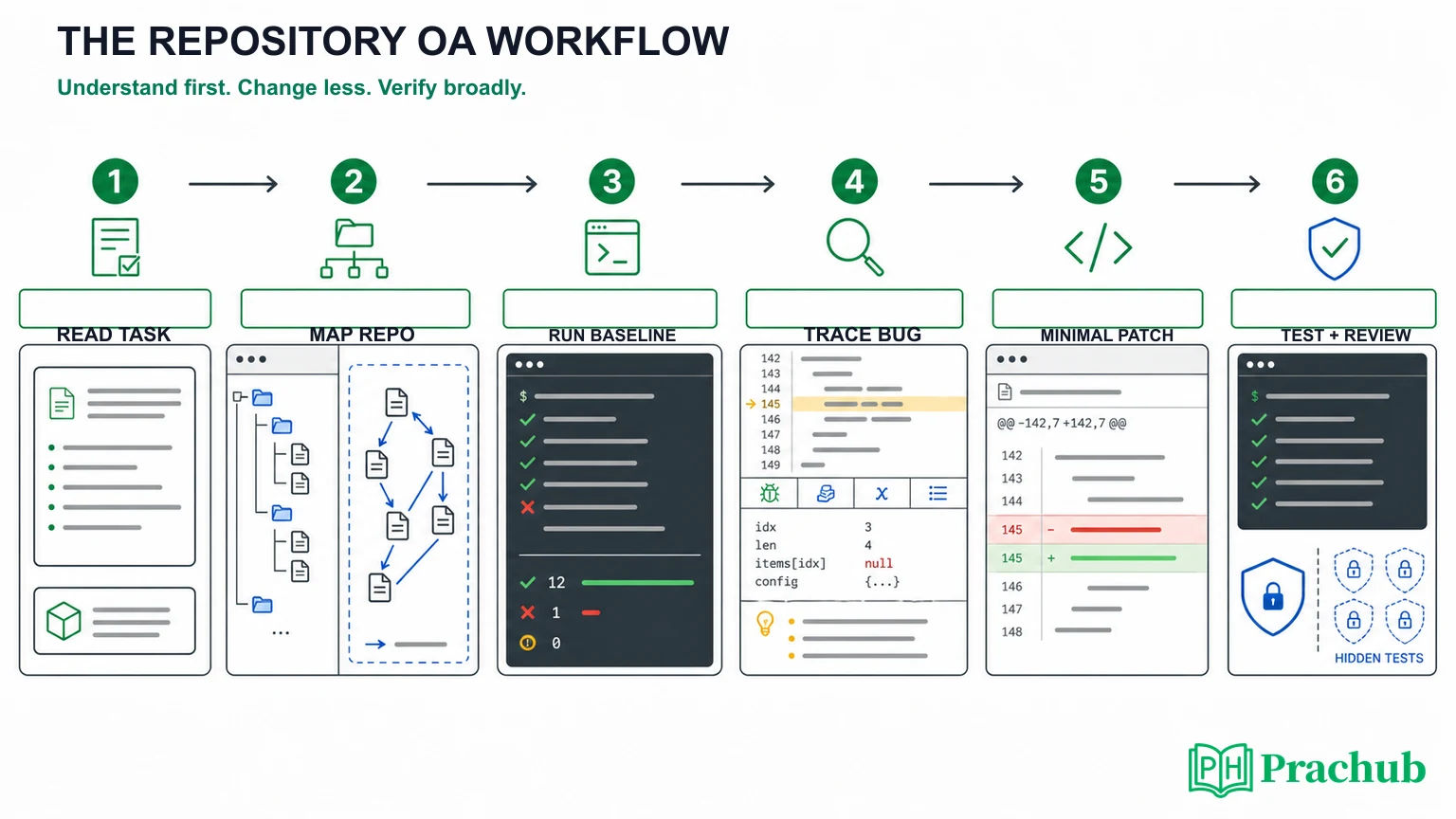
Step 1: Read the task before reading the repository
Turn the prompt into a small acceptance checklist. Identify the observed behavior, expected behavior, affected input, error condition, and any explicit constraints. Separate requirements from examples; an example illustrates a contract but rarely defines all of it.
Write a one-sentence hypothesis before opening ten files: “Email matching should be case-insensitive at the service boundary,” or “Retries create duplicate records because the operation is not idempotent.” The hypothesis can be wrong. Its purpose is to give your first search a direction.
Step 2: Build a local map of the codebase
Do not inventory the whole repository. Start with the files that explain how the requested behavior enters, moves through, and exits the system.
- Instructions and setup: README, task notes, package manifest, environment example, and test configuration.
- Entry point: route, controller, command, UI component, job, or exported function named by the task.
- Contract: type, schema, interface, serializer, API response, or test expectation.
- Implementation path: the service, model, state update, or helper that owns the behavior.
- Nearby tests: tests for the feature and adjacent edge cases.
Search by business term, error message, route, function name, test description, or returned field. Follow references outward only when the current file depends on them. The goal is a narrow dependency chain, not architectural omniscience.
Step 3: Run the baseline before changing code
Run the documented setup and test command as early as possible. A baseline distinguishes failures you inherited from failures you introduced. It also tells you whether dependencies are installed, the correct runtime is selected, and the relevant tests are discoverable.
If the full suite is slow, begin with the nearest test file or test name. Record the original failure, error message, and stack trace. When a test cannot run because of the environment, do not start rewriting configuration blindly; recheck the instructions and make the smallest setup correction permitted.
Step 4: Trace the failing path, not the entire architecture
Move from evidence to cause. Start at the failing assertion or visible symptom, then trace backward through the call stack, data transformation, and state change. Ask where the actual result first diverges from the expected contract.
Useful debugging moves include running one test, adding a temporary log, inspecting a value before and after a boundary, checking a mock or fixture, and comparing a nearby working path. Remove temporary diagnostics before submitting unless the task explicitly asks for them.
Avoid treating the first suspicious line as the root cause. A null value in a controller may originate in validation; an incorrect UI state may come from a stale cache key; a database error may be caused by a transaction boundary several layers earlier.
Step 5: Make the smallest complete patch
Choose the narrowest layer that owns the behavior. Match existing naming, error handling, dependency boundaries, and test style. Preserve public interfaces unless the task requires a contract change.
“Smallest” does not mean a brittle one-line workaround. A complete patch may need one implementation change plus a focused test or validation guard. It should solve the specified behavior at the correct abstraction level without refactoring unrelated code.
Before coding, predict which files should change. If the diff expands far beyond that prediction, pause and reassess. Large diffs consume review time, increase regression risk, and make hidden-test failures harder to localize.
Step 6: Design for hidden tests without guessing them
Hidden tests check behavior the employer does not fully reveal. HackerRank documents hidden tests for ordinary coding questions and for front-end, back-end, and full-stack projects. In project questions, hidden test files can be included in the repository setup but withheld from the candidate.
You cannot predict every assertion, but you can derive likely categories from the contract:
- Empty, missing, null, duplicate, or malformed input
- Boundary values and large inputs
- Error paths, retries, timeouts, and partial failures
- Existing behavior outside the requested change
- Ordering, casing, locale, time zone, and serialization differences
- Concurrency, idempotency, cleanup, and repeated execution when relevant
Read our full guide to coding assessment hidden test cases for a reusable boundary checklist. The key is to test the stated contract, not hard-code around visible examples.
Run tests in the right order
Verification should widen gradually. First run the single failing test or closest test file. Then run the package or module suite. Finally, run the full documented suite if time and the environment allow it.
This order creates fast feedback without ignoring regressions. If a broad suite fails, separate failures caused by your patch from unrelated baseline failures. Do not “fix” unrelated tests unless the task requires it; note inherited issues if the submission format provides a place for comments.
Review the diff like an interviewer
Spend the final minutes reading only what changed. A diff is smaller and more honest than rereading the repository. Check for debug prints, commented experiments, accidental formatting, hard-coded values, secrets, generated files, and edits outside the task.
Then ask four questions: Does the patch satisfy every acceptance criterion? Does it preserve existing behavior? Are names and control flow understandable? Can I explain why this layer owns the fix?
Our Code Review Interview Guide provides a useful final-pass framework: correctness first, then reliability, security, performance, and maintainability.
A practical time budget
Adjust the percentages to the task, but protect time for understanding and verification. Starting to type immediately often creates the illusion of speed while making the final patch slower.
| Phase | Share of time | Deliverable |
|---|---|---|
| Read and map | 15% | Acceptance checklist and relevant file path |
| Baseline and isolate | 20% | Reproduced failure and root-cause hypothesis |
| Implement | 35% | Small complete patch following local conventions |
| Test broadly | 20% | Targeted tests plus regression evidence |
| Review and submit | 10% | Clean diff, no temporary code, confirmed submission |
For a 90-minute task, this is roughly 14 minutes to read and map, 18 to reproduce and isolate, 31 to implement, 18 to test, and 9 to review. If setup consumes unexpected time, shrink optional polish before shrinking verification.
Common repository OA mistakes
Reading everything. You do not need a full architecture tour. Follow the behavior named by the task.
Editing before running tests. Without a baseline, you cannot prove which failures your patch created.
Rewriting the module. A broad cleanup may be attractive, but hidden tests often depend on existing contracts and edge behavior.
Chasing visible tests. Hard-coded fixes pass examples and fail contract-level hidden tests.
Ignoring configuration. Framework versions, environment variables, fixtures, build scripts, and serializers often explain behavior that looks wrong in the source file alone.
Submitting a dirty diff. Debug logs, unrelated formatting, and accidental files make a correct fix look careless.
A seven-day preparation plan
| Day | Focus | What to do |
|---|---|---|
| Day 1 | Repository map | Open a small unfamiliar project and identify setup, entry point, contracts, and tests. |
| Day 2 | Baseline | Run targeted and full tests; learn the framework's test filtering syntax. |
| Day 3 | Bug fix | Reproduce one issue, trace it backward, and make a minimal patch. |
| Day 4 | Feature change | Add one small behavior while preserving an existing public interface. |
| Day 5 | Hidden tests | Write boundary, failure, and regression cases from a short specification. |
| Day 6 | Timed simulation | Complete a 60- to 90-minute repository task with no interruptions. |
| Day 7 | Review | Audit the diff, explain the root cause aloud, and repeat the weakest phase. |
To make this company-relevant, choose a PracHub Software Engineer question from your target domain and implement the idea inside a small existing service rather than in an empty file. That converts algorithm knowledge into the integration and debugging evidence repository assessments reward.
Frequently asked questions
Do I need to understand the whole repository?
No. Build a local model of the task path: input, entry point, contract, implementation, state, output, and nearby tests. Expand only when evidence points to another dependency.
Should I fix failing tests that were already broken?
Usually not unless the task requires it. Capture the baseline, verify that your change does not add regressions, and keep the patch scoped. Follow the assessment instructions if there is a place to report environment issues.
Should I add tests in a repository-based OA?
Add a focused test when the environment and time allow it, especially for the behavior you changed. Existing tests may be sufficient in a very short task, but a precise regression test can make your reasoning visible.
Can hidden tests check files I did not edit?
Hidden tests can exercise behavior across the application, including contracts and regressions affected indirectly by your patch. This is why you should run a broader suite after targeted tests pass.
Should I use AI during the assessment?
Only when the employer explicitly permits it. Some platforms provide built-in AI tools and may record their use; other assessments prohibit outside assistance. Treat the invitation and welcome instructions as the source of truth.
Final takeaway
Repository-based online assessments reward controlled engineering under incomplete context. Read the task first, map only the relevant path, establish a baseline, trace the failure, make a focused patch, test beyond the visible example, and review the diff before submitting.
You do not win by memorizing a particular repository. You win by using a repeatable process that turns unfamiliar code into a small, testable change. Build the underlying patterns with PracHub interview questions with written solutions, then practice applying them inside real projects until repository navigation stops consuming the whole timer.
Sources and Further Reading
- HackerRank: Code Repository Questions
- HackerRank: Front-end, Back-end, Full-stack, Mobile, and QA Engineer Questions
- HackerRank Candidate Support: Answer project and Code Repository assessments
- HackerRank: Hidden Test Cases for project questions
- HackerRank: January 2026 Code Repository updates
- Coderbyte: Take-home projects
- Coderbyte: IDE configuration and unit-test commands
Research note: Assessment environments, AI policies, frameworks, scoring, and visibility settings can change. Follow the instructions in your own invitation and sample project.
Related Articles
Software Engineer Interview Difficulty Index 2027: 50 Companies Ranked by Rounds and Time Pressure
See 50 software engineering interview processes ranked by evaluative stages, time pressure, format breadth, and extra gates in a transparent 2027 index.
AI-Assisted Coding Assessments in 2027: Companies, Platforms, Rules, and Scoring
Learn which 2027 coding assessments allow AI, how HackerRank, CoderPad, and CodeSignal differ, what employers can review, and how scoring works.
Repository-Based OAs in 2027: Companies Replacing LeetCode with Debugging Tasks
See which 2027 employers use repository-based OAs, where LeetCode remains, how Amazon and IBM formats vary, and how to prepare for both assessment styles.
Online Assessment Proctoring by Company 2027: Webcam, Screen Recording, and Tab-Switching Rules
Compare 2027 OA proctoring rules by company, including webcam, screen recording, tab switching, desktop apps, evidence grades, and setup checks.
Comments (0)