Existing Codebase Interview Guide: How to Navigate and Debug an Unfamiliar Repository
Quick Overview
Existing codebase interviews test whether software engineers can orient themselves in a multi-file repository, reproduce a bug, trace one relevant code path, test a hypothesis, and ship a minimal verified change. This guide provides a 55-minute workflow, practical navigation and debugging tactics, AI-use boundaries, common mistakes, and a PracHub practice plan for realistic repository-based interviews.
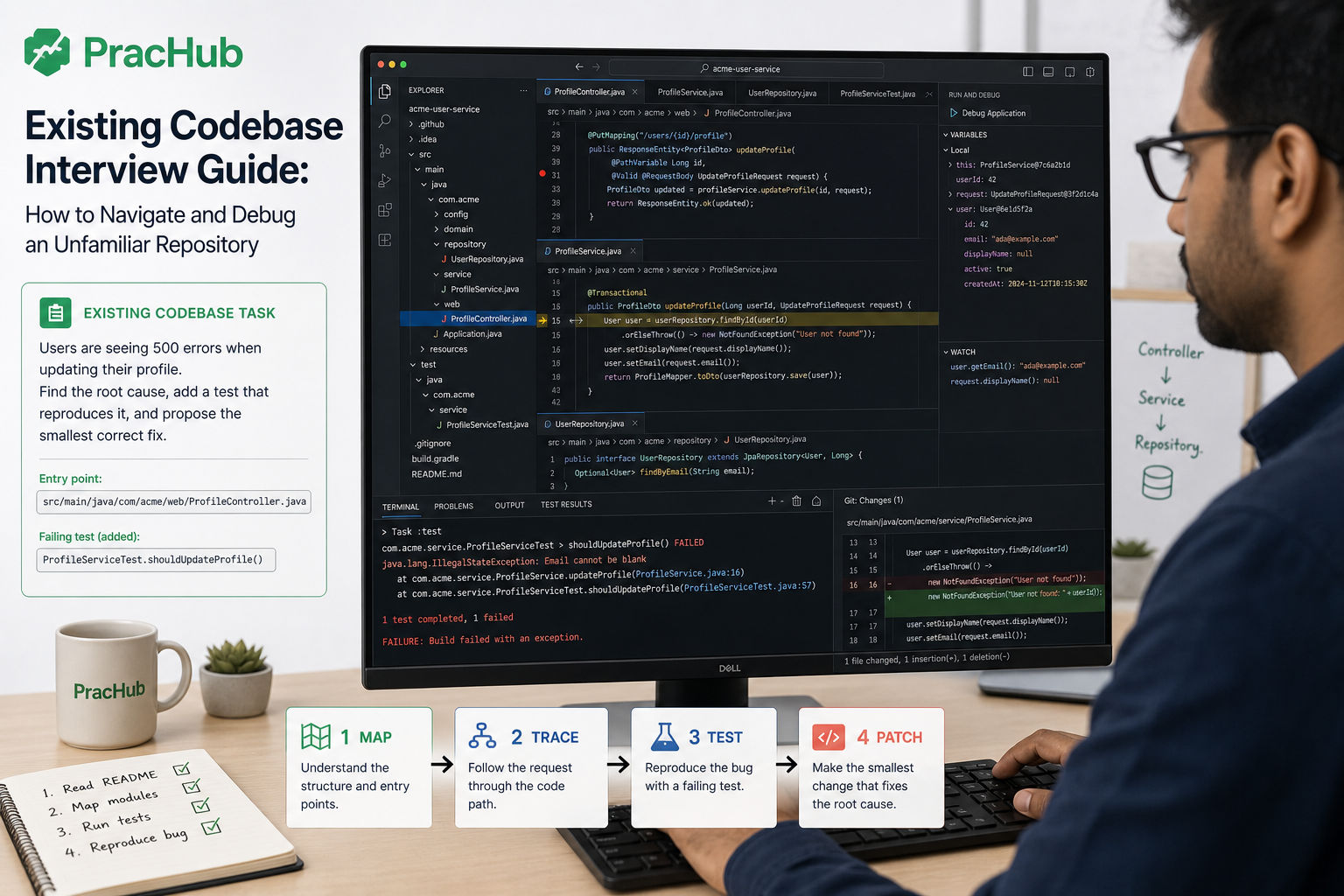
The repository opens and immediately gives you too much information: unfamiliar folders, framework conventions, tests you did not write, and a one-sentence bug report. The timer is running, but reading every file is impossible.
That is the point of an existing codebase interview. You are not expected to understand the whole repository. You are expected to build a trustworthy local model, follow one relevant code path, gather evidence, and make a change without breaking behavior you never had time to study.
Start with real interview questions and written solutions on PracHub, then practice those tasks inside small repositories instead of always coding in a blank editor. This guide gives you a repeatable workflow for navigating and debugging unfamiliar code.
Quick Answer: How Should You Approach an Unfamiliar Repository?
Use five steps: clarify, run, map, test, patch.
Confirm the expected behavior, then run the project or the narrowest relevant test. Trace one end-to-end path from an observable entry point to the output or state change. Form a specific hypothesis, design an experiment that could disprove it, and modify only the layer responsible for the root cause.
Finish by rerunning the original reproduction and nearby tests. Explain what changed, why the fix belongs there, what you verified, and what risk remains.
What interviewers are actually scoring
- Orientation: Find the relevant area without reading the repository top to bottom.
- Evidence: Separate what you observed from what you suspect.
- Judgment: Preserve established abstractions and avoid an unnecessary rewrite.
- Verification: Reproduce the problem and prove the fix with meaningful checks.
- Communication: Keep the interviewer aware of your model, decisions, and blockers.
Why Existing Codebase Interviews Matter in 2026
Employers can now run realistic, multi-file exercises more easily. CoderPad Projects provides a VS Code workspace where candidates can build, run, test, and debug job-relevant code. CoderPad's 2026 guidance also recommends multi-file tasks for assessing comprehension and holistic reasoning.
GitLab has documented a 2026 hiring pilot with a roughly one-hour codebase navigation component: explore an existing repository, implement a feature, and produce a merge-ready change. It is one public example, not an industry-wide rule, but it illustrates the signal: can you work responsibly in code you did not create?
Before You Touch the Code, Clarify the Contract
Ask what success means. Are you fixing one failing behavior, adding a narrow feature, reviewing a change, or locating a defect? Confirm the time limit, allowed tools, expected test scope, and whether public interfaces or dependencies may change.
Restate the task in observable terms: "When X occurs, the system should produce Y, but it currently produces Z." If setup is broken, say what you tried and distinguish an environment failure from a code failure.
The 55-Minute Existing Codebase Interview Plan
Minutes 0-5: Clarify and establish a baseline
Read the task, README, and closest setup instructions. Identify the build and test commands, check the working tree, and run the smallest command that proves the project works.
If a failing test is provided, run it unchanged. If the bug appears through UI or API behavior, reproduce it before editing. This prevents you from confusing an existing failure with your own change.
Minutes 5-15: Map one code path
Start from an observable anchor: a route, UI label, error message, test name, event, or public method. Follow only the layers needed to explain that behavior.
Use symbol navigation and references when available. A practical sequence is:
1. Find the visible string, route, test, or public symbol.
2. Open its definition and callers.
3. Trace inputs, state changes, and outputs.
4. Find the nearest test and a parallel implementation.
Your goal is a map you can say aloud: "The request enters here, validation happens here, this service changes state, and this adapter persists it."
Minutes 15-30: Reproduce and test a hypothesis
Google's effective troubleshooting guidance treats debugging as a hypothesis-and-test loop. State the evidence, name the likely cause, and choose an experiment that could prove you wrong.
Suppose an email update succeeds but no confirmation is sent. Do not edit the first suspicious condition. Reproduce the missing event, trace the update path, inspect old and new values at the decision point, and add a narrow regression test. Use breakpoints, call stacks, variables, and watches to answer a question, not to step through every line.
Minutes 30-45: Make the smallest correct patch
Change the narrowest responsible layer while preserving the repository's naming, error handling, dependency direction, and testing style. Google's small change guidance recommends self-contained changes and separating unrelated refactors.
If the design is awkward, name the limitation without redesigning the system: "I will make the safe local fix now. With more time, I would separate this state transition from notification dispatch."
Minutes 45-55: Verify and hand off
Run the original reproduction first, then nearby unit or integration tests. Use remaining time for the broader suite, type checker, or linter. Finally, review your diff as if another engineer submitted it.
End with four points: root cause, change, evidence, remaining risk. If unfinished, describe the next experiment. A clear partial investigation has more signal than unexplained half-working code.
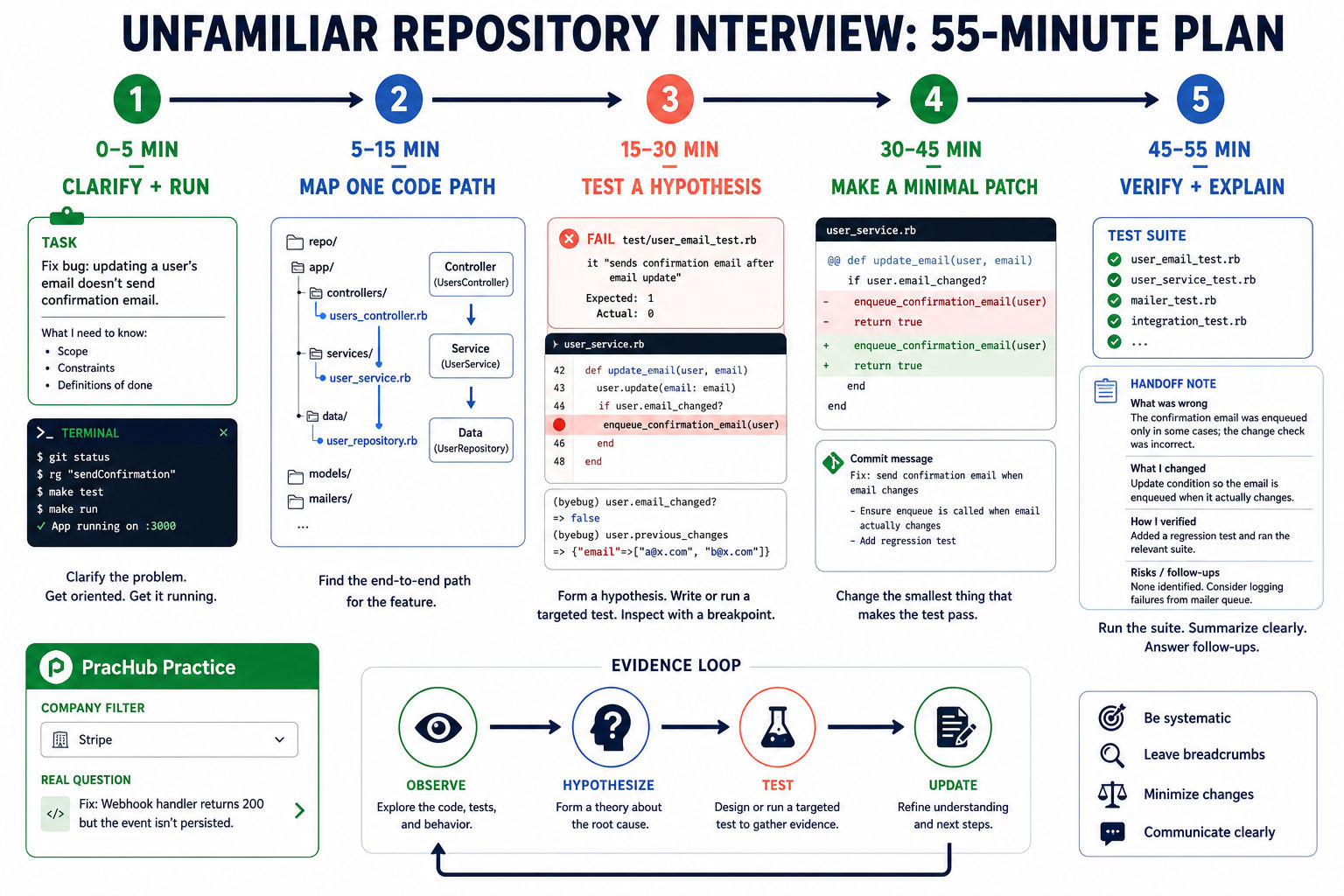
How to Build a Code Map Quickly
Read repository metadata first
The README, build manifest, start scripts, test configuration, environment example, migrations, and CI workflow reveal how the project is assembled. Identify the language, framework, application boundaries, and commands relevant to the task; ignore unrelated dependencies.
Search from behavior toward implementation
Search for stable anchors such as an error message, endpoint, field, event, or failing test. GitHub Code Search supports path:, symbol:, Boolean operators, and regular expressions. IDE reference search then exposes callers and implementations.
Once you find a promising function, inspect its inputs, side effects, callers, and tests. Follow the chain that explains the behavior, not every search result.
Use history to answer a specific question
git log and blame can explain a surprising condition or reveal a nearby regression. When you know a good and bad revision, git bisect can locate the introducing change through binary search.
History is useful only with a hypothesis, such as "this failed after the validation refactor." Otherwise, stay with current behavior and tests.
What to Say While You Work
Narrate checkpoints, not every thought. State your plan at the start. When evidence changes your model, explain why: "I expected validation in the controller, but the tests place it in the service, so I will follow that convention." Before editing, describe the intended diff.
Ask questions that can change your approach, such as whether a public method may change. For collaboration-specific expectations, use PracHub's pair programming interview guide.
If AI Tools Are Allowed
Use only the tools and modes the interviewer permits. Ask AI to locate likely entry points, explain a call path, suggest hypotheses, or draft a targeted test. Then inspect every referenced file, verify its claims against the repository, and run the result yourself.
Tell the interviewer what you asked and how you validated the answer. A generated patch you cannot explain is a liability; a useful prompt followed by skeptical verification demonstrates ownership.
Common Mistakes That Lower the Signal
The largest mistakes are reading the tree from top to bottom and coding before reproducing the behavior. Other costly moves include changing several layers at once, adding a dependency for a local problem, scattering logs without a hypothesis, or testing only the new happy path.
Keep the problem observable, the hypothesis explicit, the experiment narrow, and the diff small. Surface blockers early enough for the interviewer to distinguish setup trouble from reasoning trouble.
How to Practice Before the Interview
Use PracHub's Software Engineering Fundamentals questions and company-specific interview prep. Choose tasks involving debugging, API behavior, code review, concurrency, or extending an existing interface.
Practice one repository in three passes: map a request path without editing; reproduce and fix one seeded bug; then explain the diff in five sentences and list the production checks you would run.
For focused variations, use the Stripe Bug Squash guide and the code review interview guide.
Frequently Asked Questions
Do I need to understand the whole repository?
No. Build a correct model of the affected path and enough awareness of adjacent contracts to change it safely. State what is in scope and what remains unknown.
Should I write a test before the fix?
When practical, yes. A failing regression test proves you reproduced the issue and gives fast feedback. If time prevents it, explain the manual reproduction and the test you would add.
What if the full test suite is slow or already failing?
Run the narrow test first and record baseline failures. After the patch, separate new failures from pre-existing ones and state exactly what you verified.
What if I cannot find the root cause?
Summarize the confirmed path, evidence, hypotheses ruled out, and next experiment. Methodical progress still demonstrates debugging skill; random edits do not.
Should I use blame or bisect in the interview?
Use them only when history can answer a specific question. Blame can explain a line; bisect helps when a regression has known good and bad revisions.
Final Takeaway
You do not pass an existing codebase interview by reading fastest. You pass by reducing uncertainty faster than you create risk.
Clarify the contract, establish a baseline, map one path, test a falsifiable hypothesis, make the smallest correct patch, and leave a clear verification trail. Build that habit with real PracHub interview questions, because repository fluency comes from repeated investigation rather than memorizing one framework's folder structure.
Comments (0)