Coderbyte Assessment Results Explained: Scores, Candidate Reports, and What Employers See
Quick Overview
Understand what employers can see after a Coderbyte assessment, including final and section scores, coding playback, skill ratings, integrity signals, and candidate responses.
Updated August 20, 2026.
You finish a Coderbyte assessment, click Submit Assessment, and receive almost no useful feedback. Meanwhile, the employer may open a much richer candidate report containing your final score, question-by-question results, coding playback, skill ratings, integrity signals, and reviewer notes.
That gap creates the questions candidates search immediately after an online assessment: What does my Coderbyte score mean? Can the company see my pasted code? Does a qualifying score guarantee an interview? What happens if I cannot see my own results?
This guide explains what Coderbyte officially documents as of August 2026, what varies by employer, and how hiring teams can use the report. For the test itself, first read our Coderbyte coding assessment guide. Then practice PracHub interview questions with written solutions in a timed setting so your final submission is correct, readable, and easy to evaluate.
Quick answer: What do employers see after a Coderbyte assessment?
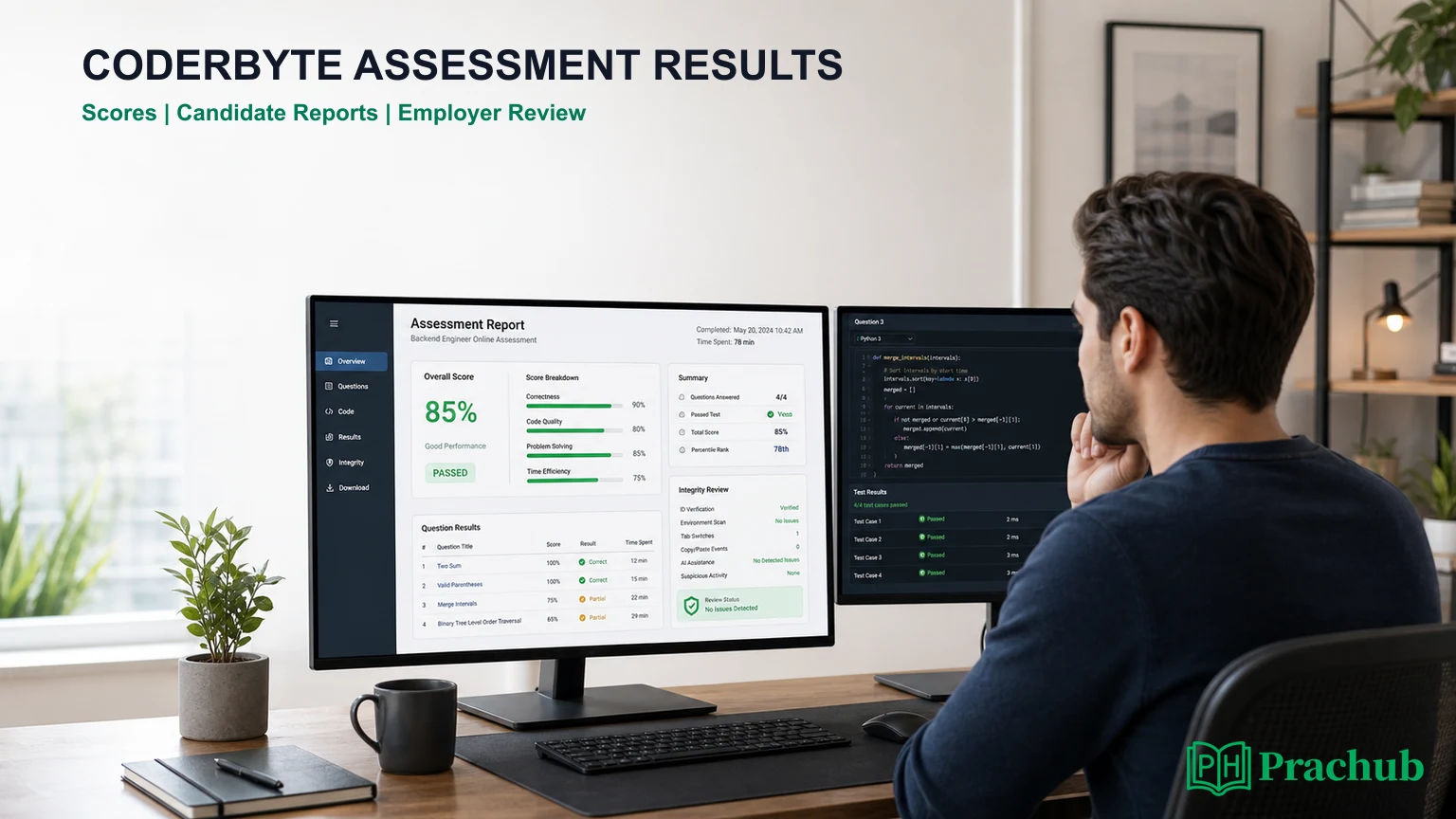
Employers usually see much more than one percentage. Coderbyte says every candidate who completes an assessment has a report that the organization can open from its assessment dashboard. The exact sections depend on the question types, employer settings, subscription features, and integrity tools enabled for that test.
| Area | What the employer may see | Why it matters |
|---|---|---|
| Score | Final result plus scores by challenge or question type, including section weights | The same raw performance can contribute differently across assessments. |
| Answers | Submitted code, challenge results, multiple-choice answers, and open-ended or video responses | A reviewer can move beyond the headline score. |
| Skills | Automated ratings based on the skills covered by scored challenges and questions | The report can summarize strengths by skill rather than only by question. |
| Average | Qualifying score and, once enough people participate, an average candidate score | Your score is interpreted in the context of that employer's assessment. |
| Activity | Video playback of work in the editor and detailed solution activity | Reviewers can inspect how the solution developed. |
| Integrity | Copy-paste records, similar code, tab exits, AI-related signals, searches, or proctoring flags when enabled | A score and the evidence behind it can be reviewed together. |
| Notes | Scorecard ratings and private notes from the hiring team | The report can support a collaborative hiring decision rather than an automatic pass/fail. |
How Coderbyte assessment scoring works
There is no single universal Coderbyte test or cutoff. Employers can mix coding challenges, multiple-choice questions, short answers, free-form responses, personality tests, spreadsheets, and project work. They can also change the time limit, section weights, qualifying score, and whether time contributes to grading.
Your final score can be weighted
Coderbyte lets assessment owners weight sections. Its current documentation says challenges and question sets contribute equally by default, but an employer can change that split before candidates are invited. This means a strong coding section may not completely offset a weak knowledge section, or vice versa.
Imagine an assessment in which coding is worth 70% and technical multiple choice is worth 30%. A candidate with 90% in coding and 60% in multiple choice would finish with a weighted 81%, not a simple average of 75%. The report shows the breakdown so the employer can see where the result came from.
A qualifying score is a company setting, not a promise
Coderbyte's default qualifying score is 70%, and its help center recommends that employers usually set a threshold between 60% and 80%. That guidance is for configuring an assessment, not a universal statement that 70% earns an interview.
The qualifying score powers dashboard labels, sorting, filtering, and analytics. Coderbyte explicitly notes that it does not control candidate notifications. An employer can still consider resume strength, role fit, applicant volume, eligibility, integrity evidence, and reviewer judgment after the technical threshold is met.
Can candidates see their own Coderbyte results?
Sometimes, but the employer decides. Coderbyte lets assessment owners choose whether candidates can view challenge results after submitting a solution. If result visibility is disabled, the candidate may see only a message confirming that the challenge was saved.
The organization can also decide whether candidates may redo a challenge. If both result visibility and redo are disabled, Coderbyte says the candidate may be sent directly back to the assessment rather than shown a results page.
After the entire assessment is submitted, Coderbyte's candidate guide tells candidates that the inviting organization will review the results. Coderbyte itself does not control the employer's hiring timeline or guarantee that a detailed report will be shared with you.
What the question-level report can reveal
The overall score is the fastest filter, but the question detail is where a technical reviewer can understand your work. Coderbyte's report overview says the solutions section can contain the submitted answer and expanded activity details for each coding challenge.
The report can also include multiple-choice answers, short answers, open-ended responses, file uploads, and recorded video responses. Two candidates with similar totals may therefore have very different profiles.
For coding tasks, hidden tests remain a common source of unexpected partial credit. A solution can pass visible examples and still fail on empty input, duplicate values, large constraints, invalid data, or poor complexity. Use our guide to coding assessment hidden test cases to build a stronger final checklist.
Does Coderbyte show coding playback?
Coderbyte documents video playback for coding challenges. Toward the bottom of the candidate report, a reviewer may find recordings of the candidate working in the code editor. The playback can show the challenge instructions, timer, language choice, code changes, test runs, and other activity captured inside the assessment experience.
This is more informative than looking only at the final source code. A reviewer can see whether the candidate built a solution incrementally, tested assumptions, repaired bugs, or inserted a large block of code at once. Coderbyte also says copied and pasted content can be surfaced in the report's solution details.
Coding playback is not automatically proof of misconduct. Fast typing, a late refactor, or a polished final answer can all have legitimate explanations. The practical lesson is simple: work naturally, use only permitted resources, and keep your reasoning trace consistent with the code you submit.
What integrity and plagiarism information can employers see?
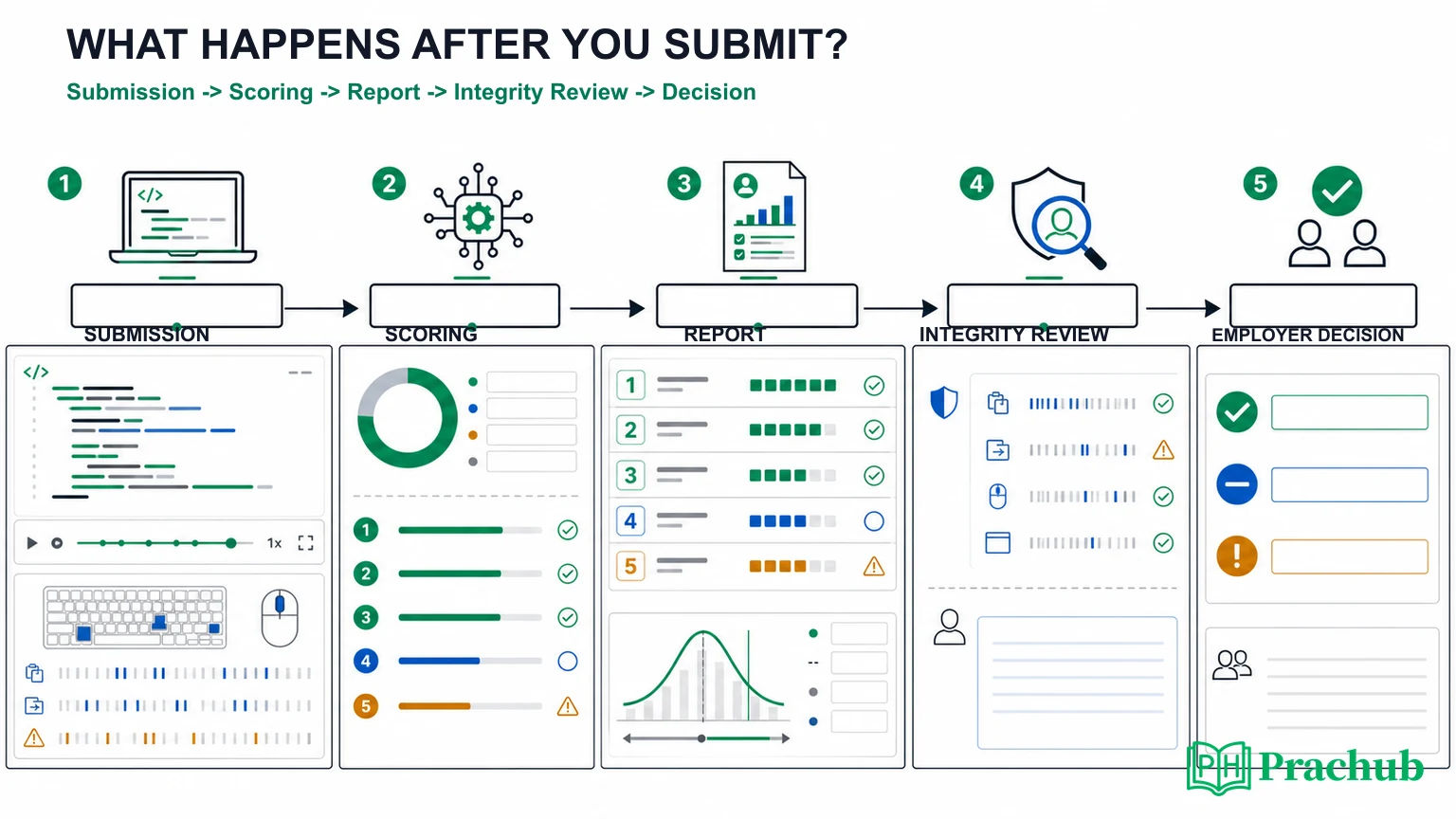
Coderbyte's candidate report can separate several kinds of activity rather than presenting one mysterious cheating score. Available signals depend on what the employer enabled and which features are included in its plan.
| Signal | What may appear in the report | How to interpret it carefully |
|---|---|---|
| Copy and paste | The pasted content and the number of paste events | A paste is an event to review; whether it violates rules depends on the assessment instructions. |
| Tab leaving | The number of times the candidate left the assessment page | A tab exit does not explain intent by itself, but repeated unexplained exits can draw attention. |
| Code similarity | Plagiarism detection and code similar to other submissions | Similarity is evidence for comparison, not a complete account of how the code was produced. |
| Google Search | Search activity when the employer enables Coderbyte's built-in search | Using an allowed search tool may be expected; using outside resources may not be. |
| AI-related activity | Detected ChatGPT or AI code signals, depending on enabled features | Rules vary. Read the invitation and welcome screen rather than assuming AI is allowed or forbidden. |
| Suspicious activity | Screenshot attempts, illicit extensions, script modification, or unusual access behavior | These are security and integrity indicators that can trigger closer review. |
| Webcam proctoring | Possible flags for no person, multiple people, or another device when webcam proctoring is enabled | Not every Coderbyte assessment uses webcam proctoring. |
For a detailed explanation of what can be monitored during the test, read Does Coderbyte Record Your Screen? The important distinction is that a recorded event is not necessarily a final accusation. A responsible hiring team should examine context, the employer's rules, and the actual submission.
Skill ratings, benchmarks, and AI analysis
Coderbyte can automatically generate skill ratings from the skills and technologies attached to scored challenges and questions. Once enough candidates have taken an assessment, the report may also display an average score alongside the employer's qualifying score.
These benchmarks show how an attempt compares with people who took that assessment. They are not a global percentile across every Coderbyte test, because content, weighting, seniority, and time pressure differ.
If the employer has opted into Coderbyte's AI report analysis, the candidate report may include a summary of coding submissions covering accuracy and completeness, efficiency, documentation, and best practices. Coderbyte's own documentation says domain experts should still review submissions before a decision is made.
How employers actually use the candidate report
There is no single employer workflow, but the report supports a predictable sequence. A recruiter can start with the final score and qualifying threshold. A technical reviewer can then inspect the question breakdown, solution quality, playback, and integrity evidence for candidates near the cutoff or moving forward.
| Review stage | Likely question | Candidate implication |
|---|---|---|
| Initial triage | Did the candidate complete the assessment and clear the configured benchmark? | Unanswered sections and preventable submission mistakes matter. |
| Technical review | Which skills were strong, and why did points disappear? | Readable near-complete code can be easier to evaluate than opaque code with the same score. |
| Integrity review | Do activity signals match the instructions and visible work? | A trustworthy process matters alongside correctness. |
| Hiring-team calibration | How does the result compare with the threshold, average, resume, and role needs? | A qualifying score is one input, not an offer or interview guarantee. |
| Next-round planning | What should the interviewer verify live? | Expect follow-ups about trade-offs, complexity, or a weak assessment area. |
Why a strong Coderbyte score may not lead to an interview
A high score is useful, but it cannot resolve every hiring question. The role may have fewer openings than qualified candidates. The employer may re-screen resumes after the assessment, prioritize a particular skill, apply eligibility requirements, or investigate an integrity signal.
The score can also hide composition. An 85% built from excellent coding and weak communication looks different from an 85% built from balanced performance. Section weighting, project review, response quality, and completion time can all affect how the hiring team reads the result.
If you scored well and still received a rejection, do not conclude that the platform made an error or that a perfect score would have guaranteed success. Our guide on rejection after a perfect OA score explains the common resume, behavioral, verification, and capacity filters that happen around technical testing.
How to produce a report that is easy to trust
Prepare for the report, not just the score. A strong submission should make correctness visible and reduce reasons for a reviewer to wonder what happened.
- Read the exact rules. Confirm whether external search, documentation, AI tools, copy-paste, and additional devices are permitted.
- Plan before typing. Spend a short moment identifying inputs, outputs, constraints, and the simplest correct approach.
- Build incrementally. Write a small working core, run it, and add edge cases. This produces a coherent coding history.
- Test boundaries deliberately. Cover empty, minimal, duplicate, invalid, and large inputs when relevant.
- Keep the final code readable. Use clear names, remove dead experiments, and avoid cleverness that saves seconds but obscures reasoning.
- Submit every required section. A correct solution that was run but not submitted may not receive the result you expect.
Practice this workflow with PracHub before the assessment. Pick several Software Engineer interview questions, set a realistic timer, solve without opening the written solution, and record the edge cases you missed. The goal is to make disciplined execution feel normal before an employer records it.
What to do after submitting your Coderbyte assessment
Save the completion confirmation and note any genuine technical issue. If the editor failed or your connection dropped, contact the recruiter promptly with a concise factual description rather than sending speculative messages about cutoffs.
Write a private debrief while the questions are fresh: record the patterns, missed edge cases, time allocation, and one improvement. Then continue preparing for the next stage instead of waiting on the portal. Do not redistribute proprietary prompts or invite links.
Frequently asked questions
What is a good Coderbyte assessment score?
There is no universal good score. Coderbyte uses 70% as the default qualifying score and recommends employers consider 60% to 80%, but companies can change the threshold and section weights. Interpret your score only in the context of that assessment.
Can employers see my exact Coderbyte answers?
Yes. Coderbyte says candidate reports can include coding solutions, multiple-choice answers, open-ended responses, and video responses, depending on the assessment content.
Can employers replay my Coderbyte coding session?
Coderbyte documents video recordings and playback for coding challenges. Reviewers may be able to inspect activity in the code editor, including code changes and test runs.
Does Coderbyte show copy-paste and tab switching?
Coderbyte says reports can show pasted content and the number of times a candidate left the page. The exact monitoring and proctoring features depend on the employer's settings.
Will I receive my Coderbyte candidate report?
Not necessarily. Employers decide whether candidates can see challenge results and whether reports are shared. After final submission, the inviting organization reviews the assessment and controls follow-up communication.
Does passing the Coderbyte qualifying score guarantee an interview?
No. The qualifying score supports filtering and analytics. Employers can still consider resume fit, applicant volume, section-level performance, integrity evidence, eligibility, and human review.
Final takeaway
A Coderbyte assessment result is not just a number. The employer may see how the score was built, what you submitted, how your code developed, which skills were demonstrated, and whether activity deserves further review.
The best response is not to reverse-engineer a mythical cutoff. Build a process that produces strong evidence: correct solutions, careful edge-case testing, readable code, rule-compliant activity, and explanations you can defend in a live interview. Start with PracHub interview questions with written solutions, then simulate the same focused conditions you expect on assessment day.
Research note: Coderbyte features and employer settings can change. Always follow the instructions in your own invitation and assessment welcome screen.
Related Articles
CodeSignal Business Skills Assessment Guide 2026: AI Interview, Timers, and Employer Reports
Prepare for a CodeSignal Business Skills Assessment: understand AI conversations, question timers, written tasks, submissions, and employer review.
Which Programming Language Should You Use in an OA? Speed, Compatibility, and Employer Preferences
Choose the best programming language for an OA by comparing speed, runtime compatibility, employer preferences, and your own error rate with confidence.
Do Partial Test Cases Count in an OA? Hidden Tests, Weighted Scores, and Cutoffs
Do partial test cases count in an OA? Learn how hidden tests, weighted scores, platform rules, and employer cutoffs affect coding assessment results.
Does Finishing an Online Assessment Early Matter? Completion Time, Accuracy, and Recruiter Review
Does finishing an online assessment early matter? Learn when time affects scoring, what recruiters see, and when accuracy should win in coding tests.
Comments (0)